- 14 -
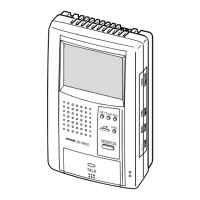
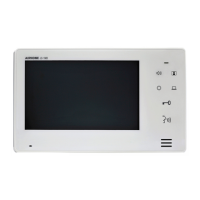
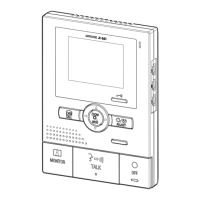
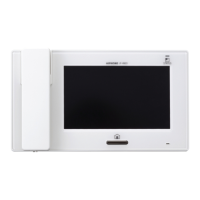
Answering a door call (MANUAL mode)
1. The CALL button of the entrance station is pressed.
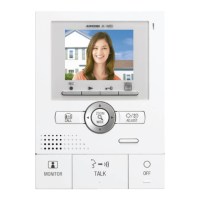
2. The chime tone sounds, the caller is seen on the video monitor, and
the caller's voice is heard.
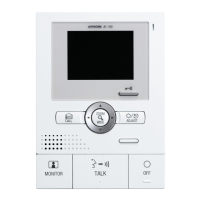
3. Press and hold the TALK button for 2 seconds or more.
4. Keep pressing the TALK button to talk, and release to listen to the
caller.
5. Press the TALK button momentarily (less than 2 sec.) to end.
NOTES: 1. In step 2, the video and audio go off after approx. 45
seconds. If the TALK button is pressed within approx. 45
sec., it connects to the caller's entrance station.
2. In step 2, the door call-in LED of the JB-2MED and JB-
2HD lights in red if called from entrance station 1, and in
green if called from entrance station 2.
3. If you press the TALK button in step 4 for a short time
(less than 2 sec.), communication will end.
4. Communication (video) ends automatically after approx.
1 minute. If the TALK button is pressed within approx. 30
sec., it connects again to the caller's entrance station.
Answering a door call (MANUAL mode)
1. The CALL button of the entrance station is pressed.
2. The chime tone sounds, the caller is seen on the video monitor, and
the caller's voice is heard.
3. Press and hold the TALK button for 2 seconds or more.
4. Keep pressing the TALK button to talk, and release to listen to the
caller.
5. Press the TALK button momentarily (less than 2 sec.) to end.
NOTES: 1. In step 2, the video and audio go off after approx. 45
seconds. If the TALK button is pressed within approx. 45
sec., it connects to the caller's entrance station.
2. In step 2, the door call-in LED of the JB-2MED and JB-
2HD lights in red if called from entrance station 1, and in
green if called from entrance station 2.
3. If you press the TALK button in step 4 for a short time
(less than 2 sec.), communication will end.
4. Communication (video) ends automatically after approx.
1 minute. If the TALK button is pressed within approx. 30
sec., it connects again to the caller's entrance station.
Answering a door call (MANUAL mode)
1. The CALL button of the entrance station is pressed.
2. The chime tone sounds, the caller is seen on the video monitor, and
the caller's voice is heard.
3. Press and hold the TALK button for 2 seconds or more.
4. Keep pressing the TALK button to talk, and release to listen to the
caller.
5. Press the TALK button momentarily (less than 2 sec.) to end.
NOTES: 1. In step 2, the video and audio go off after approx. 45
seconds. If the TALK button is pressed within approx. 45
sec., it connects to the caller's entrance station.
English
7-2
Français
English
Français
Deutsch
Nederlands
Español
7-3
Instant voice call function
1. The CALL button of the entrance station is pressed.
2. Even without answering, the door area can be seen and heard with
video and audio (for approx. 45 sec.). Inside sound is not heard
outside.
NOTES: JA-D does not have this function. Audio is only established
when the call is answered.
Instant voice call function
1. The CALL button of the entrance station is pressed.
2. Even without answering, the door area can be seen and heard with
video and audio (for approx. 45 sec.). Inside sound is not heard
outside.
NOTES: JA-D does not have this function. Audio is only established
when the call is answered.
2. In step 2, the door call-in LED of the JB-2MED and JB-
2HD lights in red if called from entrance station 1, and in
green if called from entrance station 2.
3. If you press the TALK button in step 4 for a short time
(less than 2 sec.), communication will end.
4. Communication (video) ends automatically after approx.
1 minute. If the TALK button is pressed within approx. 30
sec., it connects again to the caller's entrance station.
Answering a door call (MANUAL mode)
1. The CALL button of the entrance station is pressed.
2. The chime tone sounds, the caller is seen on the video monitor, and
the caller's voice is heard.
3. Press and hold the TALK button for 2 seconds or more.
4. Keep pressing the TALK button to talk, and release to listen to the
caller.
5. Press the TALK button momentarily (less than 2 sec.) to end.
NOTES: 1. In step 2, the video and audio go off after approx. 45
seconds. If the TALK button is pressed within approx. 45
sec., it connects to the caller's entrance station.
2. In step 2, the door call-in LED of the JB-2MED and JB-
2HD lights in red if called from entrance station 1, and in
green if called from entrance station 2.
3. If you press the TALK button in step 4 for a short time
(less than 2 sec.), communication will end.
4. Communication (video) ends automatically after approx.
1 minute. If the TALK button is pressed within approx. 30
sec., it connects again to the caller's entrance station.
Answering a door call (MANUAL mode)
1. The CALL button of the entrance station is pressed.
2. The chime tone sounds, the caller is seen on the video monitor, and
the caller's voice is heard.
3. Press and hold the TALK button for 2 seconds or more.
4. Keep pressing the TALK button to talk, and release to listen to the
caller.
5. Press the TALK button momentarily (less than 2 sec.) to end.
NOTES: 1. In step 2, the video and audio go off after approx. 45
seconds. If the TALK button is pressed within approx. 45
sec., it connects to the caller's entrance station.
2. In step 2, the door call-in LED of the JB-2MED and JB-
2HD lights in red if called from entrance station 1, and in
green if called from entrance station 2.
3. If you press the TALK button in step 4 for a short time
(less than 2 sec.), communication will end.
4. Communication (video) ends automatically after approx.
1 minute. If the TALK button is pressed within approx. 30
sec., it connects again to the caller's entrance station.
21
4
3
5
JB-2MEDJB-2MD
21
JB-2MEDJB-2MD


 To Next Page
 Loading...