11
EnglishFrançais
Nederlands
*
Also refer to the “INSTALLATION & OPERATION
MANUAL” for the master station (JK-1MED or JK-
1MD) connected to this unit regarding the operation
of the video door station.
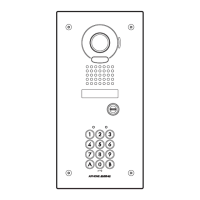
A. Unlocking of user code
Whentheregisteredusercodehasbeeninputusingthe
keypad(between4and6digits),theLEDindicator(group
1:orange,group2:green)lightsup,thebuzzersounds,
andtheelectricdoorstrikeisunlocked.
Orange LED lights up
(during relay1 operation)
Green LED lights up
(during relay2 operation)
ex.) group 1
1006
group 2
04B2
BeepBeep
• Thetimeintervalduringwhichthebuttonmustbe
pressed is approximately 10 seconds. If the time interval
exceeds approximately 10 seconds, the input value will
be cleared.
• Ifyoumakeamistakewheninputtingtheusercode,
input the user code again.
• Whenthe"Lockout"functionhasbeenset,therelease
functionislockedandtheinputoperationisdisabledfor
thespecifiedtime(10-99seconds)ifinvalidcodesare
inputasetnumberoftimes(10-99times).(Reference:
"Lockout".)Duringthistime,thekeyilluminationwill
blink4times,theLED(orange)indicatorwillblinkfor
the set deactivation time, and the buzzer will sound for
approximately 3 seconds.
B. Timer-linked unlocking
Whenthetimer-linkedunlockingfunctionisactive,the
doorcanbeunlockedbypressingthe
keyduringthe
settime,whilethetimerislinked.
The
keyilluminationlightsupwhenthetimeris
activated by performing the setting.
C. Unlocking using the request to exit/entry button
Whenleavingthepremises,youcanactivatetheelectric
doorstrikebypressingtherequesttoexit/entrybutton
connected to the unit. Pressing request to exit/entry
button 1 releases relay 1, and pressing request to exit/
entry button 2 releases relay 2.
• Whenthedoorisunlockedusingtherequesttoexit/
entry button, the LED will not light up and the buzzer will
not sound.
• Operatingtemperature:Between-10°Cand60°C(+14˚Fto
140˚F)
• Cleaning:Cleantheunitwithasoftclothdampenedwith
a neutral household cleanser. Do not use any
abrasive cleanser or cloths.
• Theunitisweatherresistant.Howeverdonotsprayhigh
pressure water on the unit directly. Excessive moisture may
cause problems with the unit.
• Pressandreleasethe
, , , and keys
simultaneouslywhentheAccesscontroldoesnotwork.
* TheLEDs(orangeandgreen)willblinkandthebuzzer
willsound,andthenresettingwilltakeplace.(Thesettings
donotreturntotheirdefaultvalues.)
• Ifresettingdoesnotwork,contacttheservicetechnician
who installed the unit.
OPERATION OF ACCESS CONTROL
TECHNICAL PRECAUTIONS
JK-DVF-AC_ENG.indd 11 2009/10/05 21:18:54


 To Next Page