-15-
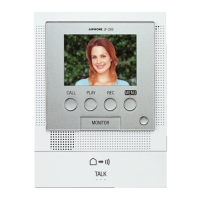
Deleting a recorded image (JV-1MD only)
This function is not available if the station does not have a recording function.
Select in the setting menu. Deleted images cannot be recovered.
Instruction video
https://www.aip-info.net/file/manual/j/JV-1MD/JV-1MD_OP/JV-1MD_OP_EN/content/attachments/110603942/110603943.mp4
NOTE
To cancel deleting, select .
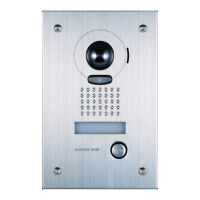
Monitoring the door station
When a noise is heard outside, you can monitor the video and sound outside the door.
Audio from the monitoring station is muted.
Instruction video
https://www.aip-info.net/file/manual/j/JV-1MD/JV-1MD_OP/JV-1MD_OP_EN/content/attachments/110603955/110603964.mp4
NOTE
Available functions during monitoring
Talk (Tap .)
Adjusting the screen brightness → Adjusting screen brightness (P.12)
Adjusting the receiving volume → Adjusting receiving volume (P.12)
To end monitoring, tap again.
Monitoring ends automatically after approx. 60 seconds.
Ambient noise may be louder during monitoring than while communicating.
About the expansion monitor station
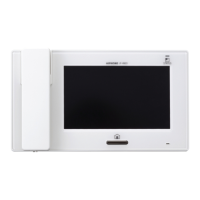
If both monitor stations are monitoring the door station and the is pressed on one monitor station, the other monitor
station will continue to hear the communication.
Tapping of one monitor station while the other monitor station is communicating with the door station will display video
and allow communication to be monitored.


 To Next Page