-16-
Setting menu
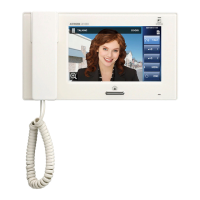
Tap any function button in standby mode to display the settings menu.
The video explains how to adjust the ringtone volume as an example.
Instruction video
https://www.aip-info.net/file/manual/j/JV-1MD/JV-1MD_OP/JV-1MD_OP_EN/content/attachments/110603968/110603970.mp4
NOTE
Any unfinished setting changes will be lost in the following cases.
The station enters standby mode after approx. 60 seconds of no operation.
An incoming call is received.
Displays the recorded image.
→ Viewing a recorded image (JV-1MD only) (P.14)
Adjusts the incoming ringtone volume.
When incoming ringtone volume is 0 (mute), notification LED
lights during standby.
Sets the incoming ringtone.
Displays the 2D code to access the operation manual.
Sets the current date.
→ Setting the date and time (JV-1MD only) (P.10)
01/01/2000 - 31/12/2099
(Default: 01/01/2024)
Sets the display format of time.
00:00 - 23:59 (Default: 00:00)
Sets the display format of date.
DD/MM/YYYY (Default)
MM/DD/YYYY
YYYY/MM/DD
* This function may not be available depending on the installation facilities.


 To Next Page