EasyManua.ls Logo

Aircare EP9 Series - User Manual

Aircare EP9 Series
8 pages
Print Icon
To Next Page IconTo Next Page
Loading...
Skip to content
Manuals+
User Manuals Simplified.
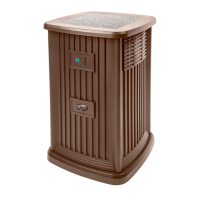
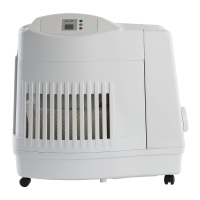
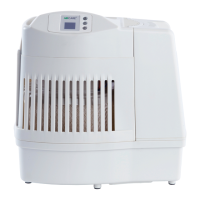
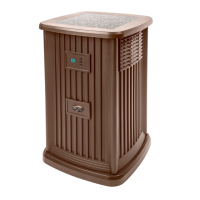
AIRCARE Pedestal Evaporative Humidifier User Guide
Home » AIRCARE » AIRCARE Pedestal Evaporative Humidifier User Guide
READ AND SAVE THESE INSTRUCTIONS
PEDESTAL
EVAPORATIVE HUMIDIFIER
EP9 SERIES
USE AND CARE GUIDE
EP9 800(CN);EP9 500(CN)
• Adjustable Humidistat
• Variable Speed Fan
• Easy Front Fill

Other manuals for Aircare EP9 Series

Questions and Answers

  • D
    David Welch DDSAug 15, 2025
    Why does my Aircare Humidifier display flashes “20”?
    • J
      James MooreAug 15, 2025
      If your Aircare Humidifier display flashes “20”, it means the room humidity is lower than 20%. It will read actual humidity when the level comes up to 25%.
  • P
    patrickfowlerAug 18, 2025
    What to do if my Aircare EP9 is leaking water?
    • L
      lindsaybradyAug 18, 2025
      If your Aircare Humidifier is leaking water, the cabinet may have been overfilled. Do not overfill the cabinet. The correct water level is indicated inside of the cabinet side wall, as there is a safety overflow hole in the rear of the cabinet.
  • J
    Joseph SerranoAug 21, 2025
    What to do if my Aircare Humidifier is not producing enough humidity?
    • J
      John HansenAug 22, 2025
      If your Aircare Humidifier isn't producing enough humidity, the wick might be old and ineffective. Replace the wick if it's clogged or hardened with minerals. Alternatively, the humidistat might not be set high enough; try increasing the humidity setting on the control panel.
  • M
    Maria GarzaAug 25, 2025
    Why does my Aircare Humidifier display flashes ”—“?
    • D
      dhayesAug 26, 2025
      The display on your Aircare Humidifier might flash “—“ because the unit is initiating. The room humidity will display after initiation is complete. Alternatively, the room humidity may be over 90%. The display will remain until humidity drops below 90%.
  • J
    Jessica HoffmanAug 28, 2025
    What to do if my Aircare Humidifier control panel does not respond and displays CL?
    • Z
      Zachary WhiteAug 28, 2025
      If the control panel on your Aircare Humidifier isn't responding and the display shows 'CL', the control lock feature is likely turned on. To deactivate it, press the Humidity and Speed buttons simultaneously for 5 seconds.
  • M
    Michael ThomasAug 31, 2025
    What to do if my Aircare Humidifier has an odor?
    • I
      Isaiah GardnerSep 1, 2025
      If your Aircare Humidifier has an odor, bacteria may be present. Clean and disinfect the cabinet following the care and maintenance instructions. You can also add an EPA registered Bacteria Treatment according to the instructions on the bottle. If the odor persists, it may be necessary to replace the wick.
  • C
    Charles LynchSep 4, 2025
    What to do if my Aircare EP9 Humidifier is producing too much humidity?
    • D
      Derrick HouseSep 4, 2025
      If your Aircare Humidifier is producing too much humidity, and condensation is heavy, the humidistat may be set too high. Try reducing the humidistat setting or increasing the room temperature.
  • R
    Rachel DanielSep 7, 2025
    How to fix Aircare Humidifier that does not operate on any speed setting?
    • H
      Heather McconnellSep 7, 2025
      If your Aircare Humidifier isn't operating on any speed setting: * Ensure the polarized plug is fully inserted in the wall outlet to provide power. * Refill the reservoir, as the fan won't operate without water. * Ensure the float assembly is correctly positioned as described in the manual.
  • N
    Nancy HolmesSep 12, 2025
    Why does the light remain on in my Aircare EP9 after turning it off?
    • S
      Samantha HannaSep 12, 2025
      The LED light stays on in the cabinet of your Aircare Humidifier whenever power is supplied. This is normal.

Summary

General Safety Instructions

Introduction

How Your Humidifier Works

Explains how the humidifier absorbs moisture from saturated wick and releases it into the air without white dust.

Know Your Humidifier

Cautions on Additives to Water

Advises against adding anything to water except approved bacteriostats and warns against essential oils.

Notes on Location

Provides guidance on optimal humidifier placement for effective use and to prevent condensation.

Assembly

About Humidity

Operation

Control Panel

Fan Speed

Details how to adjust the fan speed using the Speed button, offering nine speeds from F1 to F9.

Humidity Control

Explains how to set the desired humidity level and notes the automatic humidistat function.

Other Features; Indications

Covers the check filter reminder (CF) and the out-of-water indicator (F).

Wick Replacement

Care and Maintenance

Standard Cleaning

Provides step-by-step instructions for cleaning the humidifier base and reservoir with vinegar.

Disinfecting Unit

Details the process of disinfecting the reservoir using a bleach solution to eliminate bacteria.

Summer Storage

Offers guidance on preparing the unit for summer storage, including drying and avoiding high temperatures.

Repair Parts List

Troubleshooting Guide

Humidifier Two Year Limited Warranty Policy

Aircare EP9 Series Specifications

General IconGeneral
TypeEvaporative
Speeds9
HumidistatYes
Digital ControlsYes
Auto Shut-offYes

Related product manuals