2 SWITCHINGTHEDEVICEHEATINGONOROFF:
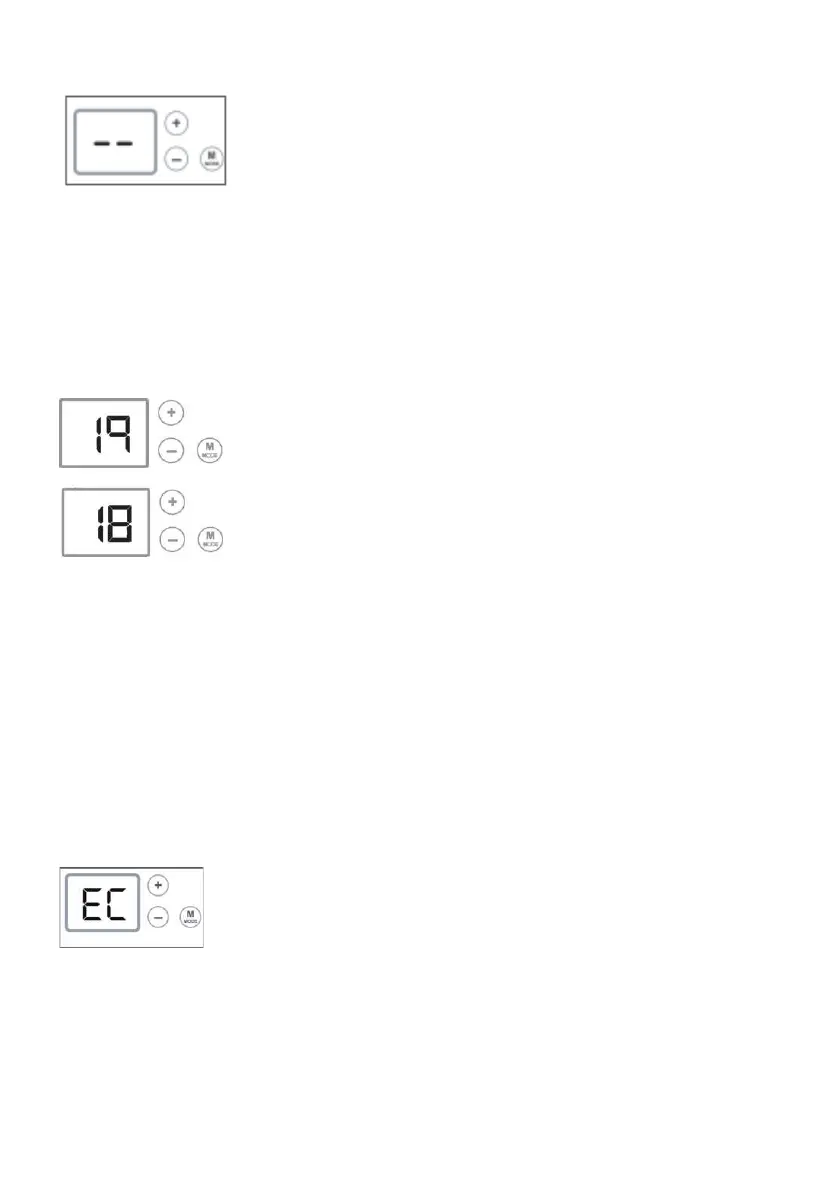
Toswitchonthedevice,brieflypresstheMODEbuttonuntiltherequiredcomforttemperatureis
displayed,thatis19.
Toswitchoffthedevice,presstheMODEbuttonuntilthestandbypositionisreached.
Note:thedevicestoresallyoursettingsinitsmemory,itisjustonstandby.
3 SETPOINTTEMPERATURESETTING:
Usingthe+andbuttons,youcanincreaseordecreasethesetpointtemperatureinstepsof1°C.
Youcanthussettherequiredsetpointtemperatureyourself.
Closethedoorsoftheroomandwaitforafewhourssothatthetemperaturestabilisesatthe
requiredvalue.
Ifthetemperatureobtaineddoesnotsuityou,increaseordecreasethesetpointvalueinstepsof
1°C.
Waitforafewhoursagaintocheckthevalueofthecomforttemperature.
4 OVERRIDEINECONOMYMODE:
Forashortperiodofabsence(morethan2hours),itisrecommendedthatthisoperatingmodebe
usedtoobtainmaximumsavings.Thiseconomypositiondropstheroomtemperaturebyabout3°C
inrelationtothesetpointtemperature.Todothis:PresstheMODEbuttonuntilthedisplayshows
the'EC'economyposition.
Itispossibletoviewtheeconomysetpointbybrieflypressingononeofthe+orbuttons.
Theeconomytemperatureissetbydefaultto3°Cbelowthecomforttemperature.
49.



 To Next Page