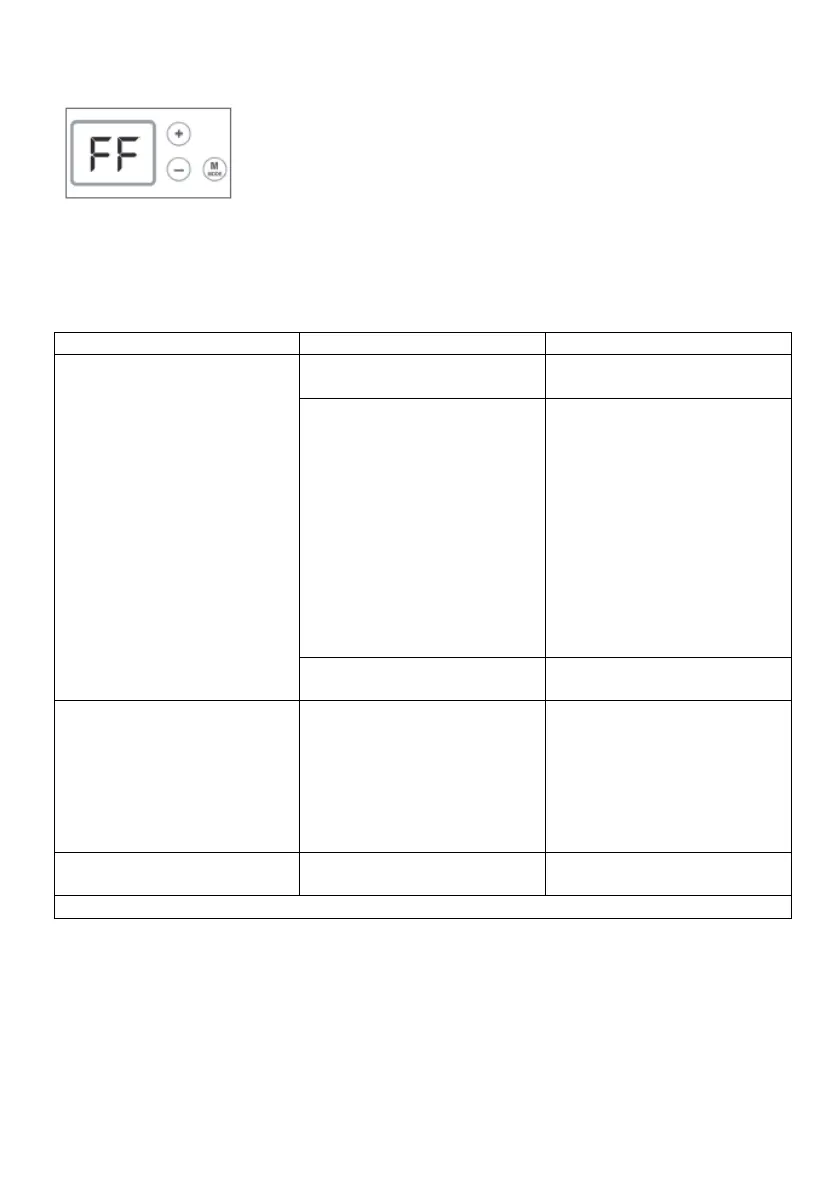
OrthedisplayflashesFFandharmonisationisthenimpossible.
Note:Ifnoaction istaken onthe + and buttonsfor 15 seconds,the displayreturnsto the initial
position,thatis19.
3 TROUBLESHOOTING
Thedevicedoesnotheat
• Ensure that the switch is in
position1.
•Settheswitchtoposition1
•Theheatingindicatorisoff.
• Check the value of the
setpoint.
• The room temperature does
notrequireheating.
•ThedeviceisinEC(economy)
or in shunt mode: ensure that
the shunt system has not cut
off the power supply for the
device.
• The device is switched off
following an open window
detection.Refertochapter
•Theheatingindicatorisstill
noton.
•Ensurethattheinstallation
circuitbreakershavetriggered.
Thedeviceheatsallthetime
•Check thatthesettingof the
temperature has not been
changed.
• Check that the device is not
located near an open door
and/ornearanunheatedroom
•Setthetemperatureagain.
•Closethedoor,heattheroom
orremovethedraught.
Thedevicedoesnot followthe
programmingorders
•Checkthepreset
programming.
•Settheprogrammingmodes.
INALLOTHERCASES,CONTACTAQUALIFIEDPERSON
55.



 To Next Page