Interior
5-12 Flying Cloud
Rear TV Pre-Wire
25 ft., 27 ft., 28 ft., and 30 ft. trailers have an HDMI
cable pre-wired from the Blu-Ray player to the rear TV
mounting location. The cable is coiled by the player and
behind a wall plate located by the second TV mounting
area. When adding an aftermarket TV, disconnect the
HDMI cable to the standard TV from the player, add
an HDMI splitter to the Blu-Ray player output, plug the
standard TV HDMI back into the splitter, plug the coiled
2nd TV DMI into the splitter, pull the HDMI cable from
behind the wall plate, and plug into the aftermarket TV.
TV Booster/12-Volt Outlet
The TV booster amplies the signal from the TV
antenna. Pushing the booster button switch activates
and deactivates the booster. A green light comes
on when the booster is activated. For viewing while
hooked up to an exterior cable TV source, turn the
booster off.
note
The TV booster must be on to receive antenna
signals and off for cable/satellite TV operation.
Review the antenna and booster manuals included in
your owner’s packet before operating the system.
1
2
3
4
5
1. TV/12-Volt Outlet Plate
2. 12-Volt Outlet
3. Light
4. Booster Switch
5. TV Cable Outlet
A 12-volt port, two RCA jack cords, and a plug-in are
provided with the Audio/Video Package. These are
used for an Apple Ipod or MP3 player input. Use the
SOURCE button on the radio to access the auxiliary
port into which the Ipod or MP3 player is plugged.
Lowered/Travel Position
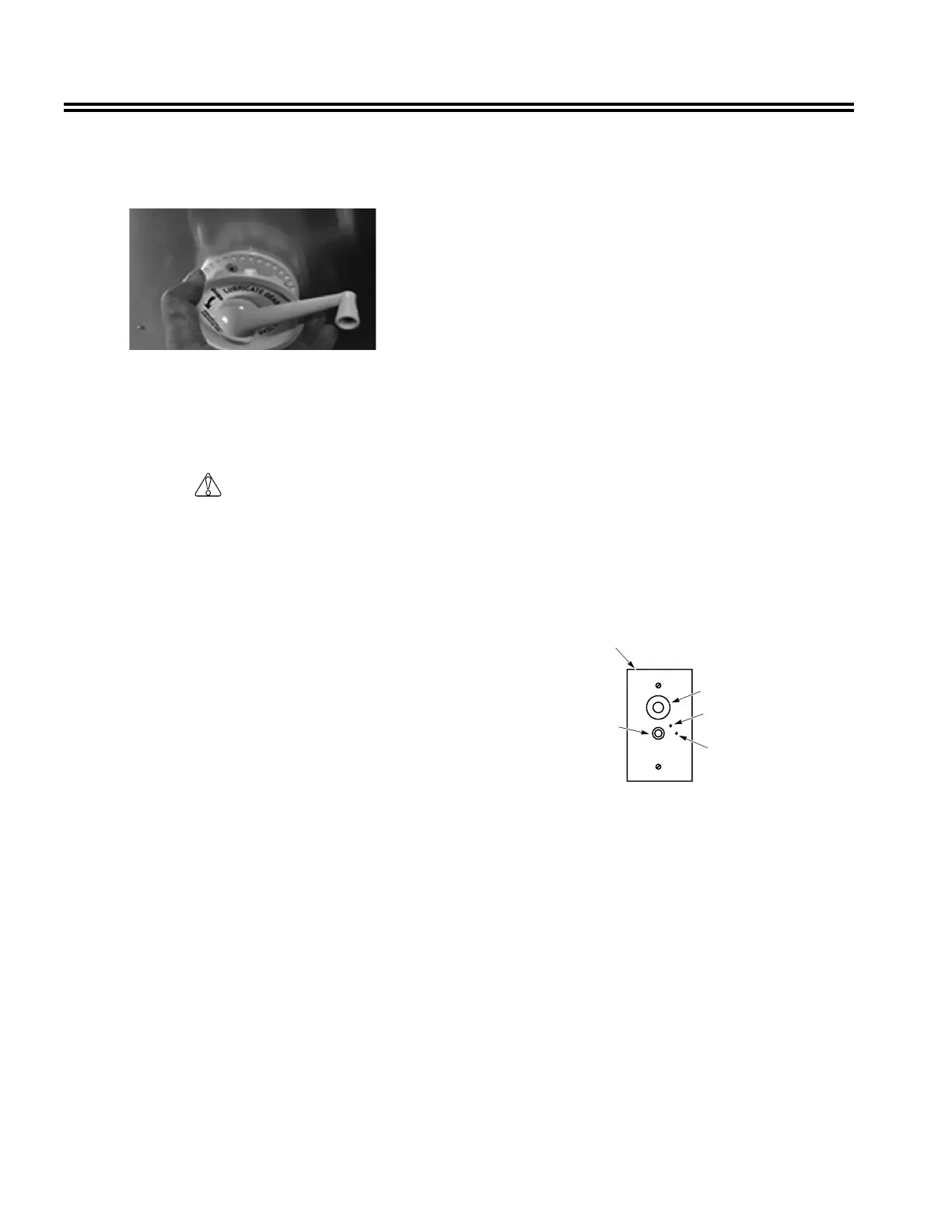
Rotate antenna until pointer on directional handle
aligns with pointer on ceiling plate.
Rotating Antenna
Make sure antenna is in the UP position. Pull down on
directional handle with both hands until it disengages
ceiling plate, and then rotate for best picture and sound
on television set.
cAutIon
Antenna must be in the DOWN position while
traveling to prevent damage.
Turn elevating crank in the DOWN direction until
resistance is noted. Antenna is now locked in travel
position.
Safety Considerations
The following safety considerations will help prevent
damage to antenna or other property:
• Check parking location for obstructions before raising
antenna.
• Carefully raise, lower, and rotate; if difcult, check for
cause.
• Do not force elevating crank up or down. Check for
cause of trouble.
• Do not rotate directional handle hard against stops.
• Do not travel with lift in up position.
• Do not leave lift part-way up or down.
• Do not apply sealing compound or paint over top of
base plate or anywhere on lift.
Checking Reception
Perform the following for best signal reception:
1. Tune TV receiver to nearest station and rotate
antenna for best picture and sound.
2. Turn off switch on power supply. Picture on TV
receiver should be considerably degraded with the
power off.




 To Next Page