Interior
2019 Interstate 5-21
Water Heater
The Interstate Touring Coach is equipped with an
on-demand tankless water heater featuring 60K BTU
output, freeze protection, and direct spark ignition� The
tankless water heater monitors inlet water temperature
and ow, and output water temperature and ow. The
water heater is operated using the Multiplex System’s
control panel�
NOTE
Review the water heater literature supplied in your
owner’s packet before proceeding.
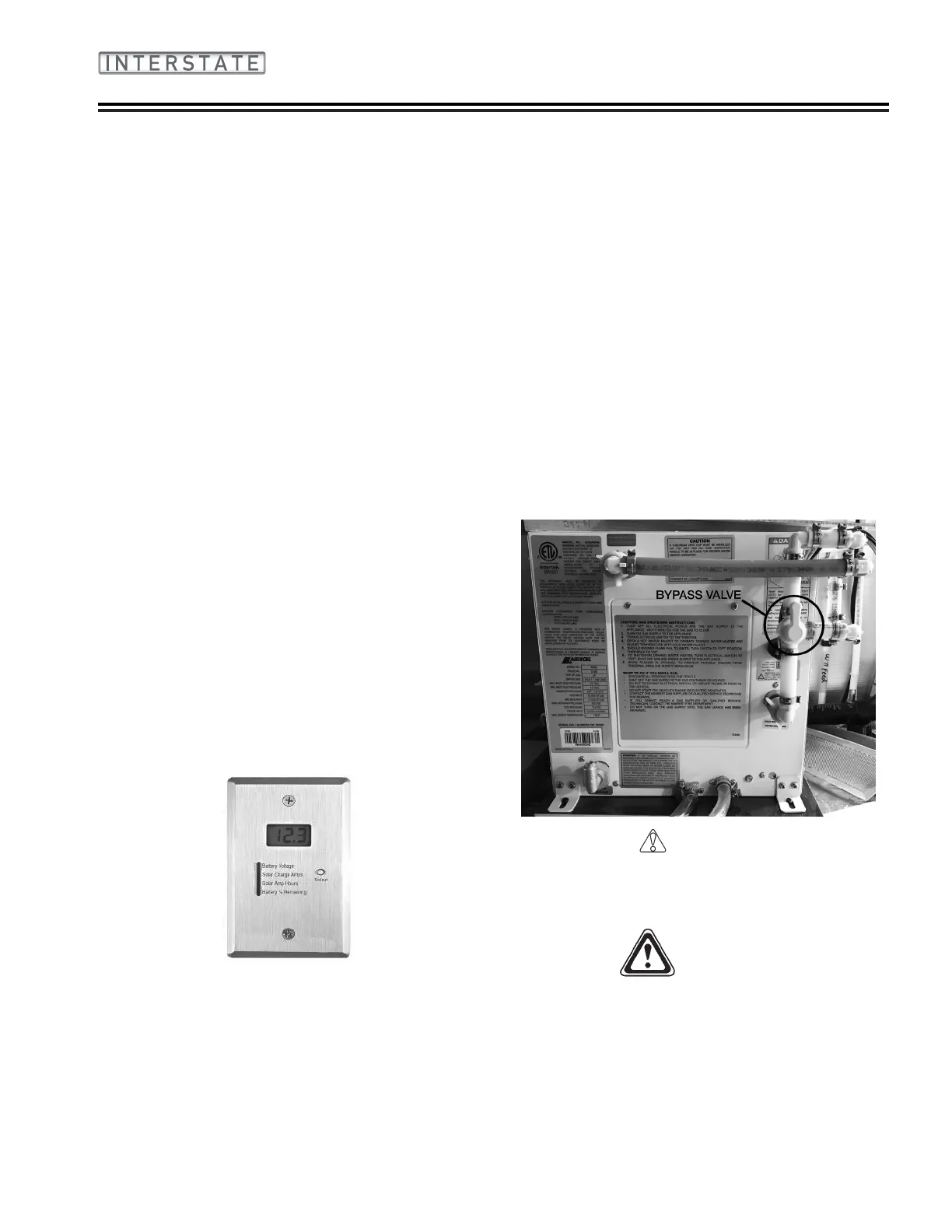
Below is a representation of normal operating valve
settings� When the valve is in the upright position the
water valve is open� When winterizing or storing for
long periods it is recommended to close the bypass
valve by turning the valve a quarter turn� Refer to
Section 9 - Maintenance for further winterization and
storage instructions�
CAUTION
This appliance does not have a pilot. It is equipped
with an ignition device which automatically lights
the burner. Do not try to light the burner by hand.
WARNING
The water heater has built-in FREEZE
PROTECTION and will intermittently cycle the
burner when the water temperature is between
1°C/ 35°F to 4.5°C/40°F. To provide this freeze
protection, the gas supply must be on, gas must be
available and electrical power must be on.
2� If no other button is pressed, then the display will
shut down after about 5 seconds� If the BATT
button is held down, the display will continuously
recheck the voltage and show the updated value�
The reading may icker back and forth between
two values�
3� If another button is pressed before the 5 second
time is up for the BATT button, the display will
immediately switch to show the value for the new
button� The 5 second time-out is restarted every
time a button is pressed�
4� There is no hold mode for the battery voltage
To Program the LED Brightness
1� The display needs to enter the brightness
programming mode� To do this, press and hold
the BATT button; the display will show the battery
voltage�
2� While continuing to hold the BATT button, press
and hold the GREY button� Continue to hold
both buttons for approximately 5 seconds until
the display shows “bri” to indicate the brightness
programming mode� When this occurs, release
both buttons�
3� Press the GREY tank button to increase
brightness, or the FRESH tank button to decrease
brightness
4� When the display shows the correct brightness,
press the BATT button to exit the programming
mode�
Solar System
Airstream utilizes Go Power Flex-100 solar panels and
a Sun-Explorer Controller/Display System� Ensuring
the panels are clean, not partially shaded by trees or
other interference will promote solar charging� The
display is mounted in the front roadside roof locker
behind the drivers seat� Manuals on their use are
included with the Airstream owner’s packet�
Refer to Section 9 - Maintenance for Solar Panel Pre-
Wire diagram and information�





 To Next Page