EasyManua.ls Logo

AirTurn BT500 - User Manual

AirTurn BT500
22 pages
Print Icon
To Next Page IconTo Next Page
Loading...
BT500 Manual
Support for:
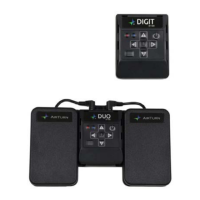
AirTurn DIGIT 500
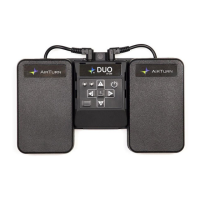
AirTurn DUO 500
Question and Answer IconNeed help?

Do you have a question about the AirTurn BT500 and is the answer not in the manual?

Summary

Before Turning on Your AirTurn

BT500 Controls Overview

Connecting and Pairing

Closed Pairing

Switching Between Pairing Methods

Pairing in AirDIRECT MODE 1

Steps for connecting in AirDirect specific mode.

Pairing in MODE 2-6 (Keyboard;Mouse)

Pairing in MODE 7 (MIDI)

MIDI Mode Functionality

Modes for BT500 Explained

Changing the Operating Mode

Recharging the Battery and Safety

AirTurn Manager App

Reset to Factory Defaults

AirTurn BT500 Specifications

General IconGeneral
Bluetooth VersionBluetooth 4.0
Weight0.5 lbs (227 g)
CompatibilityiOS, Android, Mac, PC
Connectivity TechnologyBluetooth
Number of Pedals2
Device TypeBluetooth Pedal Controller

Related product manuals