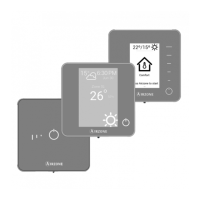
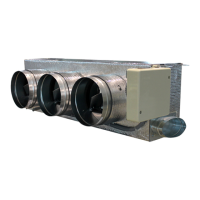
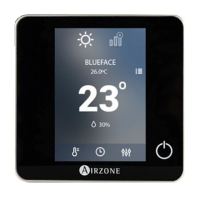
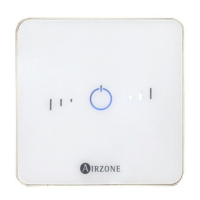
Need help?
Do you have a question about the Airzone VAF BLUEFACE and is the answer not in the manual?
Safety instructions for system manipulation and electrical connections.
Guidelines for proper disposal and recycling of electrical equipment.
Connect zone and control modules to the Airzone VAF control board using specific cable.
Recommendations for placing wireless zone components close to the controller.
Connect controllers to zone modules using 4-wire shielded twisted pair cable.
Configure SW2 microswitch for relay radiant heat control based on zone configuration.
Connect to a ducted unit following communication gateway datasheet instructions.
Connect zone modules to Fancoil, Split, etc. units as per their data sheets.
Connect Webserver Cloud or BACnet Gateway to the Control Board's automation bus.
Connect auxiliary heat relays of the VAF Control board to control elements.
Power the main control board and other elements using appropriate cabling.
Return system to factory values by pressing and holding SW1 until LED D19 stops flashing.
Instructions for removing and replacing controller batteries.
Verify LED states on control board/elements and ensure all controllers are powered.
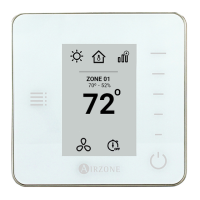
Guide for initial setup of Blueface and Think controllers, requiring completion once started.
Select the desired language for the controller interface.
Associate wireless devices by opening radio channel and performing a search.
Select preferred units for temperature display (°C or °F).
Assign a unique ID to the zone corresponding to the controller's output.
Associate multiple control outputs to a single zone.
Define the controller's role as Main (overall control) or Zone (specific zone control).
Configure heating/cooling stages (Air, Radiant) and unit types.
Set the Main controller's zone ID for zone controllers to follow its mode.
Conclude initial setup or access advanced settings for further configuration.
Select the language for the Think controller interface.
Verify wireless device radio channel is open and associate the module.
Select preferred units (°C or °F) for the Think controller.
Select thermostat settings for the Think controller.
Configure control stages (Heat, Radiant) for the Think controller.
Set the Main ID for the Think controller to link it to a master controller.
Access advanced settings or end the configuration for the Think controller.
Steps for configuring a wired Lite controller.
Steps for configuring a wireless Lite controller.
Set Main ID for Lite controller for proper function with master controllers.
Reset a Lite controller to factory values by adjusting microswitch 8.
Verify AC unit and system communication, mode, and set-point.
Test damper operation, unit on/off, and control outputs for proper system function.
Adjust damper maximum opening using the REG lever for optimal flow.
Adjust minimum damper opening using the M-A lever for airflow.
Configure system-wide settings like ID, temperature range, and global ventilation.
Set heating/cooling temperature ranges and disable modes.
Activate/deactivate fan mode when system is not actively heating/cooling.
Prevent room temperature from dropping below 12°C/53°F when zone is off.
Configure damper opening type (All/Nothing or Modulating).
Enable/disable minimum airflow in zones with intelligent dampers.
Enable/disable auxiliary heat and configure its stages and parameters.
Configure parameters for the first stage of auxiliary heat.
Configure parameters for the second stage of auxiliary heat.
Configure auto-changeover operation for mode changes.
Configure parameters for unoccupied and vacation user modes.
Configure parameters for the Air+Radiant control stage.
Display and modify BACnet gateway parameters like Device ID and IP Address.
Ignore system demand if supply temperature exceeds a set limit.
Configure auxiliary unit type and fan delay for air supply support.
Enable or disable the system's internet connection.
Choose whether to show or hide room temperature and relative humidity.
Activate or deactivate the system's radio channel.
Reset the system to factory settings and reconfigure controllers.
Configure zone-specific settings like ID, linked zones, and controller type.
Assign or modify the zone number for remote or Lite controllers.
Display and select control outputs associated with the controller.
Define the controller as Main or Zone.
Set the Main zone ID for controllers configured as zones.
Set controller mode to Basic or Advanced for parameter control.
Apply a correction factor for the room temperature of zones.
Configure cooling and heating stages (Air, Radiant) for zones or the entire system.
Enable/configure air heating/cooling and unit type (DX or water).
Enable/configure radiant heating for zones with water, electric, or air supply units.
Determine zone state based on occupancy via contact input.
Control zone state based on window opening.
Configure setpoint temperatures for Comfort, Eco, Unoccupied, and Vacation modes.
Set zone weight for system operation calculation.
Reset the controller to its default values.
Display and select control outputs associated with the controller.
Define the controller as Main or Zone.
Set the main zone ID for controllers configured as zones.
Set controller mode to Basic or Advanced for parameter control.
Apply a correction factor for the room temperature of zones.
Configure cooling and heating stages (Air, Radiant) for zones or the entire system.
Enable/configure air heating/cooling and unit type (DX or water).
Enable/configure radiant heating for zones with water, electric, or air supply units.
Determine zone state based on occupancy via contact input.
Control zone state based on window opening.
Set zone weight for system operation calculation.
Reset the controller to its default values.
 General
| Brand | Airzone |
|---|---|
| Model | VAF BLUEFACE |
| Category | Control Systems |
| Language | English |

 To Next Page