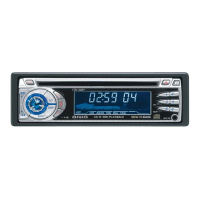
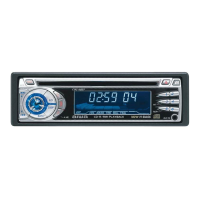
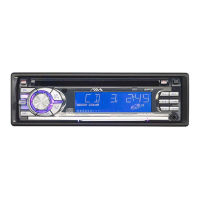
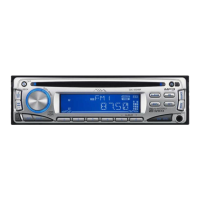
This document is the operating instructions manual for the AIWA CDC-Z117 YU Stereo Car CD Receiver, a car radio-tocadiscos de CD estereofonico para automovil. It provides detailed information on basic operation, audio and clock adjustment, radio operation, CD player operation, auxiliary equipment, troubleshooting, maintenance, and specifications.
Function Description:
The AIWA CDC-Z117 YU is a stereo car CD receiver designed for in-vehicle entertainment. It integrates a radio tuner and a CD player, allowing users to listen to radio broadcasts and play audio CDs, CD-Rs, and CD-RWs. The unit also features an auxiliary input for connecting external audio devices such as cassette players, MD players, or MP3 portable players. Key functionalities include sound adjustment (BASS, TRE, BAL, FAD, H-BASS), source level alignment, automatic and manual station presetting, timer functions for scheduled radio activation, and various CD playback modes like Intro Play, One Track Repeat Play, and Random Play.
Important Technical Specifications:
RADIO SECTION (FM):
- Frequency Range: 87.5 MHz – 108 MHz (100-kHz steps) or 87.5 MHz – 108 MHz (50-kHz steps)
- Usable Sensitivity: 12.7 dBf
- 50 dB Quieting Sensitivity: 17.2 dBf
- IF Rejection: 80 dB
- Frequency Response: 30 Hz – 15,000 Hz
- S/N Ratio: 63 dB
- Stereo Separation: 35 dB at 1 kHz
- Alternate Channel Selectivity: 70 dB
- Capture Ratio: 3 dB
RADIO SECTION (AM):
- Frequency Range: 530 kHz – 1,710 kHz (10-kHz steps) or 531 kHz – 1,602 kHz (9-kHz steps)
- Usable Sensitivity: 30 µV (30 dB)
- Note: The frequency increment for your area can be set using a switch on the bottom of the unit (factory-set to 10k position for the U.S.A.).
CD SECTION:
- Frequency Response: 17 Hz – 20 kHz +0/-3 dB
- Dynamic Range: More than 80 dB
- Channel Separation: More than 65 dB
- S/N Ratio: More than 85 dB
- Wow/Flutter: Not applicable
AUDIO SECTION:
- Max. Power Output: 45 W × 4 channels
- Input sensitivity (load impedance) AUX IN: 300 mV (10 kΩ)
GENERAL:
- Power-Supply Voltage: 14.4 V (11 to 16 V allowable), DC, negative ground
- Load Impedance: 4 Ω
- Tone Control: Bass ± 10 dB at 100 Hz, Treble ± 10 dB at 10 kHz
- Preamp Output Voltage (load impedance): 2.2 V (10 kΩ)
- Installed size: 182 (W) × 53 (H) × 155 (D) mm (7 1/4 (W) × 2 1/8 (H) × 6 1/8 (D) inches)
- Note: Specifications and external appearance are subject to change without notice due to product improvement.
Usage Features:
- Power On/Off: The unit can be turned on by pressing PWR/MUTE or by inserting a CD. To turn off, press and hold PWR/MUTE.
- Source Mode Selection: Pressing FNC cycles through available source modes: FM1, FM2, FM3, AM1, AM2, CD, and AUX. "CD" mode is only available when a CD is inserted.
- Volume Adjustment: Turn the Smart Jog to adjust the volume.
- Sound Adjustment: Press SEL repeatedly to select modes like BASS, TRE, BAL, FAD, and H-BASS. Turn the Smart Jog to adjust levels or select on/off for H-BASS. Adjustments must be made within 5 seconds.
- Source Level Adjuster: Align volume levels across different source modes by pressing DISP while pressing SEL, then adjusting with the Smart Jog.
- Restoring Factory Settings: Turn off the unit, then press and hold DISP until "LA --" appears to restore factory settings for VOL, BASS, TRE, BAL, FAD, H-BASS, and aligned source volume levels.
- Muting Button Beep Sounds: Turn off the unit, press and hold SEL until "bEEP" appears, then use the Smart Jog to select on or off.
- Clock Setting: Press and hold DISP until the clock indicator flashes. Use TUNE▲/TUNE▼ and the Smart Jog to set the hour and minute, then press DISP.
- Radio Tuning:
- Seek Tuning: Press and hold TUNE▲ or TUNE▼ to automatically search for stations.
- Manual Tuning: Press TUNE▲ or TUNE▼ briefly to change frequency step by step.
- Monaural Mode: Automatically switches to Monaural mode for weak signals to reduce noise.
- Local Mode: Press LO to tune in only to strong stations during Seek Tuning.
- Preset Stations:
- Auto Memory: Press and hold PS/A.ME to automatically store up to 6 stations per band.
- Manual Memory: Tune to a desired station, then press and hold the desired preset station button.
- Preset Scan: Press PS/A.ME briefly to scan through preset stations for 5 seconds each.
- Active Tuning Reception Control (ATRC): Automatically suppresses FM noise caused by vehicle movement.
- Timer Function (My Information): Schedule the radio to turn on and off at specific times in Radio mode. Press and hold INFO to set the timer. "MY INFO" flashes when the unit is in timer standby.
- CD Playback: Insert a CD to start playback. The unit supports CDs, CD-Rs, and CD-RWs.
- Intro Play: Press INT during CD play to listen to the first 10 seconds of each track.
- One Track Repeat Play: Press REP1 to repeatedly play the current track.
- Random Play: Press RNDM to play tracks in random order.
- Track Navigation: Use to skip to the next track, and to go back to the beginning of the current track or skip backward.
- Locate Specific Point: Press and hold or to fast-forward or fast-reverse.
- Auxiliary Input: Connect external audio equipment to the AUX IN jack (3.5 mm) and select "AUX" mode using FNC.
Maintenance Features:
- Cleaning the Front Panel: Wipe the surface with a soft, dry cloth.
- CD Handling:
- Hold CDs as illustrated, avoiding the unlabeled side.
- Do NOT attach seals, labels, or data protection sheets to discs.
- Do NOT expose CDs to direct sunlight or excessive heat.
- Wipe dirty CDs from the center outward with a cleaning cloth; never use solvents.
- The unit cannot play 3-inch (8 cm) CDs or irregularly shaped CDs.
- Troubleshooting (Error Codes):
- E03: Indicates a focus error. Check if the CD is loaded properly (right side up) and contains valid data.
- Reset Button: If the unit malfunctions, press the reset button with a pointed object. Note that this will erase all settings.
Precautions:
- Use only in a 12-volt DC negative-ground electrical system.
- Disconnect the vehicle's negative battery terminal during mounting and connection.
- Use a fuse with an identical amperage rating when replacing.
- Do NOT attempt to disassemble the unit due to laser beam exposure.
- Prevent foreign objects from entering the unit.
- Allow the unit to cool off if the vehicle has been parked in direct sunlight.
- Keep the volume at a level that allows hearing outside warning sounds.
- The unit can read CD-Rs or CD-RWs, but NEVER use discs with no data or data in the wrong format (e.g., MP3 or other computer files).
- This equipment complies with Part 15 of the FCC Rules for Class B digital devices.

 Need help?
 General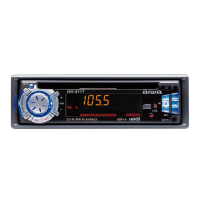

 To Next Page