(El
5sm?15DcwJI
j! ~~~~~R~Dlol
The power is turned on.
The RADIO indicator lights up and the volume level is
displayed.
~ Select a
band with BAND.
~ Tune to a station with TUNING.
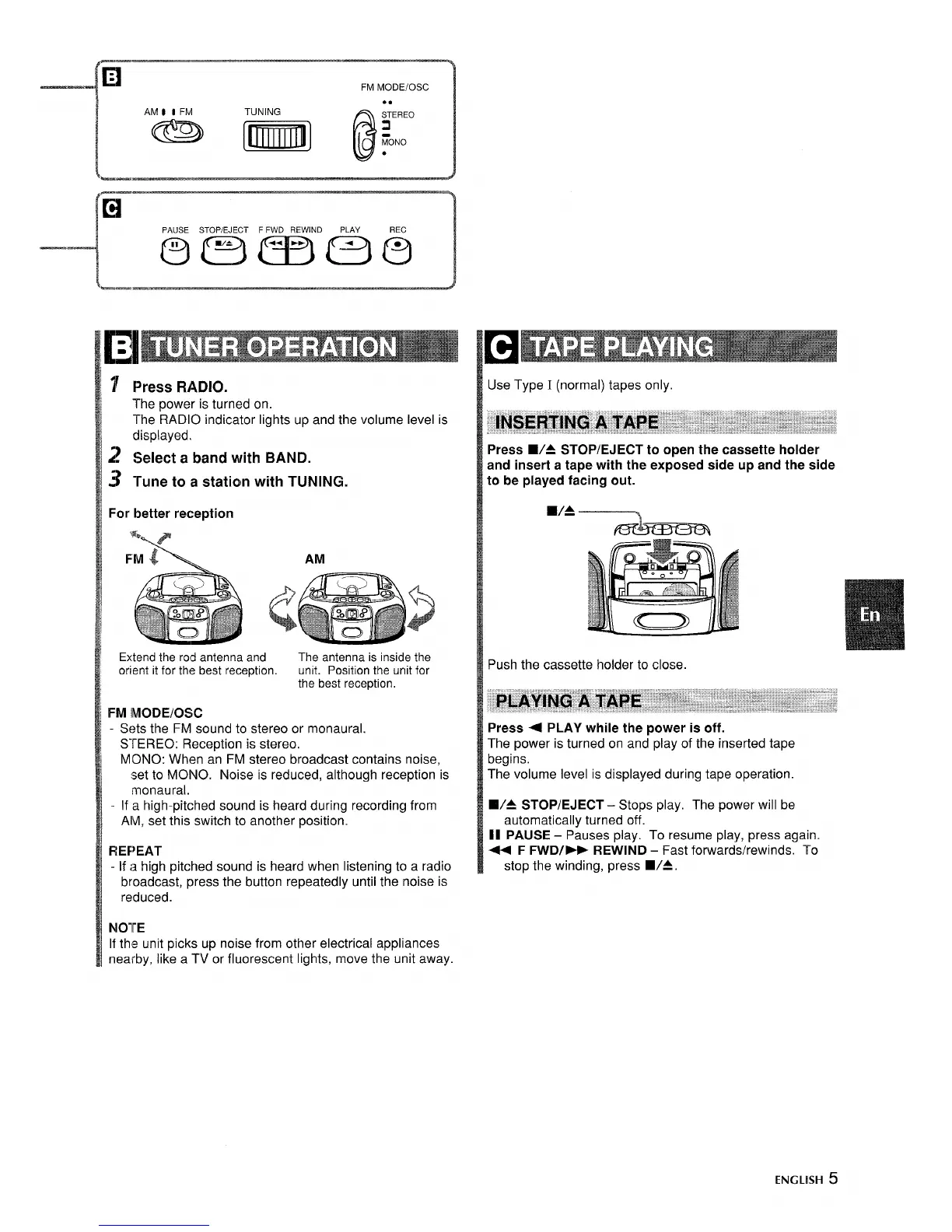
For better reception
3
Extend the rod antenna and
The antenna is inside the
orient it
for the best reception,
unit. Position the unit for
the best reception,
FM lMODE/OSC
- Sets the FM sound to stereo or monaural.
STEREO: Reception is stereo.
MONO: When an FM stereo broadcast contains noise,
set to MONO. Noise is reduced, although reception is
monaural.
- If a high-pitched sound is heard during recording from
AM, set this switch to another position.
FfEF~EAT
- If a high pitched sound is heard when listening to a radio
broadcast, press the button repeatedly until the noise is
reduced.
Use Type I (normal) tapes only.
Press
■/4 STOP/EJECT to open the cassette holder
and insert a tape with the exposed side up and the side
to be played facing out.
9/4
Push the cassette holder to close
Press 4 PLAY while the power is off.
The power is turned on and play of the inserted tape
begins.
The volume level is displayed during tape operation.
WA STOP/EJECT – Stops play. The power will be
automatically turned off.
II PAUSE – Pauses play. To resume play, press again.
++ F FWD/> REWIND – Fast forwards/rewinds. To
stop the winding, press WA.
NOTE
If the unit picks up noise from other electrical appliances
nearby, like a TV or fluorescent lights, move the unit away.
ENGLISH 5



 To Next Page