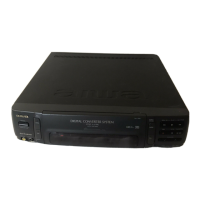
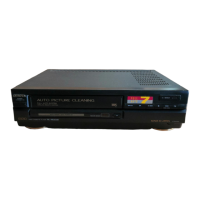
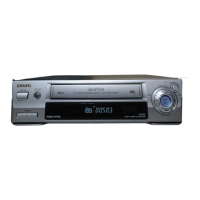
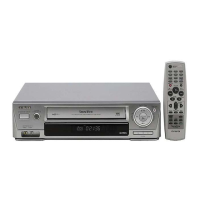
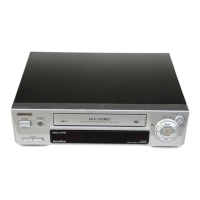
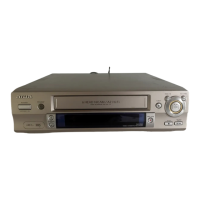
The AIWA HV-GX935z is a PAL VHS Video Cassette Recorder (VCR) designed for recording and playing back TV programs and other video content. It features a rotary 2-head helical scanning system and a frequency-synthesized tuner. The device supports PAL color signals (625 lines, 50 fields) and can play back NTSC tapes on a PAL TV.
Function Description
The primary function of the HV-GX935z is to record and play back video cassettes. It offers several recording modes, including standard TV program recording, One-Touch Recording (OTR) for immediate recording of the current channel for a specified duration, and timer recording. The timer recording can be set manually or simplified using the ShowView system, which allows users to program recordings by entering a numerical code found in TV guides. The VCR can store up to 7 timer programs within one month of the current date.
For playback, the VCR supports standard playback, fast-forward, rewind, pause/still, frame-by-frame playback, and slow-speed playback. It also includes various search functions such as Skip Search (for skipping advertisements in 30-second increments), Index Search (which marks the beginning of each recording for easy retrieval), and REC. End Search (to quickly find the end of recorded content). The VCR automatically rewinds the tape and ejects the cassette after reaching the end during playback or search functions.
The device also supports duplicating content from another VCR or video camera, allowing users to create copies of their tapes.
Important Technical Specifications
- Video Recording System: Rotary 2-head helical scanning system.
- Video Heads: 2 heads.
- Tuner System: Frequency synthesized tuner.
- TV System: B/G.
- Video Signal System: PAL color signal, 625 lines, 50 fields.
- Usable Cassettes: VHS video cassettes.
- Recording/Playback Time (PAL/MESECAM): SP: 5 hours max. with E-300 tape.
- Recording/Playback Time (NTSC Playback only): SP: 3 hours 30 minutes max. with T-210 tape.
- Tape Speed (PAL/MESECAM): SP: 23.39 mm/sec.
- Tape Speed (NTSC Playback only): SP: 33.35 mm/sec.
- Rewind Time: Approx. 3 min. with E-180 tape.
- Channel Coverage: VHF: C02 to C12; UHF: C21 to C71; CATV: S01 to S41.
- Video Input: 0.5 - 2.0 Vp-p, 75 ohm, unbalanced.
- Video Output: 1.0 Vp-p, 75 ohm, unbalanced.
- Horizontal Resolution: 240 lines.
- Video S/N: 43 dB.
- Audio Track: 1 track (Normal).
- Audio Input (SCART): -6 dBm, more than 10 Kohm.
- Audio Output (SCART): -6 dBm, less than 1 Kohm.
- Operating Temperature: 5°C to 35°C.
- Power Requirements: 200-240 V AC, 50 Hz.
- Power Consumption: 16 watts (TYP 2.1 watts in power save mode).
- Dimensions (W x D x H): 360 x 270 x 94.5 mm (14¼ x 10¾ x 3¾ in.).
- Weight: Approx. 3.5 kg (7.7 lbs.).
- Supplied Accessories: Antenna cable (1), Batteries (R03/size AAA) (2), Remote control (1).
Usage Features
- ShowView System: Simplifies timer recording by allowing users to enter a numerical code from TV guides, automatically setting the recording parameters.
- One-Touch Playback (OTPB): Enables quick playback of recently recorded programs with a single button press.
- Auto Tuning: Automatically searches for and tunes all available TV stations, assigning them in the correct order.
- Manual Channel Setting: Allows users to manually set VCR channels if auto-tuning is not satisfactory.
- On-Screen Display (OSD): Provides visual feedback on TV screen for operating mode, tape counter, remaining tape length, and other settings.
- Optimum Picture Response (OPR): A feature to improve picture quality during playback, offering "SOFT" for a softer picture and "SHARP" for a clearer picture.
- Color System Setting: Allows manual selection of PAL or MESECAM color systems if the automatic setting results in abnormal picture color.
- NTSC Playback on PAL TV: The VCR can play back NTSC tapes, displaying the picture on a PAL color system TV.
- Wide Aspect Ratio Programs: Supports recording and playback of 16:9 wide aspect ratio programs.
- Child Lock Mode: Disables front panel buttons (except eject) to prevent unintended operation, with control maintained via the remote.
- Power Save Mode: Reduces power consumption during standby by turning off the display window, consuming approximately 2.1 W.
- Automatic Rewind: The VCR automatically rewinds the tape to the beginning after playback or search functions.
- Automatic Tracking: The VCR automatically adjusts tracking, but manual adjustment is available for poor tape quality.
Maintenance Features
- Cleaning the Cabinet: Wipe with a soft dry cloth. For extremely dirty surfaces, use a soft cloth lightly moistened with a mild detergent solution. Avoid strong solvents like alcohol, benzine, or thinner.
- Avoiding Adhesive Labels: Do not stick seals or adhesive labels on the VCR surface for extended periods to prevent damage to the finish.
- Troubleshooting Guide: The manual provides a guide for common issues such as noisy playback, no TV reception, remote control not operating, and condensation, offering solutions like checking connections, adjusting tracking, cleaning video heads, and resetting the VCR.
- Condensation Protection: If the unit is moved from a cold to a warm location, it is recommended to wait about two hours before operating to allow moisture to evaporate and prevent damage to video heads and tapes.
- Automatic Head Cleaning: The unit cleans video heads automatically, but manual cleaning with a commercially available tape is suggested for prolonged use.

 Need help?

 To Next Page
 General