3G-AM Mini-Converter v1.2r3 5 www.aja.com
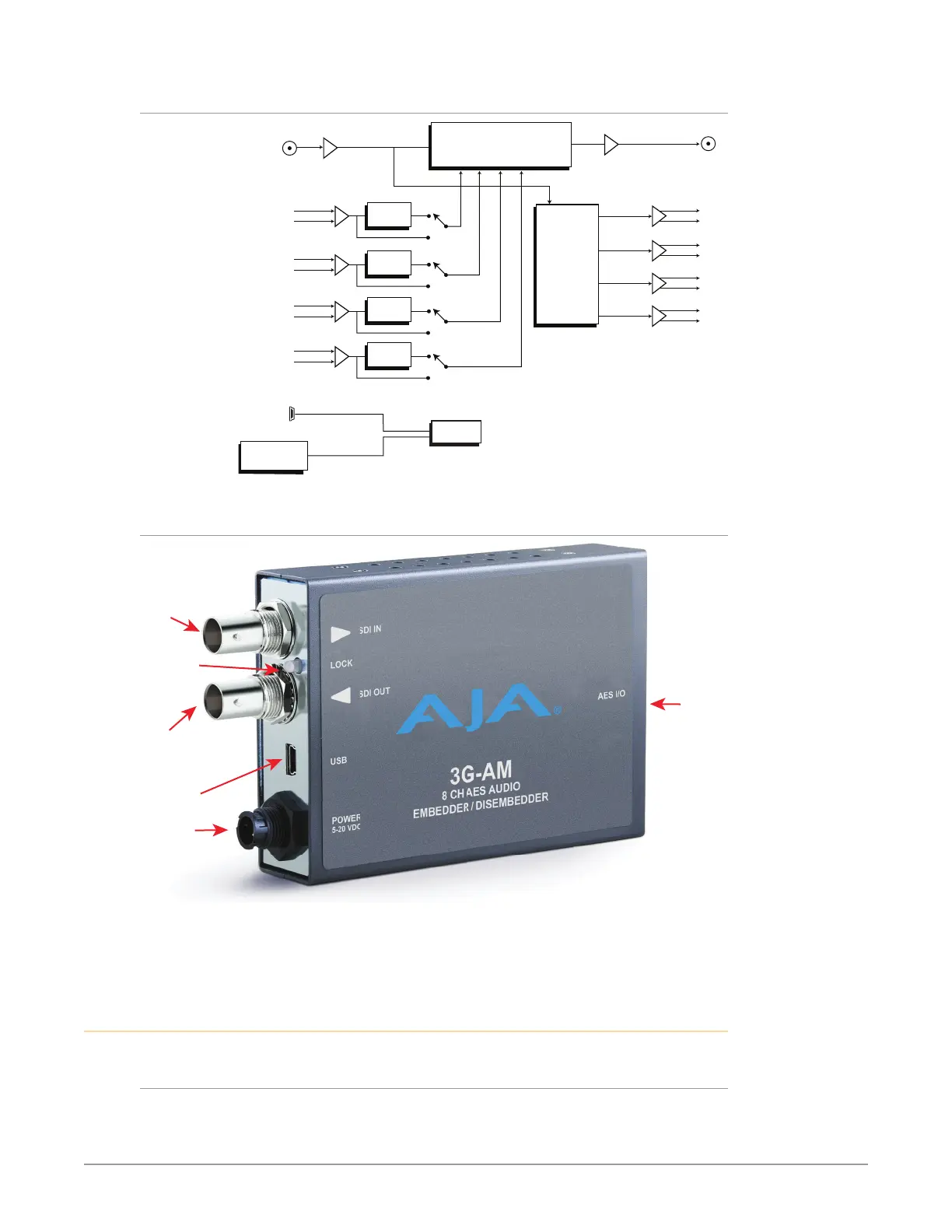
3G-AM Simplified Block Diagram
EQ
Embed and Pass-through
Packet Processor
SRC
SRC Bypass
AES Input 1
(Ch 1/2 or 9/10)
XLR or BNC Breakout Cable
XLR or BNC Breakout Cable
SRC
AES Input 2
Ch 3/4 or 11/12)
SRC
AES Input 3
Ch 5/6 or 13/14)
SRC
AES Input 4
Ch 7/8 or 15/16)
AES Output 1
(Ch 1/2 or 9/10)
AES Output 2
(
AES Output 3
(
AES Output 4
(
Dis-
Embedder
USB Port
(connect to
PC or Mac)
MiniCong
DIP Switch
User Interface
Control
3G-SDI In
3G-SDI Out
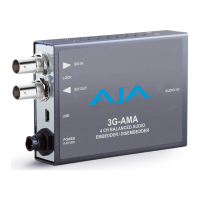
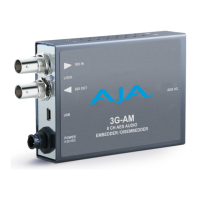
3G-AM I/O Connections
DC Power
Input
3G SDI
Input BNC
AES I/O
D-Connector
(attaches to
supplied cable)
4 Input, 4 Output
Break-Out Cable
with XLR Balanced
or BNC Connectors
USB Port
Lock LED
3G SDI
Input BNC
NOTE: The LOCK LED indicates valid input video by color. Off is no signal, green is SD
video, red is HD video, amber is 3G video.
User Controls
DIP Switches
The 3G-AM has an 8 position DIP switch accessible through a cut-out in the
bottom of the unit. The DIP switches are used to configure the unit’s audio
embedding and disembedding, and control ancillary data.


 To Next Page