EasyManua.ls Logo

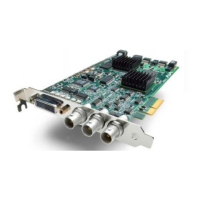
AJA KONA LHe - User Manual

AJA KONA LHe
100 pages
Print Icon
To Next Page IconTo Next Page
Loading...
Installation
and
Operation Guide
Models: LHe and LH
September 25, 2007

Table of Contents

Questions and Answers

  • T
    tylercastilloAug 13, 2025
    Why is my AJA Media Converter video output black?
    • G
      Glenn MeyerAug 13, 2025
      Your AJA Media Converter video output might be black because external video is set to “No Frames” under the View menu -> External Video. Alternatively, the Playback output setting in FCP Audio Video Settings -> AV Output could be set to “none” or to a device other than KONA LH. Check these settings to resolve the issue.
  • J
    Julia MckayAug 17, 2025
    What to do if AJA KONA LHe has dropped frames during playback?
    • G
      Gina RussoAug 17, 2025
      If you are experiencing dropped frames during playback with your AJA Media Converter, consider the following: 1. Ensure your Canvas/Viewer zoom setting does not exceed the fit-to-window setting; change it to “Fit-to-Window.” 2. Verify that your RAID system can sustain the data rate of the clip/sequence. 3. Confirm that the sequence setting matches the playback output setting, which can be found at FCP Audio/Video Settings -> AV Output. 4. Disable any virus checking software running in the background. 5. Make sure your scratch drive is set to the RAID.
  • A
    acarrilloAug 21, 2025
    What to do if AJA Media Converter has dropped frames during record?
    • J
      Jennifer JohnstonAug 21, 2025
      If you're encountering dropped frames during recording with your AJA Media Converter, here are a few things to check: 1. Ensure that your RAID can sustain the data rate of the capture preset codec. 2. Disable any virus checking software that may be running in the background. 3. Verify that your scratch drive is set to the RAID.
  • B
    Brandon RichardsonAug 25, 2025
    Why does AJA KONA LHe Media Converter video stutter during playback?
    • S
      Susan AllenAug 25, 2025
      Video stutter during playback on your AJA Media Converter may occur because the RAID is unable to sustain the required data rate.
  • D
    Daniel LewisAug 28, 2025
    Why does AJA Media Converter show a red render bar?
    • C
      Curtis ShahAug 28, 2025
      A red render bar appears when placing a clip on a sequence in AJA Media Converter because the sequence setting does not match the clip setting. Adjust the settings to match.
  • J
    Jasmine BowmanSep 1, 2025
    What to do if AJA Media Converter is not capturing media?
    • D
      davisthomasSep 1, 2025
      If your AJA Media Converter is not capturing media from the desired external device, check the settings in the Input tab of the KONA LH Control Panel application. Also, verify that all equipment cables are properly connected.
  • S
    Steve BrooksSep 5, 2025
    What to do if AJA KONA LHe Media Converter video freezes during playback?
    • L
      Lori GravesSep 5, 2025
      If the video in the canvas of your AJA Media Converter stays frozen during playback: 1. Ensure that the sequence setting matches the playback output setting found at FCP Audio Video Settings -> AV Output. 2. Check that the Canvas/Viewer zoom setting does not exceed the fit-to-window setting. Change to “Fit-to-Window” if needed.
  • H
    Harry DiazSep 8, 2025
    How to reset AJA Media Converter configuration?
    • K
      Krystal MckinneySep 8, 2025
      To reset the configuration for your AJA Media Converter, locate the “Final Cut Pro x.x Preferences” file (located in “Macintosh HD/users/username/ library/preferences/final cut user data.”), drag it to the Trash Can, and restart Final Cut Pro. This will bring you to the “Choose Setup” prompt, allowing you to re-enter your desired KONA LH input format and system scratch disk.

Summary

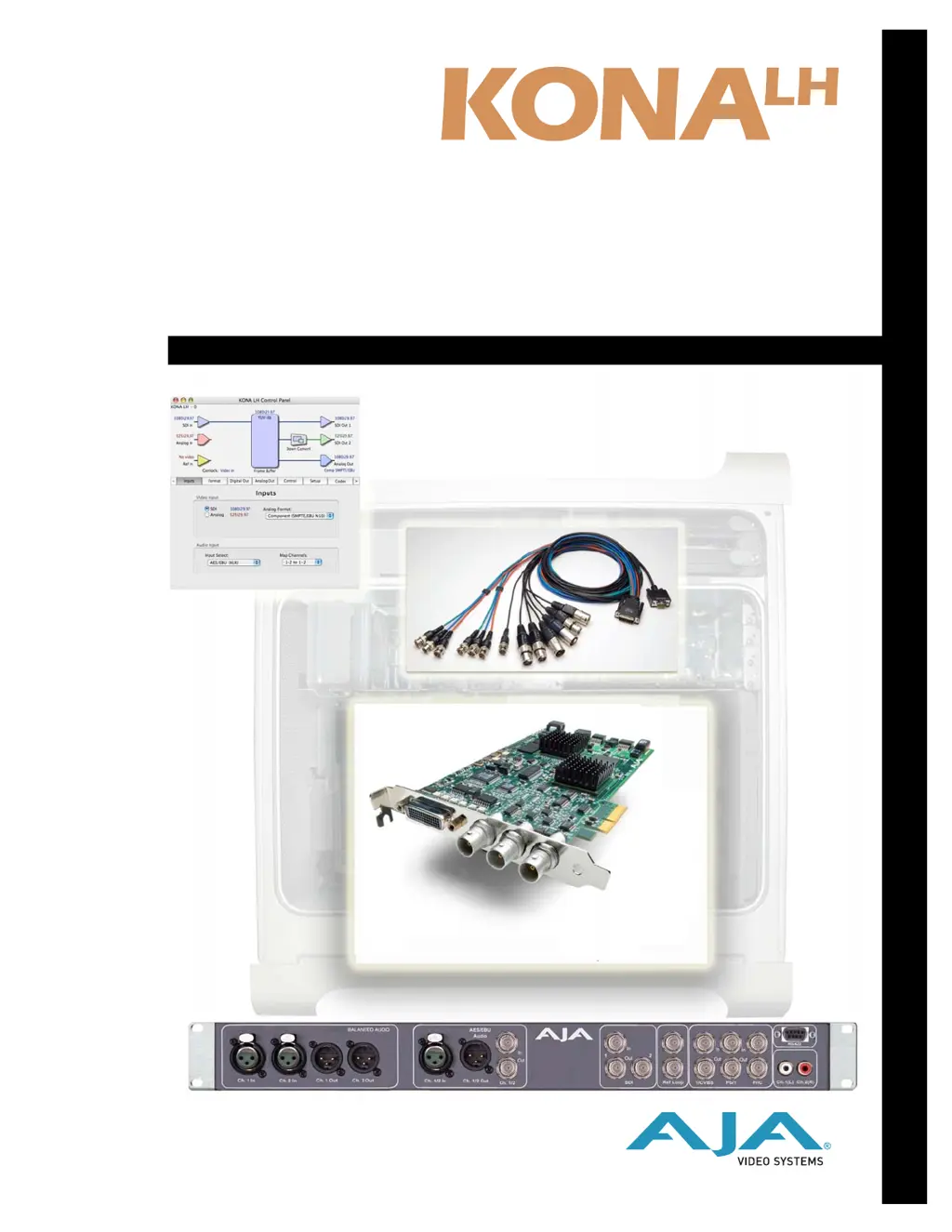
KONA LH;LHe Installation Guide

Installation Overview

Summary of the steps for installing and configuring the KONA LH/LHe.

Installing the KONA LHe Card

Step-by-step guide for physically installing the LHe card into a Power Mac G5.

Installing the KONA LH Card

Step-by-step guide for physically installing the LH card into a Power Mac G5.

Installing KONA LH Software

Guide for installing the KONA LH software and drivers.

KONA LH with Final Cut Pro

KONA LH Control Panel Overview

Introduction to the KONA LH Control Panel software.

Troubleshooting and Support

If You Run Into Problems

Steps to diagnose and resolve common system issues.

AJA KONA LHe Specifications

General IconGeneral
CategoryMedia Converter
InterfacePCIe
Video InputHDMI, SDI
Video OutputHDMI, SDI
Audio InputEmbedded Audio, Analog Audio
Audio OutputEmbedded Audio, Analog Audio
Supported Formats4K
Bit Depth8-bit, 10-bit
Color SpaceRGB
Operating Temperature0 to 40 °C

Related product manuals