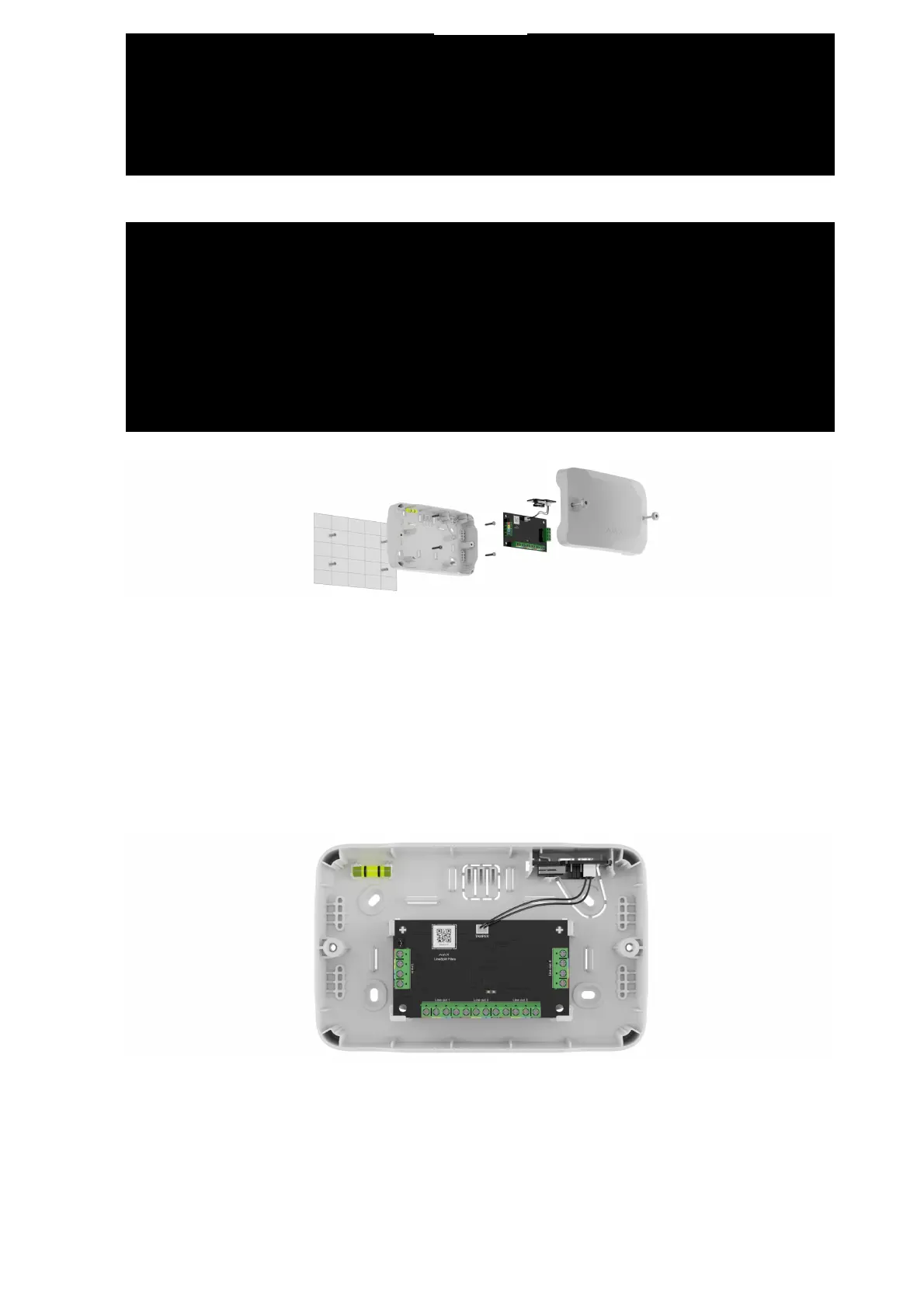
2. Route the cables and lead them through the pre-prepared holes. Secure
Case on the vertical or horizontal surface at the selected installation site
with the bundled screws using all fixation points. One of them is in the
perforated part above the tamper — it is required for tamper triggering if
someone tries to detach the casing.
3. Secure the device in the casing. Connect the cables to the corresponding
terminals. Fix the cables with ties using fasteners.
4. Connect the tamper board to the appropriate device connector.
5. Place the lid on the casing and fasten it with the bundled screws.
. Check the state of the lid in the Ajax app. If the app shows the Front lid open
state, check the tightness of Case.


 To Next Page