EasyManua.ls Logo

AJAX Hub 2 Plus - User Manual

AJAX Hub 2 Plus
35 pages
Print Icon
To Next Page IconTo Next Page
Loading...
Hub 2 Plus User Manual
Updated
June 29, 2021
Hub 2 Plus








Hub 2 Plus central unit must be installed indoors only.


MotionCam
MotionCam Outdoor
Question and Answer IconNeed help?

Do you have a question about the AJAX Hub 2 Plus and is the answer not in the manual?

Summary

Functional elements

Ajax logo featuring LED indicator

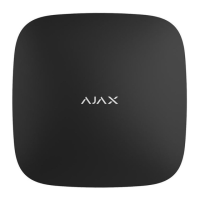
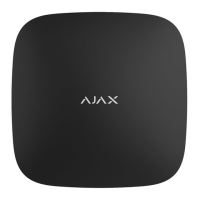
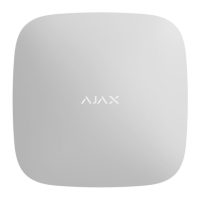
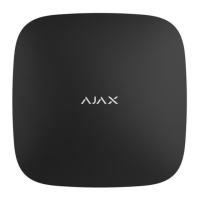
The Ajax logo on the hub front lights up red, white, or green depending on the status of the power supply and Internet connection.

SmartBracket mounting panel

Panel for mounting the hub, slides down to open.

Operating principle

Adding a hub to the Ajax app

Hub statuses

Icons

Icons display some of Hub 2 Plus statuses in the Ajax app.

Hub settings

Advanced settings

Installation

Maintenance

Warranty

Summary

Functional elements

Ajax logo featuring LED indicator

The Ajax logo on the hub front lights up red, white, or green depending on the status of the power supply and Internet connection.

SmartBracket mounting panel

Panel for mounting the hub, slides down to open.

Operating principle

Adding a hub to the Ajax app

Hub statuses

Icons

Icons display some of Hub 2 Plus statuses in the Ajax app.

Hub settings

Advanced settings

Installation

Maintenance

Warranty

AJAX Hub 2 Plus Specifications

General IconGeneral
Maximum Number of Devices200
Maximum Number of Cameras100
Maximum Number of Users200
Battery BackupUp to 15 hours
Operating Temperature Range-10°C to +40°C
Maximum Number of Security Groups25
HumidityUp to 75%
Communication ChannelsEthernet, Wi-Fi
Power Supply110-240 V AC
Dimensions163 x 163 x 36 mm
Communication RangeUp to 2, 000 m in open space
Radio Frequency Bands868.0–868.6 MHz
Supported DevicesMotion detectors, door/window sensors, sirens
EncryptionAES encryption
Firmware UpdatesOver-the-air (OTA)

Related product manuals