To control the system using the personal passcode:
• Enter: User identifier * personal passcode Arm / disarm button
To control a specific group:
• Enter: User identifier * personal passcode * group identifier Arm / disarm
button
Functionality Testing
The Ajax security system allows conducting tests for checking the
functionality of connected devices.
The tests do not start straight away but within a period of 36 seconds when
using the standard settings. The test time start depends on the settings of
the detector scanning period (the paragraph on “Jeweller” settings in hub
settings).
Installation
Before installing the detector, make sure that you have selected the optimal location and it is in
compliance with the guidelines contained in this manual!
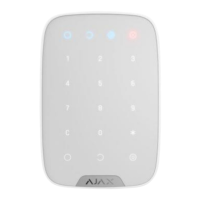
Key Pad should be attached to the vertical surface.
1. Attach the Smart Bracket panel to the surface using bundled screws, using
at least two fixing points (one of them — above the tamper). After selecting
other attachment hardware, make sure that they do not damage or deform
the panel.
The double-sided adhesive tape may be only used for temporary attachment of Key Pad. The
tape will run dry in course of time, which may result in the falling of the Key Pad and damage of
the device.
2. Put Key Pad on the attachment panel and tighten the mounting screw on
the body underside.
As soon as the Key Pad is fixed in Smart Bracket, it will blink with the
LED Х (Fault) — this will be a signal that the tamper has been actuated.


 To Next Page