EasyManua.ls Logo

AJAZZ AK692 - AJAZZ AK692 Restore Factory Settings; AJAZZ AK692 Lighting Effect Control; Switching Lighting Effects; Adjusting Light Brightness

AJAZZ AK692
5 pages
Print Icon
To Previous Page IconTo Previous Page
Loading...
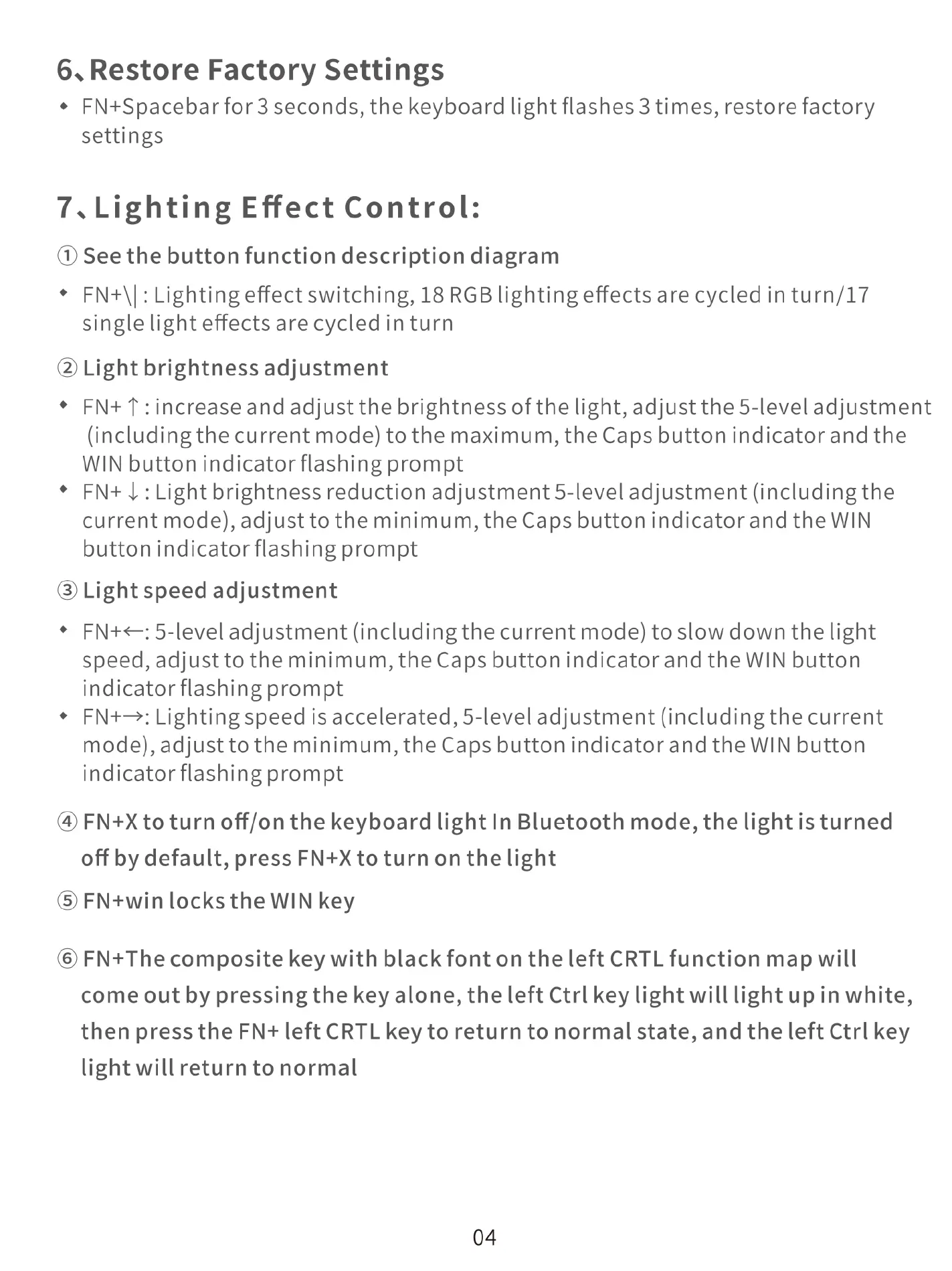
6.Restore
Factory
Settings
*
FN+Spacebarfor
3
seconds,
the
keyboard
light
flashes
3
times,
restore
factory
settings
7.Lighting
Effect
Control:
(@
Seethe
button
function
description
diagram
*
FN+\|:Lighting
effect
switching,
18
RGB
lighting
effects
are
cycled
in
turn/17
single
light
effects
are
cycled
in
turn
@
Light
brightness
adjustment
¢
FN+
T
:increase
and
adjust
the
brightness
of
the
light,
adjust
the
5-level
adjustment
(including
the
current
mode)
to
the
maximum,
the
Caps
button
indicator
and
the
WIN
button
indicator
flashing
prompt
*
FN+
|
:Lightbrightnessreduction
adjustment
5-level
adjustment
(including
the
current
mode),
adjust
to
the
minimum,
the
Caps
button
indicator
and
the
WIN
button
indicator
flashing
prompt
@
Light
speed
adjustment
¢
FN+<:5-level
adjustment
(including
the
current
mode)
to
slow
down
the
light
speed,
adjust
to
the
minimum,
the
Caps
button
indicator
and the
WIN
button
indicator
flashing
prompt
*
FN+—:Lighting
speed
is
accelerated,
5-level
adjustment
(including
the
current
mode),
adjust
to
the
minimum,
the
Caps
button
indicator
and
the WIN
button
indicator
flashing
prompt
@
FN+X
to
turn
off/on
the
keyboard
light
In
Bluetooth
mode,
the
light
is
turned
off
by
default,
press
FN+X
to
turn
on
the
light
®
FN+win
locks
the
WIN
key
®
FN+The
composite
key
with
black
font
on
the
left
CRTL
function
map
will
come
out
by
pressing
the
key
alone,
the
left
Ctrl
key
light
will
light
up
in
white,
then
press
the
FN+
left
CRTL
key
to
return
to
normal
state,
and
the
left
Ctrl
key
light
will
return
to
normal
04