1
A
B T
A
B T
1
A
B T
A
B T
1
A
B T
A
B T
1
A
B T
A
B T
1
A
B T
A
B T
1
A
B T
A
B T
5. Combination Key Function Description
FN+F1:Multimedia player
FN+F5: Stop
FN+F9: E-Mail
FN+F2: Volume down
song
FN+FIO:Browser
FN+F3 :Volume up
FN+F7:play/PaUSe
FN+F11:MyComputer
FN+F4:Mute
song
FN+F12:Calculator
FN+S :Windows system (factory default)
FN+A: MAC system
FN+X:Turn off the overall backlight (including the charging indicator light)
FN+Space bar: Press and hold for 3-5 seconds, the keyboard light flashes 3 times, clear the light effect and Bluetooth device
FN+Left WIN : Lock the function of the left window (Win lock light, the win key indicates that the white light is always on, indicating
that it is locked, and it will return to normal after unlocking)
FN+BACK(Delete key) : Pressthe FN+BACKcombination key (supports 2.4G/Bluetooth mode), the backlight is off, and the lights
of the number keys 1 to 0 show the percentage of power.
6. Instructions for Hot Plug Operation Steps
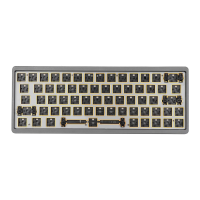
Hot-swappable: Different shafts can be replaced, and you can customize your unique typing experience. 3/5pin is compatible
with most mechanical switches.
(j) Pull out the keycap with a key puller
@ Calibrate pins and holes
@ Shaft puller to pull out the shaft
@Vertically and lightly press the switch
17


 To Next Page