1
A
B T
A
B T
1
A
B T
A
B T
1
A
B T
A
B T
1
A
B T
A
B T
1
A
B T
A
B T
1
A
B T
A
B T
No Backlight Sersion
2. Description of the switch indicator light
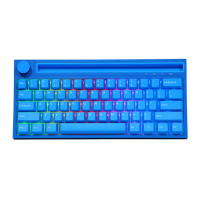
Switch function (Figure 1)
The three-speed toggle switch switches 2.4G/USB/Bluetooth mode, and the default USB mode.
:2.4G mode;
Wired mode;
: Bluetooth mode.
Num
Indicator light: the light is white light (picture 2)
Indicator "1" :Numswitch;
Indicator " A" :Capsswitch;
3s Indicator
:2.4G mode;
4s Indicator "B T" :Bluetooth modeo
nter
5
(Figurel)
1!
(Figure2)
When the battery of the keyboard is low, all the indicators will flash continuously to indicate that it needs to
be charged. (The device can be charged by connecting the USB cable in any wireless mode);
Scroll Wheel Function
@\/olumeadjustmentfunction:
Turn the knob to the right: volume +
Turn the knob to the left: volume-
@Mute: Press to mute, then press to restore.
Note: By default, the volume adjustment will follow the computer, and the computer volume will jump 2 bars after turning one bar.
Sleep Mode
Power saving sleep: After 5 minutes of inactivity, press any key to wake up the keyboard and connect back to Bluetooth or/2.4G
Deep sleep: After 30 minutes of inactivity of keyboard keys, enter deep standby. Bluetooth/2.4G is disconnected and hibernates.
Press any key to wake up the keyboard and connect back to Bluetooth or/2.4G.
18


 To Next Page