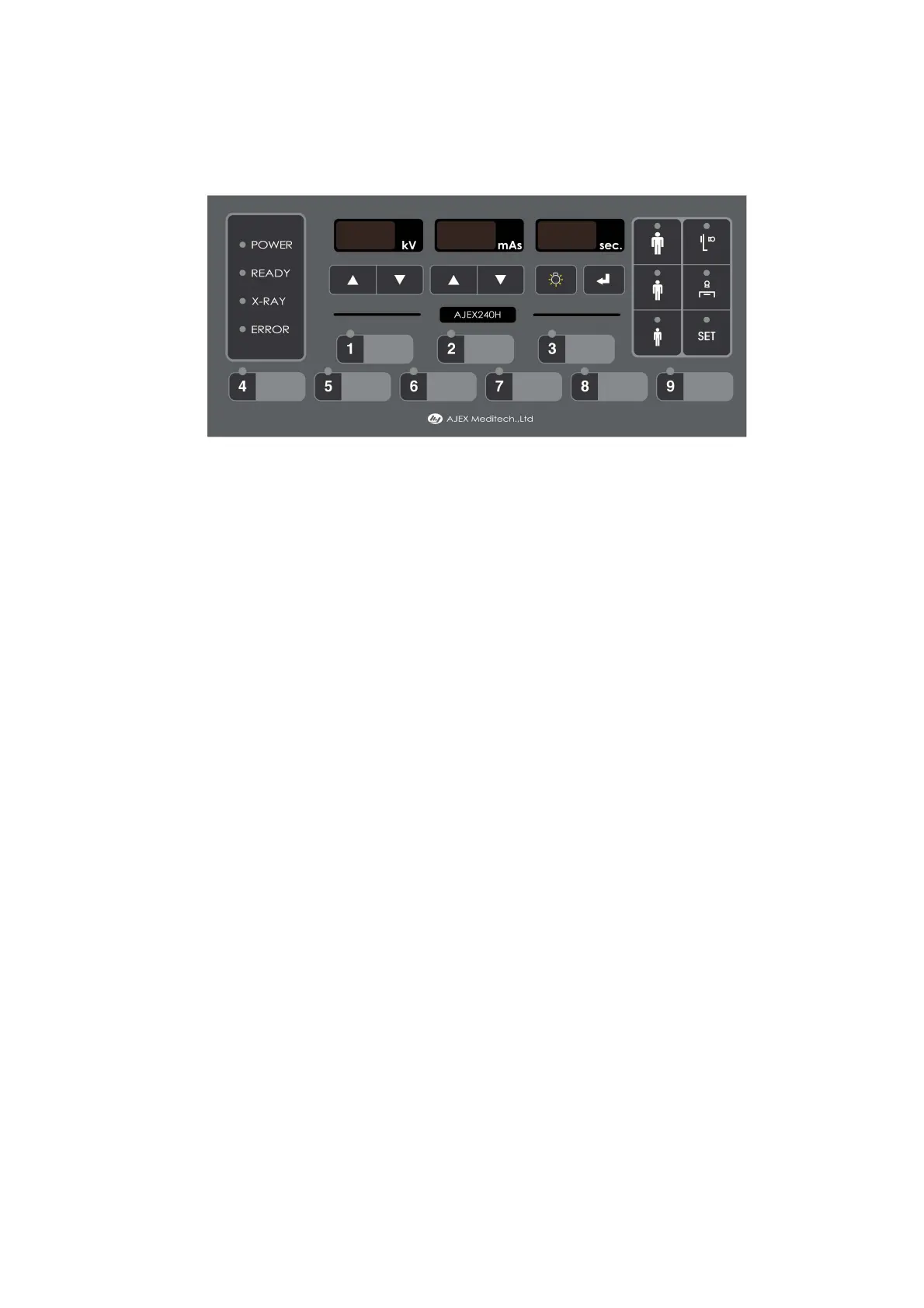
3-5. Overview of operating elements
1) Error indicator ; Yellow color
2) X-ray exposure indicator ; Yellow color
3) Ready indicator ; Green color
4) Power indicator ; Green color
5) kV display & up, down key ; 3 digit 7-segment display
Key : △ - increment kV steps, ▽ - decrement kV steps
6) mAs display & up, down key ; 3 digit 7-segment display
Key : △ - increment mAs steps, ▽ - decrement mAs steps
7) X-ray exposure time display
Display : 3 digit 7-segment
8) APR size selection key :
'APR (Anatomical Programmed Radiography)' means the function which
is stored frequently used exposure conditions in this unit.
3 sizes are available. ( small, middle, large )
☞ Refer to '4-6. Setting the exposure parameters' on the page 21.
9) Wall Bucky Unit selection key
☞ If Bucky unit is used, interface kit is connected between AJEX240H and
Bucky unit. ; Bucky unit interface kit (Model : 240H-BIK-01)
10) Table Bucky Unit selection key
☞ If Bucky unit is used, interface kit is connected between AJEX240H and
Bucky unit. ; Bucky unit interface kit (Model : 240H-BIK-01)
11) SET key ; APR exposure conditions storage mode selection.
-------------------------------------------------------------
AJEX240H / Operating instructions -14-
AXR-240H-MN01 (E) / Rev. 03
1)
2)
3)
4)
5) 6) 7)
8)
9)
10)
11)
12)
13)
14)
15) 16)


 To Next Page