EasyManua.ls Logo

Akai KS5500-BT - User Manual

Akai KS5500-BT
15 pages
Print Icon
To Next Page IconTo Next Page
Loading...
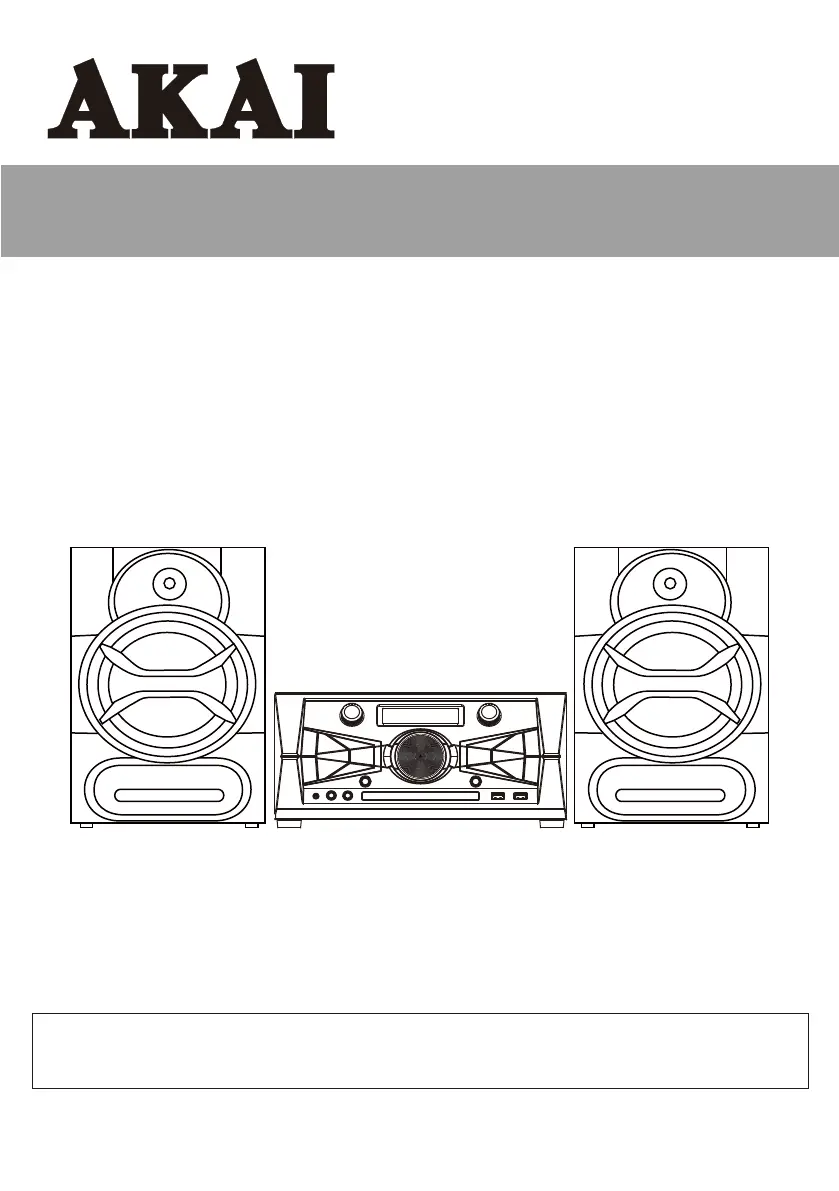
Karaoke CD+G System
Party Machine
INSTRUCTION MANUAL
KS5500-BT
www.AKAI-USA.com
Thank you for purchasing this Karaoke CD+G System Party Machine. Please read this
instruction manual carefully before using this product to ensure proper use. Keep this manual
in a safe place for future reference.

Questions and Answers

  • H
    Henry HoustonJul 29, 2025
    What to do if my Akai KS5500-BT cannot read CD?
    • A
      andrewhudsonJul 29, 2025
      If your Akai Karaoke System cannot read a CD, it might be due to a few reasons. First, the disc could be dirty, so try cleaning or replacing it. Second, make sure the disc is not upside down; the label should be face up. Finally, check if the CD player is in Pause mode and, if so, release it by pressing the Play/Pause button.
  • M
    Miss Laura MooreAug 6, 2025
    Why is there no sound in USB mode on my Akai KS5500-BT?
    • J
      John Allen Jr.Aug 6, 2025
      If there is no sound in USB mode on your Akai Karaoke System, it could be because the volume is set to the minimum. Try adjusting the volume knob. Also, the external device might not be connected properly. Try cleaning the contact pins and reconnecting it.
  • F
    Francisco MedinaAug 13, 2025
    What to do if my Akai KS5500-BT resets when I press any button?
    • M
      Melissa Hart MDAug 13, 2025
      If your Akai Karaoke System resets when you press any button, it might be due to electrostatic interference. Turn off the unit, disconnect the mains plug, and reconnect it after a few seconds.
  • C
    Cindy ReedAug 20, 2025
    How to improve radio reception on my Akai KS5500-BT Karaoke System?
    • D
      Doris KnightAug 21, 2025
      If you are experiencing poor radio reception on your Akai Karaoke System, it could be due to a weak radio signal or interference from electrical equipment. To improve reception: * Fully extend the telescopic antenna. * Keep the unit away from electrical equipment like TVs, video recorders, computers, thermostats, and fluorescent lamps.

Summary

WARNINGS

General Safety and Precautions

Essential safety guidelines to prevent hazards like electric shock, fire, and damage from moisture or poor ventilation.

FCC Radiation Exposure Statement

Statement regarding compliance with RF radiation exposure limits for FCC and IC.

FCC AND CANADIAN ICES

Compliance Notes

Information on the device's compliance with FCC and Industry Canada regulations for digital devices.

IMPORTANT SAFETY INSTRUCTIONS

User Safety Guidelines

Comprehensive instructions for safe operation, handling, and maintenance of the product.

WHATS IN THE BOX

Package Contents

A list of all items included in the product package.

CONTROL LOCATION

Front Panel Controls

Identification and description of controls located on the front panel of the main unit.

CONTROL LOCATION

Back Panel Controls

Identification and description of connections and controls on the back panel of the main unit.

CONTROL LOCATION

Remote Control Layout

Identification and description of buttons on the remote control unit.

Unit Operation Basics

Power Connection and Switch

Instructions for connecting AC power and operating the power switch.

Clock and Timer Settings

Guides for setting the clock and using the timer functions.

Volume and Sound Settings

Volume and EQ Adjustment

How to adjust volume, treble, bass, and use preset equalizer modes.

AUX-IN and Mute Functions

Instructions for connecting external devices and using the mute function.

Radio Operation

Tuning and Presetting Stations

Guides for listening to radio, tuning stations, and saving presets.

CD Operation Basics

Controls and methods for playing CDs, including track skipping and search.

CD Playback Modes

Normal, Folder, and Program Play

Instructions for various CD playback modes like normal, folder navigation, and programming tracks.

Repeat Play Settings

How to configure repeat play modes for single tracks or the entire disc.

Media Handling and Connectivity

Compact Disc Handling

Best practices for handling and storing compact discs to prevent damage.

USB and Bluetooth Operation

Instructions for playing media from USB devices and connecting via Bluetooth/NFC.

Advanced Features

Copy Functionality

How to copy audio from CDs to USB devices and record with a microphone.

Light Control

Instructions for turning the front panel LED and speaker lighting on/off.

TROUBLE SHOOTING GUIDE

Common Problems and Solutions

A guide to identify and resolve common issues encountered during operation.

SPECIFICATION

Technical Details

Key technical specifications of the Karaoke CD+G System Party Machine.

Akai KS5500-BT Specifications

General IconGeneral
BrandAkai
ModelKS5500-BT
CategoryKaraoke System
LanguageEnglish

Related product manuals