EasyManua.ls Logo

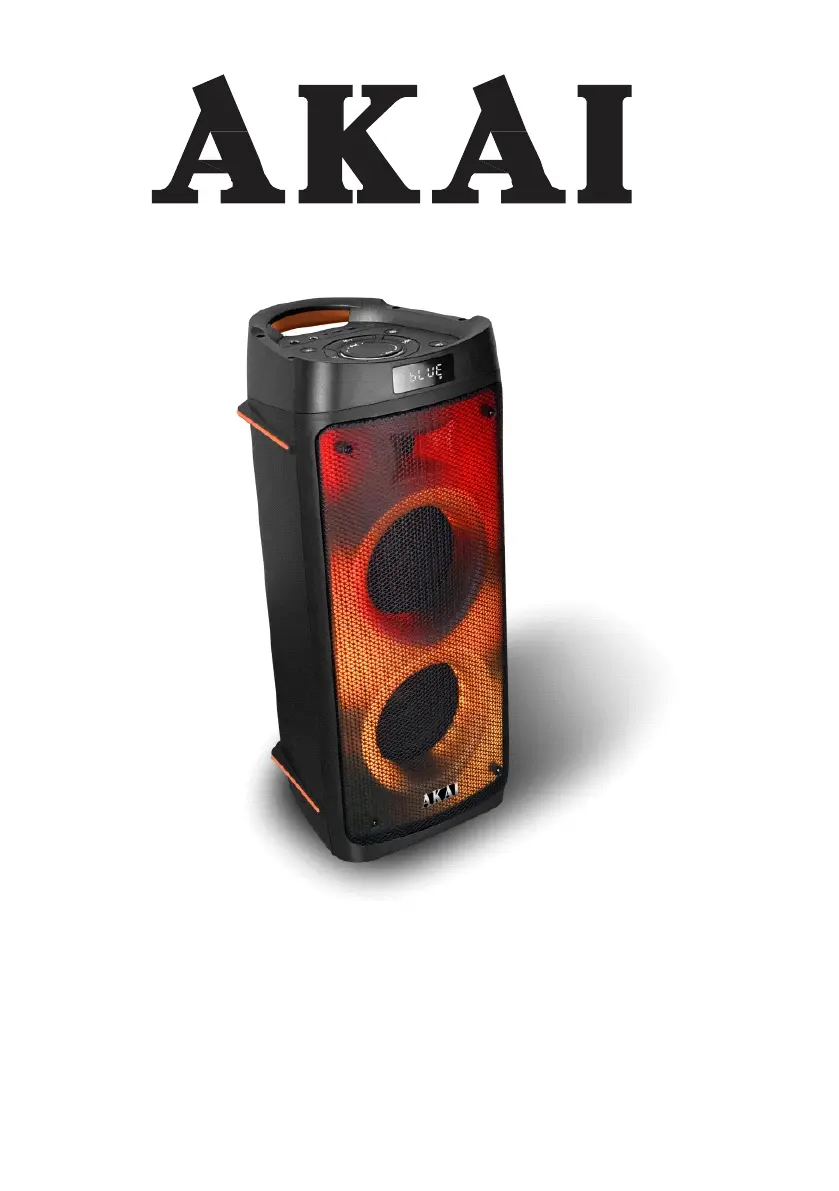
Akai Party Box 810 - User Manual

Akai Party Box 810
77 pages
Print Icon
To Next Page IconTo Next Page
Loading...
Party Box 810
Bluetooth portable speaker
User Manual
EN - ENGLISH

Questions and Answers

  • A
    Adam NavarroAug 17, 2025
    Why won't my Akai Speakers charge or why does the battery die quickly?
    • C
      cmartinAug 17, 2025
      If your Akai Speakers are not charging or the battery life is short: 1. Ensure the power cord is properly connected for charging. 2. The battery may not be fully charged. Extend the charging time; it typically takes 6-8 hours to fully charge. 3. The battery life may be over. Replace the old batteries with new ones that have the same specifications.
  • L
    leeburtonAug 19, 2025
    How to fix Akai Portable Speakers when there is no sound?
    • B
      brookegreenAug 19, 2025
      If your Akai Portable Speakers produce no sound when turned on, consider these potential causes and solutions: * Ensure an AUX signal is input. * Adjust the volume knob, as it may be in the lowest position. * Check if the voice switch is off and turn it on. * Plug in a USB/SD card and play an MP3 file.
  • S
    Stephen MartinAug 22, 2025
    Why won't my Akai Portable Speakers charge or the battery dies quickly?
    • H
      Holly MoranAug 22, 2025
      If your Akai Portable Speakers aren't charging or the battery life is short: 1. Ensure the power cord is properly connected for charging. 2. Extend the charging time; it typically takes 6-8 hours to fully charge the battery. 3. If the battery life has ended, replace the old batteries with new ones of the same specification.
  • S
    Sharon CalderonAug 25, 2025
    Why is there no sound coming from my Akai Speakers when turned on?
    • D
      Dr. Lisa ClarkAug 26, 2025
      There might be several reasons why your Akai Speakers aren't producing sound: 1. The input sound source might be missing. Try inputting an AUX signal. 2. The volume knob might be at its lowest position. Adjust the volume accordingly. 3. The voice switch could be off. Turn the voice switch on. 4. The USB/SD card might not be properly plugged in. Ensure a USB/SD card is plugged in and playing an MP3 file.
  • C
    Connie Mitchell DDSAug 27, 2025
    What to do if my Akai Speakers have distorted sound?
    • J
      Jennifer LopezAug 28, 2025
      If you are experiencing distorted sound from your Akai Speakers, it could be due to: 1. The volume being too loud. Try turning the volume down. 2. An error with the audio file. Check and change the audio file you are using.
  • B
    Brittany WattsAug 30, 2025
    How to fix no sound from the microphone on Akai Speakers?
    • K
      Katie HerreraAug 31, 2025
      If you're not getting any sound from the microphone on your Akai Speakers: 1. Make sure the microphone is correctly plugged into the socket. 2. Check that the microphone switch is turned on. 3. Adjust the microphone volume as needed.
  • J
    James SmithSep 2, 2025
    Why do my Akai Speakers make loud noises?
    • S
      Steven RoseSep 2, 2025
      Your Akai Speakers might be making loud noises because: 1. The microphone is switched on and too close to the speaker. Keep the microphone 2 meters away from the speaker. 2. The microphone is switched on but not in use. Turn off the microphone when it's not being used. 3. The microphone volume is too loud. Adjust the microphone volume to a lower level. 4. A mobile phone is being used too close to the speaker. Keep the mobile phone away from the speaker while on a call. 5. Other wireless equipment is too close to the speaker. Keep the speaker away from other wireless equipment.
  • M
    Michelle MosleySep 4, 2025
    What to do if no sound comes from Akai Speakers after inserting USB/SD Card?
    • E
      Erica Harper DDSSep 5, 2025
      If your Akai Speakers produce no sound after inserting a USB/SD card: 1. The file format may be incorrect. Ensure the file format is MP3. 2. The USB/SD card may not be properly plugged in. Plug the USB/SD card correctly.
  • S
    sjohnsonSep 7, 2025
    What to do if the microphone doesn't work on my Akai Party Box 810?
    • I
      Ian GarciaSep 8, 2025
      If you're not getting any sound from the microphone on your Akai Portable Speakers: * Make sure the microphone is correctly plugged into the socket. * Ensure the microphone switch is turned on. * Adjust the microphone volume as desired.
  • J
    Joel MartinezSep 10, 2025
    Why does my Akai Party Box 810 Portable Speakers sound distorted?
    • T
      Tina HendersonSep 12, 2025
      Distorted sound from your Akai Portable Speakers can be due to a couple of reasons: * The volume may be too loud; try turning it down. * There might be an issue with the audio file itself; check and change the audio file.

Summary

Notes on Use

Care and Maintenance

Technical Specifications

Location of Control

Remote Control

Installing the Batteries

Transportation

Basic Functions

Power On;Off

Long press the main ON/OFF power switch (01) to turn the power on.

Battery Charge

Connect the power cord to recharge the battery. LED indicator shows charging status.

Stand-by

Switch the system to standby mode using the power button (01) on the remote control.

Mode Setting Function

Change input modes like Bluetooth, USB/SD, or AUX-IN using the MODE button.

Adjusting the Volume

Control playback volume using the knob (09) or remote buttons (05) and (11).

Pre-Equalizer

Select one of 5 preset audio equalizations using the EQ button (10).

Setting Tone Treble and Bass

Adjust treble and bass levels using the MENU button (07) and volume knob (09).

Master Volume and Effects

Master Volume

Turn the (09) knob to adjust the main volume.

Mic Echo Effect

Adjust microphone echo using the MENU button (07) and volume knob (09).

Mic Tone

Adjust microphone sound level using the MENU button (07) and volume knob (09).

GT Tone

Adjust guitar sound level using the MENU button (07) and volume knob (09).

LED Light and Voice Announcement

LED Light

Select different lighting effects by pressing the LED button (05).

Voice Announcement

Switch voice announcements ON/OFF using the MODE button (02) or remote button (04).

Bluetooth Function

TWS Function Operation

How to Establish

Connect two compatible speakers wirelessly for stereo sound output.

Input Modes

USB;SD Input

Insert USB memory or Micro SD card for playback. Supports MP3 format.

AUX-IN

Connect external devices with audio output via a 3.5mm jack.

FM Radio Function

Tune in to FM radio stations, with auto-search and station saving capabilities.

Using the Wireless Microphone

Voice Recording

Troubleshooting

Battery Information

Battery Removal

Instructions for safely removing and replacing the appliance's battery.

Disposal of Waste Electrical and Electronic Equipment

Guidelines for environmentally responsible disposal of the product.

Akai Party Box 810 Specifications

General IconGeneral
BluetoothYes
Bluetooth version5.0
Compatible memory cardsMicroSD (TransFlash)
Connectivity technologyWired & Wireless
6.35 mm (1⁄4-inch) input1
Battery voltage7 V
AC input voltage100 - 240 V
Battery capacity5 Ah
Power source typeAC, Battery
AC input frequency50 - 60 Hz
Battery life (max)2.5 h
Battery recharge time6 h
Impedance3 Ω
Sensitivity68 dB
Frequency range60 - 16000 Hz
RMS rated power50 W
Speaker type2-way
Speaker placementFloor
Built-in amplifier-
Audio formats supportedMP3, WAV, WMA
Control typeButtons
Display typeLED
Product colorBlack
Housing materialPlastic
Cables includedAC
Quantity per pack1 pc(s)
Weight and Dimensions IconWeight and Dimensions
Depth269 mm
Width290 mm
Height626 mm
Weight6830 g
Package depth307 mm
Package width333 mm
Package height671 mm
Package weight8070 g

Related product manuals