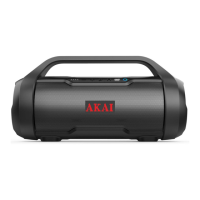
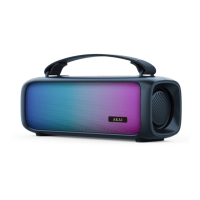
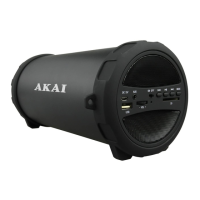
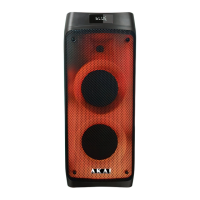
This document is an instruction manual for the Akai A58071 Portable Speaker with Dual Bass Speakers.
Function Description
The Akai A58071 is a portable speaker designed for audio playback, featuring dual bass speakers and Bluetooth connectivity. It supports music playback from external devices via Bluetooth, USB input, and TF (SD) card. The speaker also includes hands-free phone operation for answering and ending calls.
Important Technical Specifications
- Model No: A58071
- Power Charging: DC5V
- Power Supply: Li-Battery 1500mAh
- Speakers: 5W x 2
- Charge Time: 3 Hours
- Bluetooth Pairing Name: "A58071"
- Bluetooth Pairing Password (if required): "0000"
The product conforms to the following directives:
- 2014/30/EU: Electromagnetic Compatibility Directive
- 2014/35/EU: Low Voltage Directive
- 2011/65/EU: Restriction of Hazardous Substances Directive
- 2014/53/EU: Radio Equipment Directive
Usage Features
Controls:
The speaker features several controls on its top panel and ports on the side:
- Volume Down/Track Reverse: Decreases volume or skips to the previous track.
- Mode Button: Switches between different input modes (e.g., Bluetooth, USB, TF Card, AUX).
- Play/Pause/Phone: Plays/pauses music and answers/ends phone calls.
- Volume Up/Track Forward: Increases volume or skips to the next track.
- ON/OFF Switch: Power on/off the speaker.
- DC/Micro USB Port: For charging the speaker.
- LED Indicator: Displays charging and operational status.
- USB Input: For playing music from a USB drive.
- AUX Port: For connecting external audio devices via an AUX cable.
- TF Card Slot: For playing music from a TF (SD) card.
Powering On and Charging:
- Before first use, fully charge the battery.
- Plug the micro USB end of the charging cable into the speaker's port and the USB connector into a computer's USB port or a compatible AC wall adaptor.
- A red LED indicates charging; it turns off when fully charged (approximately 3 hours).
- Flip the ON/OFF switch to the ON position to power on the speaker. The speaker can be used while charging, though it may take longer to fully charge.
Bluetooth Operation:
- Flip the ON/OFF switch to ON. The speaker will beep, a blue LED will flash quickly, and an announcement will indicate it's ready to pair.
- Enable Bluetooth on your external device and search for "A58071".
- Select the speaker and pair. If a password is required, use "0000".
- The LED light will stop flashing once successfully paired.
- If pairing fails, restart both devices and repeat.
- Use the speaker's control panel or the connected device to control playback.
Basic Operation:
- Turning On: Slide the ON/OFF switch to the left. The speaker will beep, a blue LED will flash quickly, and it will announce readiness to pair and connection status.
- Playing Music: The blue LED will blink slowly.
- Low Battery: The speaker will beep every 20 seconds.
- Turning Off: Slide the ON/OFF switch to the right.
- Skipping Tracks: Short press the Volume Up/Track Forward (+) or Volume Down/Track Reverse (-) buttons.
- Adjusting Volume: Long press the Volume Up/Track Forward (+) or Volume Down/Track Reverse (-) buttons.
Playing Music with an SD/TF Card:
- Insert the SD/TF card into the TF slot.
- Music will automatically start playing from the card.
- Use the track forward/backward buttons to cycle through tracks.
Hands-Free Phone Operation:
- Answering a Call: Press the 'Play/Pause/Phone' key.
- Ending a Call: Press the 'Play/Pause/Phone' key.
Indicator Light Status:
- Charging: Red LED ON
- Fully Charged: LED OFF
- Pairing Mode: Blue LED will flash quickly
- Connected to Bluetooth Device: Blue LED ON
- Playing: Blue LED will flash slowly
Maintenance Features
Cleaning & Maintenance:
- Clean the appliance with a soft, damp cloth. Avoid using chemicals or hard abrasives.
- Keep the unit away from wet or damp surroundings.
- Store in a cool, dry place.
Troubleshooting:
- Low sound level: Adjust the source volume to the desired level. If the battery is dead, charge it.
- Sound distorted: If the battery is nearly dead, charge it.
- No sound at all: Turn the source (tablet, mobile phone, laptop) on. Turn the speaker on. Adjust the volume of the source. Play media from the source. If media is paused on the source, play it.
Safety Information:
- Always ensure the main circuit voltage matches the appliance's rating.
- Use the appliance on a stable, level, and heat-resistant surface.
- DO NOT immerse cords or any part of the appliance in water or any other liquid.
- DO NOT leave the appliance unattended while operating.
- Close supervision is necessary when used by or near children or pets.
- Children aged 8 and above, and persons with reduced physical, sensory, or mental capabilities, or lack of experience and knowledge, can use the appliance if supervised and instructed on safe use and understanding of hazards.
- Children shall not play with the appliance.
- Cleaning and user maintenance shall not be done by children without supervision.
- If damaged, stop use immediately and seek advice from the manufacturer or service agent.
- DO NOT let the cord hang over the edge of a table/counter or contact hot surfaces.
- DO NOT use accessory attachments not recommended by the manufacturer.
- DO NOT use an extension cord to charge the appliance.
- DO NOT use for anything other than its intended use.
- This appliance is for household use only.
- DO NOT carry the appliance by the USB Cable.
- DO NOT use the appliance outdoors.
- DO NOT block ventilation openings; install according to manufacturer's instructions.
- DO NOT install near strong magnets or heat sources (radiators, heat registers, stoves, amplifiers).
- Unplug from the USB Cable during lightning storms or long periods of disuse.
- If moved from a cold to a warm place, moisture may condense; leave off for a few hours until it evaporates.
- DO NOT place heavy objects on the appliance.
- Never attempt to disassemble the appliance to avoid electric shock.
- CAUTION: DO NOT cover the back of the speaker. No user-serviceable parts inside. Refer servicing to qualified personnel.
- WARNING: DO NOT expose to rain or moisture to reduce risk of electric shock or fire.
- WARNING: DO NOT immerse in water or any other liquid.
- In case of fault, stop use immediately and contact Customer Support.
Guarantee:
- Product is guaranteed for 12 months from the original purchase date.
- Faulty products due to materials or workmanship must be returned to the place of purchase for refund or replacement (at retailer's discretion).
- Requires proof of purchase.
- Must be installed and used according to instructions.
- For domestic purposes only.
- Does not cover wear and tear, damage, misuse, or consumable parts.
- RK Wholesale Ltd has limited responsibility for incidental or consequential loss or damage.
- Valid in the UK and Eire only.
Customer Support:
- For advice, spares, and returns, call: +44 (0)333 220 6042 (8:30 am to 6:00 pm Monday-Friday).
- Visit: www.akaionline.co
- Register your product online at www.akaionline.co for a 3-year guarantee.

 Need help?
 General

 To Next Page