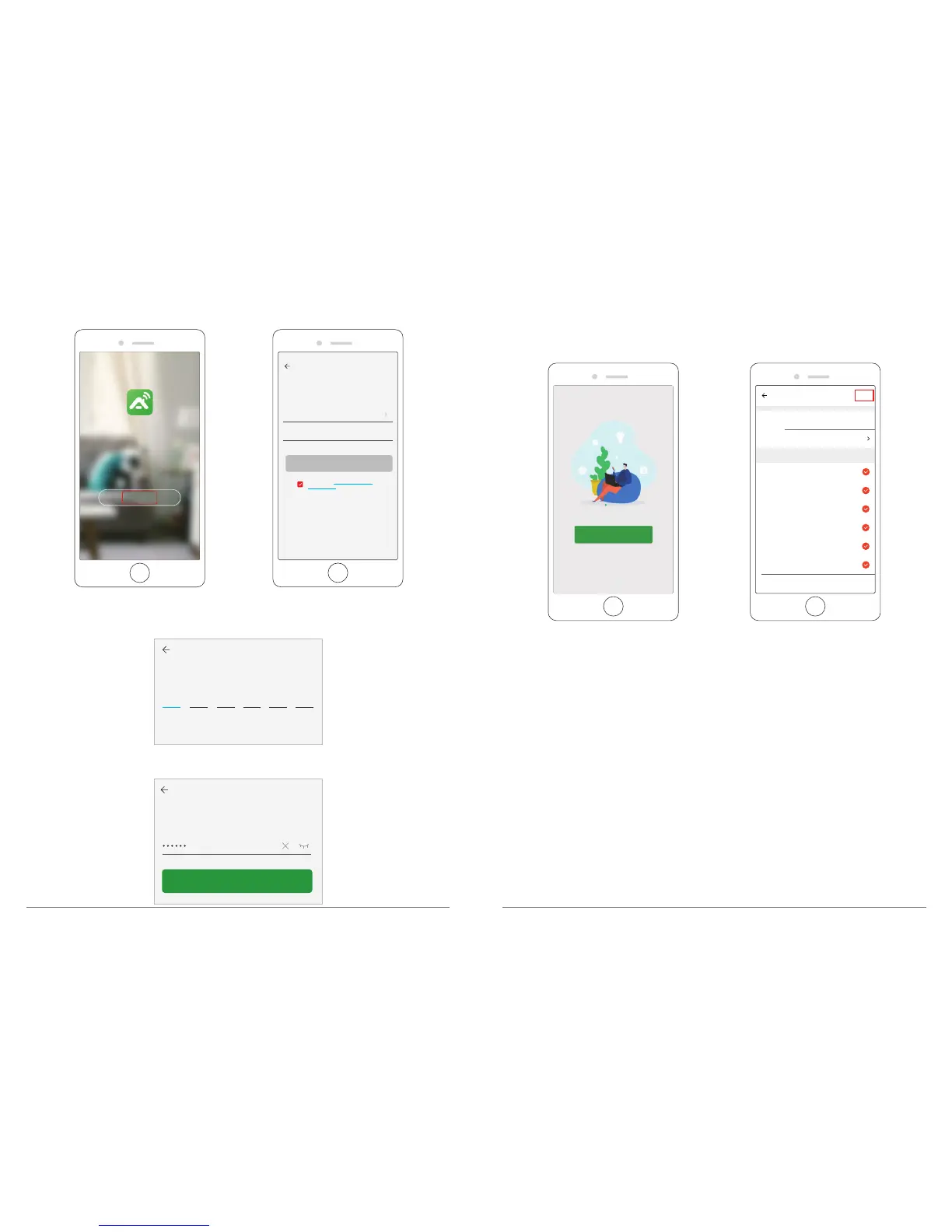
Register
USA +1
Mobile number / Email
Continue
I agree with Service Agreement and
Privacy Policy
② After filling in Email address, a verification code will be sent to mailbox, please get it and
fill in it.
③ Then set password, click “Done”.
Set Password
Done
Verification Code
④ After registering the account, you need to add home information, click “Add Home”, fill
in home name, location, add rooms, then click “Done” to add successfully.
Add Home
Name Gunnar
Location
Living Room
Bedroom
Second Bedroom
Dining Room
Kitchen
Study Room
Add another room
Done
Smart devices in:
Note:
① Username must be a valid email address.
② Password must be between 6-20 digits in length.
③ Please choose the same country in register and login
If you have forgotten your password, click "Forgot password" to retrieve your password via
email verification.



 To Next Page