More
Modify Device Name Speed 4 Class2018
Share Devices
Device info
Use Echo
Basic Feature Settings
Sound Detection Settings Off
Cloud Storage Not active
Feedback
Motion Detection Settings Off
SD Card Settings
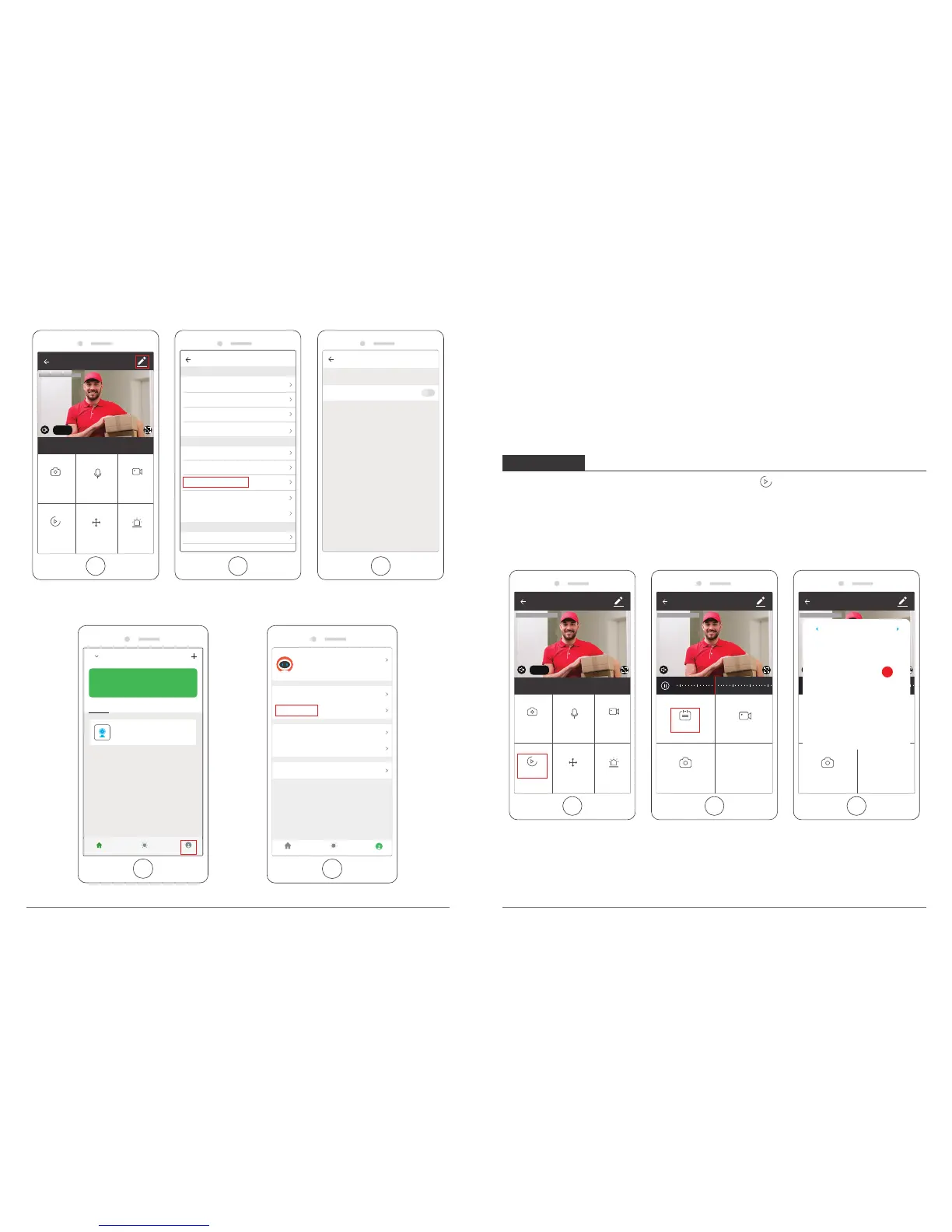
② View the messages with snapshots pushed: select “ Profile → Message Center”.
St
84.3°F Good Good
Outdoor Temp Outdoor AQL Outdoor Humid...
All Devices
Living Room
Bedroom
Setting
My Home
Smart Scenes
Profile
Speed 4 Class
Online
Note:
In a small space, select "Low" or "Medium". For environments with large space, in order to
improve the alarm sensitivity, it is recommended to select "high".
If you need your phone to receive an alert message, you must allow “Akaso Smart” APP
get all the permissions in your mobile phone app permissions interface.
If you want 7/24 recording, please download our User Manual for reference.
PLAYBACK
① Enter into the live view interface, click Playback icon to enter into the playback
interface.
② Click”Calendar” to select the date you want playback, then drag the time table to the
exact time that you want to playback.
The video will play automatically, press to pause / play.
Sun Mon Tues Wed Thur Fri Sat
1 2 3
4 5 6 7 8 10
17161514131211
18 19 20 21 22 23 24
302928272625
9
2018 - 11
Note:
The date in black color with video recordings, grey color without video recordings.
The time in grey color in the time table is with video recordings.
11 12



 To Next Page