EasyManua.ls Logo

Akaso CS300 - User Manual

Akaso CS300
22 pages
Print Icon
To Next Page IconTo Next Page
Loading...
USER MANUAL
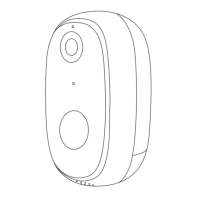
AKASO Wire-Free Security Camera CS300

Questions and Answers

  • M
    Michael AtkinsonAug 19, 2025
    How to reset Akaso CS300?
    • H
      huangdavidSep 12, 2025
      To reset your Akaso Security Camera: 1. Insert a pin into the reset hole for 5 seconds. 2. Listen for one “Bee” sound. 3. Observe the red light changing to a slow blink.
  • Q
    qsimmonsAug 21, 2025
    What to do if Akaso Security Camera is offline?
    • A
      Aimee McphersonAug 21, 2025
      If your Akaso Security Camera is offline, verify the network is working properly and transferring data smoothly.
  • G
    Gregory DurhamAug 23, 2025
    Why is there a video delay on my Akaso Security Camera?
    • C
      Crystal DavisAug 25, 2025
      If you experience delayed video browsing on your Akaso Security Camera, examine your Wi-Fi network. Ensure the camera isn't too far from the router.
  • M
    Miss Lisa MoralesAug 26, 2025
    How to extend battery life on Akaso CS300?
    • R
      Ryan ReevesAug 26, 2025
      To address a short battery life in your Akaso Security Camera, consider that frequent wake-ups drain the battery. Avoid installing the camera near roads or in direct sunlight.
  • Y
    yallenAug 27, 2025
    What to do if Akaso CS300 doesn't record alarm video?
    • T
      Timothy DavidsonAug 27, 2025
      If your Akaso Security Camera doesn't record alarm videos, insert a microSD card.
  • E
    Eugene BradleyAug 30, 2025
    Why am I not getting alarm notifications from my Akaso CS300?
    • J
      Jessica RamirezAug 30, 2025
      If you are not receiving alarm pushes from your Akaso Security Camera, enable Smart Life app notifications in your mobile settings.
  • J
    John VillanuevaSep 1, 2025
    What to do if Akaso CS300 Security Camera won't start after battery replacement?
    • A
      Alisha Davis MDSep 1, 2025
      If you cannot start the Akaso Security Camera after replacing the battery: 1. Check the battery's positive and negative terminals. 2. Ensure the battery is functioning correctly.
  • C
    Craig YoungSep 3, 2025
    How to change Akaso CS300 to a new Wi-Fi network?
    • P
      Paige CopelandSep 3, 2025
      To change your Akaso Security Camera to a new network: 1. Insert a pin in the reset hole to restore the factory default settings. 2. Reconnect the camera to the new network.
  • D
    Donna ButlerSep 5, 2025
    Why am I not getting alarm push notifications from my Akaso Security Camera?
    • N
      Nathan RichardsSep 5, 2025
      If you're not receiving alarm notifications from your Akaso Smart Security Camera, enable the Akaso Smart app notification in your mobile settings.
  • J
    Joshua LeeSep 7, 2025
    What to do if my Akaso Security Camera has no alarm video record?
    • R
      robertblackSep 7, 2025
      If your Akaso Security Camera isn't recording alarm videos, please insert a TF card.

Summary

Installation

Bracket Installation

Guides on how to install the camera bracket onto walls or ceilings for mounting.

Solar Panel Installation

Instructions for mounting the solar panel to power the camera.

Account Setup

Camera Connection Setup

Add Your Camera

Guides on connecting the camera to Wi-Fi and adding it to the "Smart Life" app.

PIR Detection Sensitivity

Alarm Notifications and Playback

Battery Management

Reducing False Alarms

Troubleshooting Common Issues

Connectivity, Reset, and Device Status Issues

Solutions for connection failures, reset procedures, offline devices, and battery problems.

Motion Detection and Notification Issues

Addresses false alarms, missing notifications, and recording problems.

Contact and Support

Customer Support Channels

Provides AKASO customer contact information via email, phone, and website.

Akaso CS300 Specifications

General IconGeneral
BrandAkaso
ModelCS300
CategorySecurity Camera
LanguageEnglish

Related product manuals