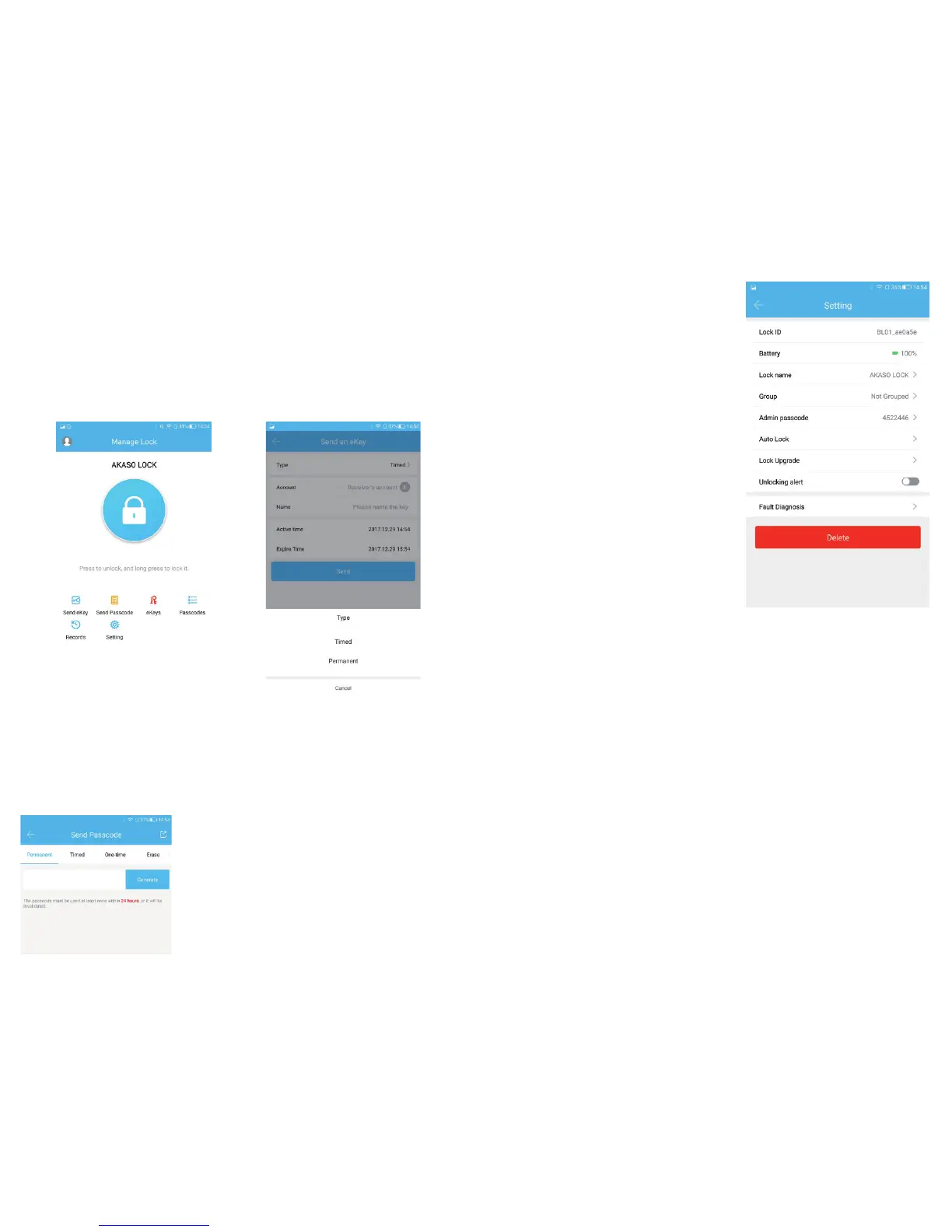
3.2 Send Passcode
The passcode receiver can unlock the smart
by entering the passcode manually. The
passcode can be set as different type:
Permanent / Timed / One-time(6 hours) /
Erase(24 hours) / Customized / Cyclic . All
passcodes generated can be sent to those
in need by mail and chatting tools.
3.3 eKeys
A file to manage the status and history
of eKeys.
3.4 Passcodes
A file to manage the status and history
of Passcodes.
3.5 Records
View locking and unlocking information
to check when and who used it.
3.6 Setting
3.6.1. Display the Lock ID.
3.6.2. Display the battery power.
3.6.3. Display the name of the Lock.
You can manually change name
of the door.
3.6.4. Group: the administrator can add multiple locks for grouping,
which is suitable for rental housing.
It is more convenient for group management of personnel.
3.6.5. Admin passcode: the default passcode is the unlock passcode of
the administrator, which can be manually changed to a custom
passcode.
3.6.6. Auto Lock: Auto Lock: off-by-default. Open the app-click Setting
-click Auto Lock-turn on and set time 5 to 120 seconds you need
-click OK. When the setup is completed, it will be automatically
locked after unlocking (for example, it will be automatically
locked 5 seconds after unlocking if the time is set as 5 seconds).
3.6.7. Lock Upgrade: to check whether there is any update version.
3.6.8. Unlocking alert: off-by-default. If turn on it, the administrator's
phone will receive the unlocking information when someone
who assigned with a key unlocks the door with the APP
3.6.9. Fault Diagnosis.
7
8
2.1 Turn on the Bluetooth on your phone.
2.2 Open the APP. Then click “Add Lock” and “Lock”.
2.3 Touch the touch screen button of the smart lock, the number keys
indicator light will be bright and Click “Next” on the APP.
2.4 Find the smart lock name which starts with “xx_xxx” and click “+”.
2.5 Rename the name of smart lock and click “OK”.
2.6 Click “Finish”
3. APP Operation Instruction
3.1 Send eKey
eKey is a function for you to authorize the Admin rights to other family
members, who has download the same APP in their own phones. All
the people who holds can control the smart lock.
eKey is highly suggested to be ONLY applied among family members.


 To Next Page