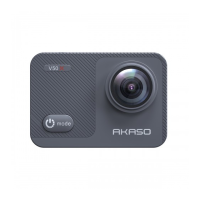
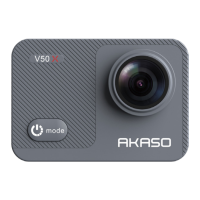
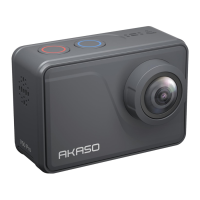
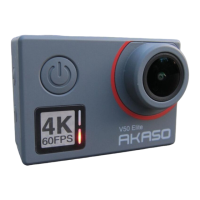
PhotoPlayback Mode
To review photos on the camera, press the Power/Mode Button repeatedly to switch to PhotoPlayback Mode.
Press Up or Down Button to cycle through the overview of photos.
Press Shutter/Select Button to playback the desired one.
To delete photos, press the Shutter/Select Button for 5s. The menu for deleting will show up.
Then Press Shutter/Select Button to delete the photos you want.
Settings
1. Press Power/Mode Button repeatedly to switch to Settings.
2. Press Up or Down Button to cycle through the various options.
3. Press the Shutter/Select Button to select the desired option.
When finished with the specific setting, press the Power/Mode Button once, it will exit from the current setting. Then
press the Power/Mode Button again, it will switch to video mode.
CameraSetting
Power Frequency: 50HZ/60HZ
Sounds: Shutter on/off
Boot-up: on/off
Beep: on/off
Volume: 0/1/2/3
White Balance: Auto/Daylight/Shade/Tungsten Light/White Fluorescent/Underwater
Exposure: -2.0/-1.0/+0.0/+1.0/+2.0
Date Stamp: Off/Date/Date&Time
Date & Time: YY/MM/DD/HH/MM
Screen Saver: OFF/30s/1min/2min
Auto Power Off: OFF/1min/2min
Power-On Auto Record: ON/OFF
BT: ON/OFF(Please turn on it when you connect the remote to the camera)
Reset WiFi Setting: Yes/No
Language: English/German/Italian/Spanish/French/Japanese/Chinese
Format Card: Yes/No
System: Default Setting: Yes/No
System Info: Ver
Card Info: Capacity/Free Space
VideoSetting
Video Resolution: 4K 30fps/2.7K 30fps/1080P 60fps/1080P 30fps/720P 120fps/720P 60fps/ 720P 30fps
Video Encoder: H.264/H.265
Image Stabilization: On/Off(default: On)
Loop Recording: Unlimited/2 Min/3 Min/5 Min
Time Lapse Video: Off/1 Sec/3 Sec/5 Sec/10 Sec/30 Sec/1 Min
Recording Time: Unlimited/5 Min/10 Min/15 Min/20 Min/30 Min/60 Min
Slow Motion Movie: On/Off
Fast Motion Movie: Off/2x/4x/6x/10x15x
Wind Noise Reduction: On/Off
Sound Record: On/Off
Auto Low Light: On/Off
Drive Mode: On/Off (If you want to use Drive Mode, please turn on Loop Recording first.)
Note: 1. If you want to use Slow Motion Movie, please turn off Image Stabilization first, then Choose 1280x720p120
under Video Resolution.
2. If you want to set Recording Time, please turn on Time Lapse Video first.
PhotoSetting



 To Next Page