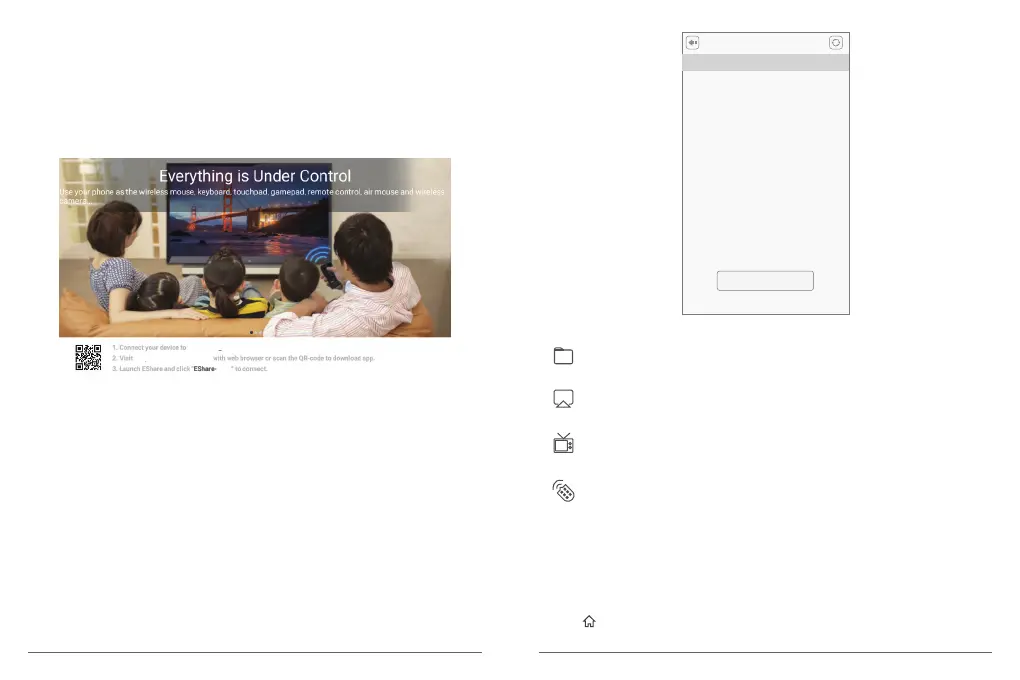
③ EShare
Install EShare app on Android/iOS device
(1) Please make sure that Android/iOS device and projector are connected to the same
network.
(2) Operate according to the tips on the screen. Scan QR code or visit download website
with your smart device.
Note:
Do not download the latest EShare version on Google play if you use Android device-the
latest version may not be compatible with AKASO. Please follow the screen prompts to
install EShare.
Certain content may be unavailable to be cast due to copyright restrictions. In this case,
you can stream those content via the same apps installed in your AKASO projector.
Connect EShare with AKASO
(1) When EShare installation is finished, run “EShare” on Android/iOS device and it will
search for the projector which shares the same network with it automatically.
(2) Click [Device List] on the top to search again and check device. Click your device, the
projector will connect with it automatically.
“Your home network”.
“the URL shown here”
****
Device List
EShare-**** 192.168.1.84
Scan QR Code
EShare Instructions
Local Files
Local files-You can transfer selected local files including music, video,
picture and other files.
Mirroring-You can cast the screen of the smart device to the projection screen.
TV Mirror-You can transmit pictures from projector to smart device in real-time.
Wireless Control-Your smart phone can be used as the mouse, remote
controller, keyboard or fly mouse of the projector.
Mirroring
TV Mirror
Remote
3. Online services and install apps
Once connected to a network, you can access online services, browse the web and install
apps. Apart from the apps installed, you can also install any other apps from Google play
store.
① Press to access the home menu.
② Select [YouTube]/[NETFLIX]/[Google play] and enter into the corresponding interface.
17 18


 To Next Page