- 52 -
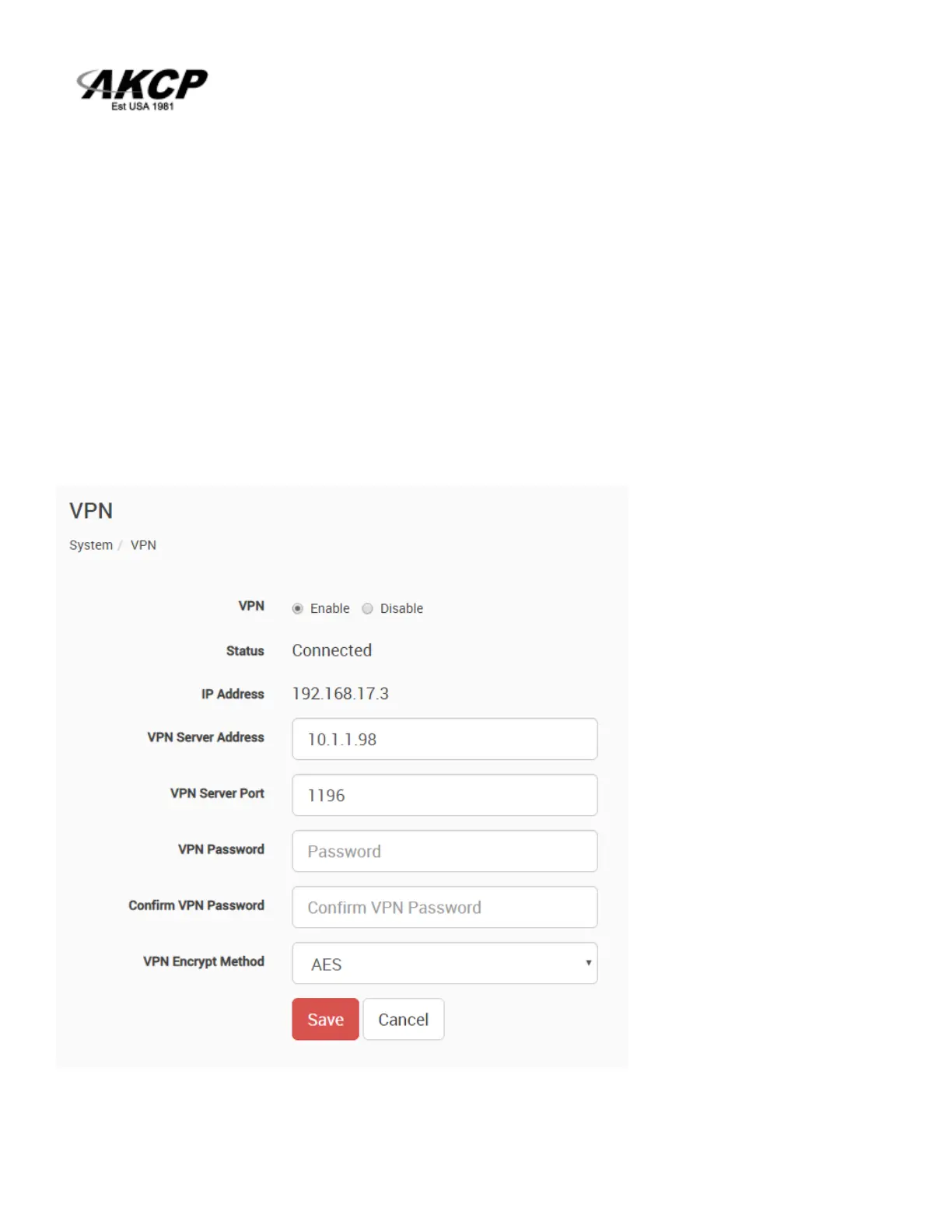
2. On the SP+ Web UI, enable the VPN
First change the VPN Client on the top to "Enabled" and configure the VPN Settings on the form:
- Specify the AKCPro Server's IP or DNS name in VPN Server Address
- Use the VPN Network Password that you have specified on APS
- Set up the the VPN Encrypt Method on the Encryption tab; use the same setting that you have
specified on APS.
After clicking the "Save" button, the unit will ask you to reboot.
After the unit has rebooted and shows "Connected", it will show the VPN client’s IP Address.
You can review the unit’s syslog to see if there were any errors with connecting to the VPN server.



 To Next Page