EasyManua.ls Logo

AKG C1000S - User Manual

AKG C1000S
14 pages
Print Icon
To Next Page IconTo Next Page
Loading...
C1000S
BEDIENUNGSAN LEITUNG ................................... 2
Bitte vor Inbetriebnahme des Gerätes lesen!
USER INSTRUCTIONS ...................................... 16
Please read the manual before using the equipment!
MODE D’EMPLOI ............................................. 30
Veuillez lire cette notice avant d’utiliser le système!
ISTRUZIONI PER L’USO ................................... 44
Prima di utilizzare l’apparecchio, leggere il manuale!
MODO DE EMPLEO .......................................... 58
¡Sirvase leer el manual antes de utilizar el equipo!
INSTRUÇÕES DE USO ...................................... 72
Favor leia este manual antes de usar o equipamento!

Other manuals for AKG C1000S

Questions and Answers

  • E
    Elizabeth SmithJul 30, 2025
    How to troubleshoot no sound from AKG Microphone?
    • B
      Briana HensleyJul 30, 2025
      If your AKG Microphone has no sound, first, ensure that the power to the mixer and/or amplifier is switched on. Then, check that the channel or master fader on the mixer, or the volume control on the amplifier, is set to the desired level and that the microphone is properly connected to the mixer or amplifier. Also, make sure the cable connectors are securely seated and that the cable is not defective (replace if damaged). Finally, verify that phantom power is switched on or that the batteries are correctly inserted and not dead.
  • V
    Victoria SanchezAug 8, 2025
    What to do if AKG C1000S has distortion?
    • A
      Adrienne HallAug 8, 2025
      If you're experiencing distortion with your AKG Microphone, it might be due to the gain control on the mixer being set too high. Try turning the gain control down. Alternatively, the mixer input sensitivity could be too high; in this case, connect a 10-dB attenuation pad between the microphone cable and the input.
  • B
    breanna34Aug 19, 2025
    Why AKG Microphone sound becomes increasingly dull?
    • M
      matthew49Sep 12, 2025
      If the sound from your AKG Microphone is becoming increasingly dull, the internal or external windscreen may be attenuating high frequencies because it's soiled. Try cleaning the internal or external windscreen.

Summary

Safety and Environment

Environment

Guidelines for product disposal and recycling at the end of its lifecycle.

Description

Introduction

Introduction to the manual and the AKG C1000S microphone.

Scope of Supply

Details the standard items included with the C1000S microphone.

Optional Accessories

Information on available optional accessories for the C1000S.

Summary

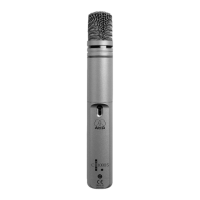
Overview of the C1000S's design for professional audio applications.

Controls

Explanation of the microphone's controls: attenuation, bass-cut, status LED, and power switch.

Powering

Battery Power

Instructions for inserting, replacing, and testing AA batteries for the microphone.

Connecting to a Balanced Input

Procedure for connecting the C1000S to a balanced audio input using an XLR cable.

Connecting to an Unbalanced Input

Procedure for connecting the C1000S to an unbalanced audio input via a 1/4" jack.

Phantom Power

Instructions for powering the C1000S using phantom power from an audio device.

Application

Installing Adapters

Steps for attaching the PPC1000 or PB1000 adapters to the microphone capsule.

Cleaning

Instructions for cleaning the microphone body and its internal windscreen with water and soap.

Troubleshooting

Specifications

AKG C1000S Specifications

General IconGeneral
Microphone TypeCondenser
Polar PatternCardioid, Hypercardioid
Frequency Response50 Hz - 20 kHz
Impedance200 ohms
Equivalent Noise Level21 dB-A
Signal to Noise Ratio73 dB-A
Power Requirement9-52 V Phantom Power
Weight320 g
DimensionsDiameter: 34 mm; Length: 229 mm
Sensitivity6 mV/Pa (-44 dBV)

Related product manuals