EasyManua.ls Logo

AKG D7 - User Manual

AKG D7
16 pages
Print Icon
To Next Page IconTo Next Page
Loading...
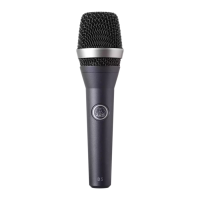
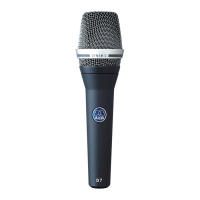
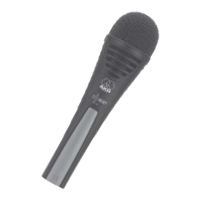
D7
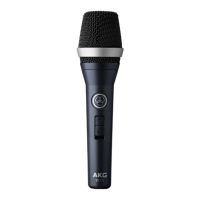
D7 S
D7 LTD
VOCAL
BEDIENUNGSANLEITUNG . . . . . . . . .S. 2
Bitte vor Inbetriebnahme des Gerätes lesen!
USER INSTRUCTIONS . . . . . . . . . . . . . .p. 12
Please read the manual before using the equipment!
MODE D’EMPLOI . . . . . . . . . . . . . . . . . . . .p. 22
Veuillez lire cette notice avant d’utiliser le système!
ISTRUZIONI PER L’USO . . . . . . . . . . .p. 32
Prima di utilizzare l’apparecchio, leggere il manuale!
MODO DE EMPLEO . . . . . . . . . . . . . . . . .p. 42
¡Sirvase leer el manual antes de utilizar el equipo!
INSTRUÇÕES DE USO . . . . . . . . . . . . . .p. 52
Favor leia este manual antes de usar o equipamento!

Other manuals for AKG D7

Questions and Answers

  • W
    William CoffeyAug 2, 2025
    What to do if my AKG Microphone has no sound?
    • A
      Angela YangAug 2, 2025
      If your AKG Microphone isn't producing any sound, consider these possibilities: 1. Ensure that the power to the mixer and/or amplifier is switched on. 2. Check that the channel or master fader on the mixer, or the volume control on the amplifier, is set to an audible level. 3. Verify the microphone is properly connected to the mixer or amplifier. 4. Make sure all cable connectors are securely seated. 5. Inspect the cable for any defects and replace it if necessary.
  • H
    Holly GreenAug 11, 2025
    Why is my AKG D7 Microphone sound distorted?
    • C
      chelsea08Aug 12, 2025
      If you're experiencing distortion with your AKG Microphone, it could be due to: 1. Incorrectly set gain control on the mixer or transmitter module. Adjust the gain control to eliminate the distortion. 2. Mixer input sensitivity being too high. Try inserting a 10 dB preattenuation pad between the microphone cable and the input.
  • F
    fbellAug 20, 2025
    How to fix AKG D7 sound that becomes dull?
    • V
      Victoria LyonsAug 20, 2025
      If your AKG Microphone's sound is becoming dull, it might be because the internal or external windscreen is dirty, causing it to attenuate high frequencies. Try cleaning or replacing the windscreen to resolve this issue.

Summary

1 Precaution and Description

1.1 Precaution

Ensures equipment connection adheres to safety regulations and is fitted with a ground lead for safe operation.

1.2 Unpacking

Instructions for checking packaging contents and contacting dealer for missing items.

1.3 Optional Accessories

Guidance on finding information about optional accessories via catalog, folder, or website.

1.4 Features

Highlights key features like frequency response, pop screen, polar pattern, shock mount, and mesh cap.

1.5 D7 Microphone Model

Detailed description of the AKG D 7 supercardioid dynamic vocal microphone, its design, and features.

1.6 D 7 S Microphone Model

Details the AKG D 7 S, noting its identical mechanical, electrical, and acoustic characteristics to the D 7.

1.7 D 7 LTD Microphone Model

Describes the AKG D 7 LTD, highlighting its identical characteristics to the D 7 plus a chrome-plated case.

2 Interfacing

3 Using Your Microphone

3.1 Introduction to Microphone Use

Provides an introduction to shaping vocal sound using the microphone and hints for best results.

3.2 Working Distance and Proximity Effect

Explains how vocal sound changes with distance and the low-frequency boost from the proximity effect.

3.3 Angle of Incidence

Discusses the impact of singing angle on sound quality, breath noise, and plosives, recommending side or top singing.

3.4 Feedback Management

Explains audio feedback, how the supercardioid pattern helps, and optimal speaker placement for gain.

3.5 Backing Vocals Technique

Provides guidance on using the microphone for backing vocals, including limitations on multiple users and angle.

4 Cleaning and Maintenance

4.1 Cleaning D 7, D 7 S Body

Instructions for cleaning the microphone body using a soft cloth moistened with water.

4.2 Cleaning D 7 LTD Body

Instructions for cleaning the D 7 LTD microphone body using the supplied microfiber cloth.

4.3 Internal Windscreen Cleaning

Details how to clean the internal windscreen to prevent it from becoming a 'high-frequency trap'.

4.4 Replacing Internal Windscreen

Steps to replace the original internal windscreen with the extra one provided for sound quality.

5 Troubleshooting

6 Specifications

AKG D7 Specifications

General IconGeneral
TypeDynamic
Polar PatternSupercardioid
Connector3-pin XLR
Sensitivity2.6 mV/Pa
Weight340 g

Related product manuals