EasyManua.ls Logo

AKG PW45 - User Manual

AKG PW45
98 pages
Go to English
Print Icon
To Next Page IconTo Next Page
Loading...
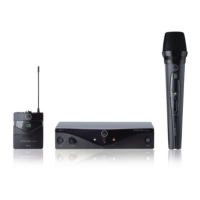
Perception wireless
BEDIENUNGSANLEITUNG
.......................
Bitte vor Inbetriebnahme des Gerätes lesen!
USER INSTRUCTIONS .......................... 18
Please read the manual before using the equipement!
MODE D’EMPLOI ................................. 34
Veuillez lire cette notice avant d’utiliser le système!
ISTRUZIONI PER L’USO........................ 50
Prima di utilizzare l’apparecchio, leggere il manuale!
MODO DE EMPLEO .............................. 66
¡Sirvase leer el manual antes de utilizar el equipo!
INSTRUÇÕES DE USO .......................... 82
Favor leia este manual antes de usar o equipamento!

Table of Contents

Questions and Answers

  • K
    Karen WatsonAug 8, 2025
    What to do if my AKG Microphone system has distortion?
    • E
      Elizabeth RichAug 8, 2025
      If you're experiencing distortion with your AKG Microphone system, consider the following: * Adjust the GAIN control: Experiment by turning the GAIN control up or down until the distortion disappears. * Check for interference: Other wireless systems, TVs, radios, walkie-talkies, or defective electrical appliances can cause interference. Try switching off potential interference sources or using a Perception wireless system tuned to a different frequency. Also, have your electrical installation checked. * Adjust antenna position: Relocate the receiver to a different location. If certain spots consistently produce distortion (dead spots), mark them and avoid using the system in those areas.
  • A
    Andrea NielsenAug 17, 2025
    How to fix noise and crackling in AKG PW45?
    • K
      Krystal GainesAug 17, 2025
      To address noise, crackling, or unwanted signals in your AKG Microphone system: * Try repositioning the receiver to a different location. * Identify and eliminate potential sources of interference, such as other wireless systems, TVs, radios, walkie-talkies, or defective electrical appliances. Switch off these devices or use a Perception wireless system tuned to a different frequency. It's also advisable to have your electrical installation inspected.
  • M
    mackenzie29Oct 28, 2025
    Why is there no sound from my AKG PW45 Microphone system?
    • K
      Keith HaleyOct 28, 2025
      Several factors could be the reason for the lack of sound. Here are some things to check: * Ensure the AC adapter is properly connected to both the receiver and the power outlet. * Verify that the receiver is switched ON. * Check the connection between the receiver and the mixer or amplifier. * Make sure the VOLUME control on the receiver isn't set to zero. * Confirm that the microphone or instrument is correctly connected to the bodypack transmitter. * Ensure the transmitter and receiver are on the same frequency range and tuned to the same frequency. * Check that the transmitter's on/off switch is set to "ON" and not "MUTE". * Verify the transmitter batteries are correctly inserted, matching the "+" and "-" markings. * Replace the transmitter batteries if they are flat...

Summary

Safety and Environment

Safety

General safety measures for operating the equipment safely.

Setting Up the System

Connecting Receiver Inputs;Outputs

Instructions for connecting the receiver to balanced and unbalanced audio inputs on mixers or amplifiers.

Inserting Batteries in Transmitters

Step-by-step guide on how to insert and test batteries in the handheld and bodypack transmitters.

Setting the Frequency

Procedure for switching the receiver on and selecting the desired channel for the wireless system.

Setting Up the Handheld Transmitter

Guide to setting up the handheld transmitter, including adjusting gain and monitoring status LEDs.

Connecting a Microphone

Detailed steps for connecting a microphone to the PT 45 bodypack transmitter and adjusting gain.

Connecting an Instrument

Instructions for connecting instruments like guitars or basses to the bodypack transmitter using the MKG L cable.

Before the Soundcheck

Pre-performance checks for signal strength, dead spots, and interference to ensure optimal performance.

Microphone Technique

Troubleshooting

No Sound Issues

Addresses common causes and remedies for the 'no sound' problem, including power, connection, and frequency settings.

Noise and Distortion

Solutions for issues like noise, crackling, unwanted signals, and distortion, often related to interference or gain settings.

Specifications

AKG PW45 Specifications

General IconGeneral
ModulationFM
Operating TimeUp to 8 hours
Transmitter TypeHandheld
Polar PatternCardioid
Microphone TypeHandheld
System TypeWireless
Battery Life8 h
TypeWireless
ConnectorXLR
Operating RangeUp to 30 m (100 ft)

Related product manuals