EasyManua.ls Logo

AKG WMS 470 - User Manual

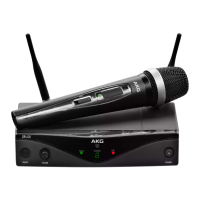
AKG WMS 470
24 pages
Print Icon
To Next Page IconTo Next Page
Loading...
BEDIENUNGSANLEITUNG (V 1.00) .S. 2
Bitte vor Inbetriebnahme des Gerätes lesen!
USER INSTRUCTIONS (V 1.00) .......p. 24
Please read the manual before using the equipment!
MODE D’EMPLOI (V 1.00) ...............p. 46
Veuillez lire cette notice avant d’utiliser le système!
ISTRUZIONI PER L’USO (V 1.00) ....p. 68
Prima di utilizzare l’apparecchio, leggere il manuale!
MODO DE EMPLEO (V 1.00) ...........p. 90
¡Sirvase leer el manual antes de utilizar el equipo!
INSTRUÇÕES DE USO (V 1.00) .......p. 112
Favor leia este manual antes de usar o equipamento!
WMS 470

Other manuals for AKG WMS 470

Questions and Answers

  • L
    lisa70Sep 23, 2025
    What does >-h< mean on my AKG WMS 470 Microphone system?
    • M
      Mrs. Ashley BrownSep 23, 2025
      The >-h< error message indicates that the transmitter cannot identify the battery as dry or rechargeable type. Remove the battery and reinsert it after approximately five seconds. This error can also mean that the transmitter was switched on during charging. Remove the transmitter from the charger, switch it off, and restart charging.
  • M
    martinezsamanthaAug 25, 2025
    What to do if my AKG WMS 470 Microphone system has distortion?
    • E
      ellisnicholasAug 26, 2025
      Distortion in your AKG Microphone system can stem from a couple of sources. First, check the GAIN control on the transmitter; it might be set too high or too low. Adjust it just enough to eliminate the distortion. Another potential cause is interference from other wireless systems, TVs, radios, CB radios, or defective electrical appliances. Try switching off these potential sources of interference or tune the transmitter and receiver to a different frequency. If problems persist, have your electrical installation checked.
  • S
    Stanley FitzpatrickAug 27, 2025
    Why does my AKG WMS 470 have dropouts?
    • P
      Paul BrownAug 27, 2025
      Momentary sound loss, or dropouts, in your AKG Microphone system can often be attributed to antenna location. Try relocating the receiver or antennas. If dead spots persist, mark and avoid them during performance.
  • D
    Dawn King DDSAug 27, 2025
    How to resolve ERR.>SYS< error on my AKG WMS 470 Microphone system receiver?
    • J
      Jonathan ClayAug 27, 2025
      If your AKG Microphone system receiver displays an ERR.>SYS< error, it indicates that frequency settings cannot be changed. To resolve this, switch the power to the receiver OFF and then back ON after about 10 seconds.
  • E
    ericaaguilarSep 23, 2025
    What does >ChArGE< mean on my AKG Microphone system?
    • T
      Timothy DaySep 23, 2025
      The >ChArGE< error message (rechargeable battery only) indicates that the battery is not fully charged. Charge the transmitter using a CU 400 charger. If this doesn't solve the problem, replace the transmitter battery with a new dry or fully charged rechargeable battery.
  • M
    meadowsstephanieNov 22, 2025
    Why is there no sound coming from my AKG Microphone system?
    • J
      Javier MiddletonNov 22, 2025
      There could be several reasons for the lack of sound. Check the following: 1. Ensure the AC adapter is properly connected to both the receiver and the power outlet. 2. Verify that the receiver is switched ON. 3. Confirm the receiver is correctly connected to the mixer or amplifier. 4. Check that the microphone or instrument is connected securely to the body-pack transmitter. 5. Make sure the transmitter and receiver are tuned to the same frequency. 6. Ensure the transmitter is switched ON and the mute switch is not activated. 7. Verify the batteries are correctly inserted in the transmitter, paying attention to the + and - marks. 8. Replace dead batteries in the transmitter. 9. Ensure that the transmitter is not too far from the receiver. 10. Remove any obstructions between the t...
  • A
    Alexander GilbertSep 12, 2025
    What to do if AKG Microphone system receiver and transmitter show ERR.>USR
    • G
      gmortonSep 12, 2025
      If the receiver and transmitter show ERR.>USR
  • A
    Anna GordonSep 12, 2025
    What to do if AKG Microphone system receiver and transmitter show Err.>IR?
    • A
      Andrea BurchSep 12, 2025
      If the receiver and transmitter show Err.>IR, it means the infrared transmission failed. Point the transmitter infrared sensor directly at the receiver infrared emitter from a distance of approximately 2 inches (5 cm).
  • P
    Peggy MartinSep 5, 2025
    Why does my AKG Microphone system have noise, crackling, or unwanted signals?
    • W
      Warren DavisSep 5, 2025
      Noise, crackling, and unwanted signals can occur due to: * Antenna location issues. Try relocating the receiver or antennas. * Interference from other wireless systems, TV, radio, CB radios, or defective electrical appliances or installations. Switch off any potential interference sources or defective appliances. You can also try tuning the transmitter and receiver to a different frequency.
  • G
    gibsonlawrenceSep 2, 2025
    What does >-h< mean on my AKG WMS 470 transmitter?
    • M
      Mark CarterSep 3, 2025
      The >-h< indication on your AKG Microphone system transmitter means that the transmitter cannot identify the battery as a dry or rechargeable type. Try removing the battery and reinserting it after approximately five seconds. Also, if the transmitter was switched on during charging, remove it from the charger, switch it off, and restart charging.

Summary

1 Safety and Environment

Safety Guidelines

General safety guidelines for operating the equipment, including handling, environment, and power.

Environmental Disposal

Guidelines for proper disposal of batteries and packaging to minimize environmental impact.

2 Packing List and Optional Accessories

Included System Components

Lists all components included in various AKG WMS 470 system packages.

Available Optional Accessories

Details available optional accessories that can enhance the functionality of the WMS 470 system.

3 General Information

WMS 470 System Overview

Overview of the WMS 470 wireless microphone system, its components, and operating frequency.

Receiver Front Panel Features

Description of the receiver's front panel controls, display, and indicators.

Receiver Functionality

Details on the receiver's functions and indicators, including RF and audio bargraphs, and diversity LEDs.

Receiver Rear Panel Connections

Details the rear panel connections for the receiver, including power, antennas, and audio outputs.

Handheld Transmitter Features

Overview of the handheld transmitter, including its microphone element, LCD display, and ON-MUTE/PRG-OFF switch.

Bodypack Transmitter Features

Details the bodypack transmitter, including its antenna, audio input, and gain control.

4 Setting Up

Receiver Rack Mounting Procedure

Step-by-step guide for mounting the receiver in a 19-inch rack, including single and side-by-side installations.

Receiver Antenna Connection

Information on connecting the supplied antennas and using remote or front-mount antennas for optimal reception.

Optimal Receiver Placement

Guidelines for optimal receiver placement to avoid signal degradation from physical obstructions and reflections.

Receiver Audio Output Connection

How to connect the receiver's audio outputs (XLR and 1/4") to external audio equipment.

Receiver Power Connection

Procedure for connecting the receiver to a power outlet using the supplied power supply.

Receiver LOCK Mode and Setup

Explanation of the receiver's electronic lock feature and how to enter SETUP mode.

Transmitter Battery Insertion

Instructions for inserting batteries into the handheld and bodypack transmitters correctly.

Bodypack Transmitter Audio Input

How to connect microphones or instruments to the bodypack transmitter using the mini XLR input.

Bodypack Transmitter Mute Switch Lock

How to use the terminal connector to electronically lock the ON-MUTE/PRG-OFF switch on the bodypack transmitter.

Bodypack Transmitter Gain Setting

Procedure for setting the input gain on the bodypack transmitter for optimal audio signal levels.

Optional Remote Mute Switch Usage

Instructions for using the optional remote mute switch with the transmitter.

Handheld Transmitter Gain Setting

How to set the input gain for the handheld transmitter using receiver settings.

Transmitter Silent Mode

Recommendation and procedure for setting the carrier frequency in SILENT mode to avoid accidental transmission.

Transmitter Battery Type Selection

How to select the correct battery type in the transmitter menu for accurate battery indication.

5 Operating Notes

Receiver Power On Procedure

Procedure for switching the receiver on and understanding its display indications.

Transmitter Powering and Battery

Information on battery types and expected operating times for the handheld and bodypack transmitters.

Transmitter Mute Function

How to mute and unmute the transmitter using the ON-MUTE/PRG-OFF switch.

System Adjustment Options

Lists available setup screens: Automatic, Manual Group/Channel, Manual Frequency, and Handheld Transmitter Gain.

Automatic Multichannel Setup

Steps for automatically finding clean frequencies and programming transmitters for multichannel operation.

Manual Group;Channel Configuration

Procedure for manually selecting groups and channels for transmitter programming.

Manual Frequency Configuration

Steps for manually selecting a carrier frequency and programming the transmitter.

Handheld Transmitter Gain Adjustment

How to set the input gain for the handheld transmitter using the receiver's 'HT GAIN' menu.

Transmitter Programming Procedure

Steps to program a transmitter to the receiver's frequency using infrared transmission.

Multichannel System Frequency Assignment

Guidelines for assigning separate carrier frequencies to each wireless channel to avoid interference.

Transmitter Battery Level Monitoring

Ensuring correct battery capacity indication by selecting the right battery type and allowing stabilization time.

6 Advanced Functions (EXTRA Menu)

Receiver ID and Naming

How to edit or assign a name (Receiver ID) to the receiver for identification.

System Status and Warnings

Activating visual warnings for critical system conditions like low battery or audio clipping.

Rehearsal Soundcheck Function

Using the rehearsal function to detect dropouts, measure RF field strength, and record audio levels.

Squelch Threshold Control

How to adjust the squelch threshold to avoid noise when the RF signal is weak, balancing sensitivity and range.

Pilot Tone Functionality

Information on the pilot tone function and recommendation to deactivate it when using certain transmitters.

Factory Reset

How to reset all system parameters to their factory default settings.

Accessing System Information

Accessing information screens for firmware version, frequency band, and preset version.

Receiver Name Customization

How to edit the name displayed upon switching power to the receiver ON.

7 Microphone Technique

Handheld Microphone Technique

Tips on working distance, angle of incidence, and managing feedback for handheld vocal microphones.

Feedback Prevention Methods

Understanding feedback and methods to prevent it, including speaker placement and monitor positioning.

Backing Choir Mic Technique

Guidance for multiple vocalists using a single microphone, focusing on axis alignment and avoiding feedback.

PB 1000 Presence Boost Adapter

Details on the PB 1000 adapter for the HT 470 C5, enhancing sensitivity for speech.

PPC 1000 Polar Pattern Converter

Information on the optional PPC 1000 converter for the HT 470 C5, changing pickup pattern for better gain before feedback.

Lavalier Microphone Placement

Instructions for fixing lavalier microphones to clothing for optimal sound capture.

Headworn;Instrument Mic Usage

Reference to user manuals for proper use of headworn and instrument microphones.

8 Cleaning

9 Troubleshooting

Troubleshooting: No Sound

Common causes and remedies for lack of audio output, from connection issues to frequency mismatches.

Troubleshooting: Noise and Distortion

Troubleshooting steps for noise, crackling, and distortion, including antenna location and interference.

Troubleshooting: Sound Dropouts

Causes and solutions for brief sound interruptions, often related to antenna location or dead spots.

Troubleshooting: Error Messages

Explanation of error messages and their remedies.

10 Specifications

Receiver Technical Specs

Detailed technical specifications for the WMS 470 receiver, including frequency ranges, audio bandwidth, and power.

Handheld Transmitter Technical Specs

Technical specifications for the handheld transmitter, including RF output power, microphone element, and battery life.

Bodypack Transmitter Technical Specs

Technical specifications for the bodypack transmitter, including RF output power, audio input, and battery life.

AKG WMS 470 Specifications

General IconGeneral
RF Output Power50 mW
System TypeWireless Microphone System
ModulationFM
Pilot ToneYes
Receiver TypeDiversity
Transmitter TypeHandheld or Bodypack
Transmitter Power50 mW
Audio Bandwidth35 Hz - 20 kHz
Signal to Noise Ratio120 dB(A)
Operating Frequency650 - 865 MHz
Receiver OutputsXLR, 6.3 mm jack
Microphone TypeDynamic or Condenser
Dynamic Range>120 dB(A)
Operating Time14 hours (with AA batteries)
Audio OutputBalanced, Unbalanced

Related product manuals