EasyManua.ls Logo

AKG SR 40 DIVERSITY - User Manual

AKG SR 40 DIVERSITY
57 pages
Go to English
Print Icon
To Next Page IconTo Next Page
Loading...
SR 40 diversity
Bedienungsanleitung. . . . . . . . . . . . S. 2
Bitte vor Inbetriebnahme des Gerätes lesen!
User Instructions. . . . . . . . . . . . . . p. 11
Please read the manual before using the equipment!
Mode d’emploi. . . . . . . . . . . . . . . . p. 19
Veuillez lire cette notice avant d’utiliser le système!
Istruzioni per l’uso. . . . . . . . . . . . . p. 28
Prima di utilizzare l’apparecchio, leggere il manuale
Modo de empleo . . . . . . . . . . . . . . p. 37
¡Sirvase leer el manual antes de utilizar el equipo!
Instruções de uso . . . . . . . . . . . . . p. 46
Favor leia este manual antes de usar o equipamento!
AKG.WIRELESS
WIRELESS
MICROPHONE
SYSTEM

Table of Contents

Questions and Answers

  • J
    Jeffrey BellAug 8, 2025
    How to fix noise and crackling on AKG SR 40 DIVERSITY Microphone system?
    • D
      David MurrayAug 8, 2025
      If you are experiencing noise, crackling, or unwanted signals with your AKG Microphone system, try these solutions: * Relocate the receiver to a different position. * Identify and switch off any nearby interference sources, such as other wireless systems, TVs, radios, CB radios, or defective electrical appliances. Alternatively, use a WMS 40 tuned to a different frequency. It's also advisable to have your electrical installation checked for any issues.
  • P
    pbarnesAug 14, 2025
    What to do if my AKG SR 40 DIVERSITY has distortion?
    • J
      joseph19Aug 14, 2025
      If your AKG Microphone system is producing distorted sound, here's what you can do: 1. Adjust the GAIN control on the transmitter. If it's too high or too low, fine-tune it until the distortion stops. 2. Identify and eliminate any interference from other wireless systems, TVs, radios, CB radios, or defective electrical appliances. You can either switch off these interference sources or use a WMS 40 tuned to a different frequency. Consider having your electrical installation inspected for potential problems.
  • X
    xmartinAug 22, 2025
    Why does my AKG SR 40 DIVERSITY have dropouts?
    • J
      Joseph MyersAug 22, 2025
      If you experience momentary sound loss (“dropouts”) at certain spots within the performance area when using your AKG Microphone system, try relocating the receiver. If these dead spots persist, mark them and avoid those locations during your performance.
  • T
    Teresa WagnerOct 30, 2025
    Why does my AKG SR 40 DIVERSITY have no sound?
    • C
      Cynthia RiosOct 30, 2025
      If your AKG Microphone system has no sound, check the following: 1. Ensure the AC adapter is properly connected to both the receiver and the power outlet. 2. Verify that the receiver is switched ON using the POWER switch. 3. Confirm the receiver is correctly connected to the mixer or amplifier input. 4. Adjust the VOLUME control on the receiver, ensuring it's not at zero. 5. Check that the microphone or instrument is securely connected to the bodypack transmitter. 6. Make sure the transmitter and receiver have matching color codes. 7. Confirm the transmitter's on/off switch is set to “ON,” not “OFF” or “MUTE.” 8. Verify the transmitter batteries are correctly inserted, matching the “+” and “-” marks. 9. Replace dead transmitter batteries with fresh ones. 10. Reduce the distance b...

Summary

Safety and Environment

1.1 Safety Precautions

Detailed safety precautions for operating the equipment, including liquid spills, dry rooms, and authorized personnel.

1.2 Environmental Considerations

Guidelines for environmentally friendly disposal and energy saving by disconnecting the AC adapter when unused.

Product Description

2.1 Introduction and Overview

Welcome message and overview of the manual's purpose. Advises reading carefully before operating.

2.2 Unpacking and Accessories

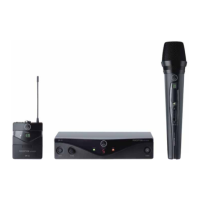
Lists system components included in the packaging. Instructions for checking contents and contacting dealer if missing.

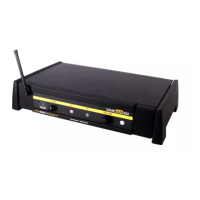
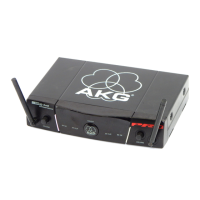
2.3 SR 40 Diversity Receiver Details

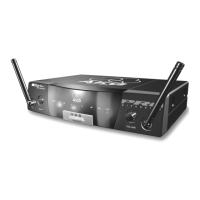
General description of the SR 40 diversity receiver, its features, and diversity operation.

2.4 Front and Rear Panel Controls

Detailed explanation of the front panel controls and rear panel connectors and indicators.

Setting Up the System

3.1 Receiver Placement

Guidelines for optimal receiver placement, considering distance, line-of-sight, and avoiding interference.

3.2 Rack Mounting Options

Instructions for mounting single or dual SR 40 diversity receivers in a 19-inch rack.

3.3 Audio Connections

Explains connecting the receiver to a mixer or amplifier via balanced XLR or unbalanced 1/4" jack outputs.

3.4 Connecting to Power

Steps for connecting the receiver to the AC adapter and power outlet, and turning it on.

Operating and Maintenance

4.1 Operating Notes

Key operating instructions, including transmitter power, antenna positioning, and volume control settings.

5 Cleaning Procedures

Instructions on how to clean the receiver surfaces using a soft cloth moistened with water.

Troubleshooting and Specifications

6 Troubleshooting Guide

Common problems and their possible causes and remedies, such as no sound or noise.

7 Technical Specifications

Technical specifications of the SR 40 diversity receiver, including frequency range, audio bandwidth, and power requirements.

AKG SR 40 DIVERSITY Specifications

General IconGeneral
BrandAKG
ModelSR 40 DIVERSITY
CategoryMicrophone system
LanguageEnglish

Related product manuals