EasyManua.ls Logo

AKG SR 45 - User Manual

AKG SR 45
18 pages
Print Icon
To Next Page IconTo Next Page
Loading...
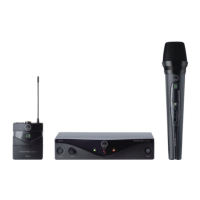
Perception wireless
BEDIENUNGSANLEITUNG
.......................
2
Bitte vor Inbetriebnahme des Gerätes lesen!
USER INSTRUCTIONS .......................... 18
Please read the manual before using the equipement!
MODE DEMPLOI ................................. 34
Veuillez lire cette notice avant dutiliser le système!
ISTRUZIONI PER LUSO........................ 50
Prima di utilizzare lapparecchio, leggere il manuale!
MODO DE EMPLEO .............................. 66
¡Sirvase leer el manual antes de utilizar el equipo!
INSTRUÇÕES DE USO .......................... 82
Favor leia este manual antes de usar o equipamento!

Questions and Answers

  • D
    David NguyenAug 16, 2025
    What to do if my AKG Microphone system has distortion?
    • V
      Victor ShawAug 16, 2025
      If you're experiencing distortion with your AKG Microphone system, consider the following: * Adjust the GAIN control: Experiment by turning the GAIN control up or down until the distortion disappears. * Check for interference: Other wireless systems, TVs, radios, walkie-talkies, or defective electrical appliances can cause interference. Try switching off potential interference sources or using a Perception wireless system tuned to a different frequency. Also, have your electrical installation checked. * Adjust antenna position: Relocate the receiver to a different location. If certain spots consistently produce distortion (dead spots), mark them and avoid using the system in those areas.
  • T
    Timothy BlackAug 26, 2025
    How to fix noise and crackling in AKG Microphone system?
    • A
      angelaweberAug 26, 2025
      To address noise, crackling, or unwanted signals in your AKG Microphone system: * Try repositioning the receiver to a different location. * Identify and eliminate potential sources of interference, such as other wireless systems, TVs, radios, walkie-talkies, or defective electrical appliances. Switch off these devices or use a Perception wireless system tuned to a different frequency. It's also advisable to have your electrical installation inspected.
  • S
    Shawn CarterNov 4, 2025
    Why is there no sound from my AKG SR 45?
    • P
      Phillip WhiteNov 4, 2025
      Several factors could be the reason for the lack of sound. Here are some things to check: * Ensure the AC adapter is properly connected to both the receiver and the power outlet. * Verify that the receiver is switched ON. * Check the connection between the receiver and the mixer or amplifier. * Make sure the VOLUME control on the receiver isn't set to zero. * Confirm that the microphone or instrument is correctly connected to the bodypack transmitter. * Ensure the transmitter and receiver are on the same frequency range and tuned to the same frequency. * Check that the transmitter's on/off switch is set to "ON" and not "MUTE". * Verify the transmitter batteries are correctly inserted, matching the "+" and "-" markings. * Replace the transmitter batteries if they are flat...

Summary

Safety and Environment

General Safety Precautions

Covers essential safety guidelines for operating the equipment to prevent damage and ensure user safety.

Environmental Considerations

Guidelines for responsible disposal of packaging and the unit, and energy saving measures.

Product Description

Introduction and Scope of Supply

Overview of the Perception wireless system and what is included in various sets.

SR 45 Receiver Overview

Detailed description of the SR 45 receiver's front and rear panel controls and connections.

Transmitter Components Description

Details on the HT 45 handheld and PT 45 bodypack transmitters, including controls and compatible accessories.

Setting Up the System

Receiver Placement and Connection

Instructions on positioning the receiver and connecting it to audio inputs and power.

Transmitter Setup and Battery Insertion

Steps for inserting batteries and setting up both handheld and bodypack transmitters.

Frequency Tuning and Channel Selection

Guidance on setting the correct frequency and selecting channels for optimal wireless connection.

Connecting Microphones and Instruments

How to connect microphones or instruments to the bodypack transmitter and set gain levels.

Pre-Soundcheck Procedures

Checking the wireless area for dead spots and adjusting squelch for clear reception.

Microphone Technique and Usage

HT 45 Handheld Transmitter Techniques

Best practices for using the HT 45, covering distance, angle of incidence, feedback, and backing vocals.

PT 45 Bodypack Microphone and Accessory Setup

Guidance for lavalier/headset mics with PT 45, and using windshields and moisture shields.

Cleaning and Maintenance

Cleaning External Surfaces

Instructions for cleaning the external surfaces of the equipment with a soft cloth.

Cleaning Handheld Transmitter Windshield

Procedure for removing, washing, and reattaching the internal foam windshield of the handheld transmitter.

Troubleshooting Common Issues

Troubleshooting Guide

Provides solutions for common problems like no sound, noise, crackling, and distortion.

Technical Specifications

System Specifications Overview

Detailed technical specifications for HT 45, PT 45, and SR 45 components.

AKG SR 45 Specifications

General IconGeneral
BrandAKG
ModelSR 45
CategoryMicrophone system
LanguageEnglish

Related product manuals