STYLE 6047 Wireless Remote Control
INSTALLATION, OPERATING, AND MAINTENANCE INSTRUCTIONS
4. WHAT’S INCLUDED
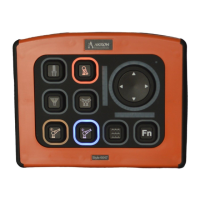
• 6047 Wireless Remote Controller
• 2-pack of batteries
• Mounting Bracket
• Keypad symbol quick reference card
5. OVERVIEW
The Style 6047 Wireless Remote Controller allows the user to control up to two monitors and is
compatible with all Akron Brass wireless receivers. It uses either a 900 MHz, or 2.4 GHz radio frequency
to control the monitor. The Wireless Remote Controller can also be configured and updated over a WiFi
network.
Please refer to the appropriate installation instructions for installing the
wireless receiver and all other components.
6. BATTERIES AND CHARGER
The Wireless Remote Controller comes with two Akron Brass P/N 60470008 Lithium-ion rechargeable
batteries. The batteries must be fully charged prior to first use. Akron Brass recommends using the
Tenergy TN471U battery charger. Akron Brass internal P/N for this charger is 60470010.
Using any battery other than Akron Brass P/N 60470008 can potentially
damage your Wireless Remote Controller. Failure to do this increases the
chance of fire and will void your warranty.
6.1 Charging Batteries
Lithium-ion batteries do not have a charge memory, so deep discharging is not required. It is better to
use partial discharge cycles. After 30 charges, you should completely discharge batteries prior to
charging. The battery is completely discharged when it measures 2.5V
6.2 Installing Batteries
Unscrew the battery caps by turning them counterclockwise. Insert the batteries with positive terminal
facing the Wireless Remote Controller. Replace battery caps by turning them clockwise until tight. Do
not overtighten.


 To Next Page