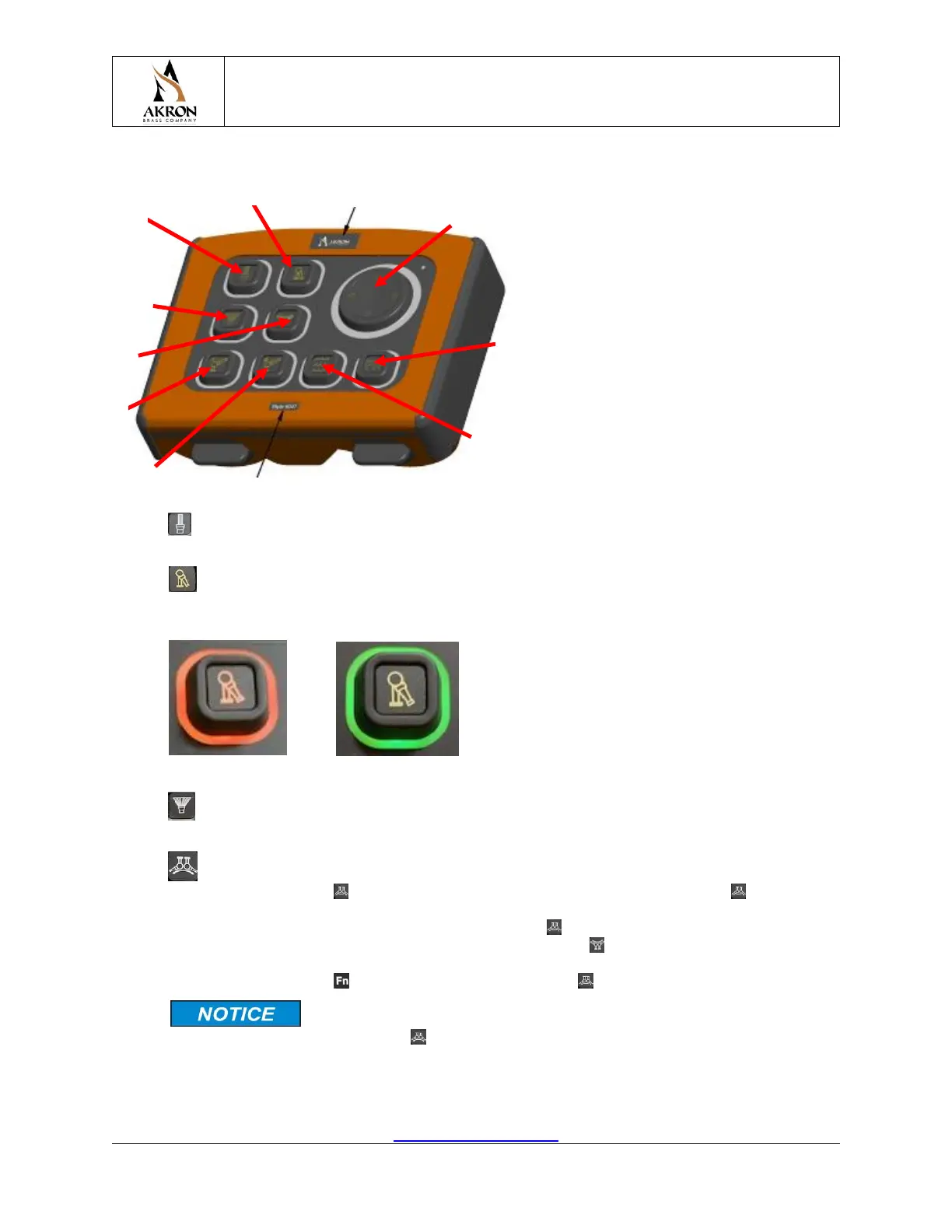
8.2 Keypad User Interface
1. Straight Stream – While this key is pressed, the monitor nozzle pattern will be commanded
to extend the pattern sleeve towards the straight stream flow setting.
2. Stow / Deploy - When this key is pressed, the monitor will be commanded to Stow, or
Deploy. A red key border indicates the selected monitor is stowed, while a green border indicates
deployed.
Stow Deploy
3. Fog Stream– While this key is pressed, the monitor nozzle pattern will be commanded to
retract the pattern sleeve towards the fog stream flow setting.
4. Oscillate – This key is used to perform the Oscillate function. To make the monitor
oscillate, hold down the Oscillate key to start the monitor rotating. Release the Oscillate key
when the monitor reaches the desired oscillation stop in the current direction. Once the monitor
begins moving in the opposite direction, hold down the Oscillate key until the monitor reaches
the desired oscillation stop in the current direction. Once the Oscillate key is released, the
monitor will begin oscillating between these configured stops. Oscillation can be paused /
resumed by holding the Function key, while pressing the Oscillate key.
If your Wireless Remote Controller is operating in the legacy
display type, you can assign the Oscillate key to behave as the Aux key. See section
9.2.4.8.


 To Next Page