6. Connections.
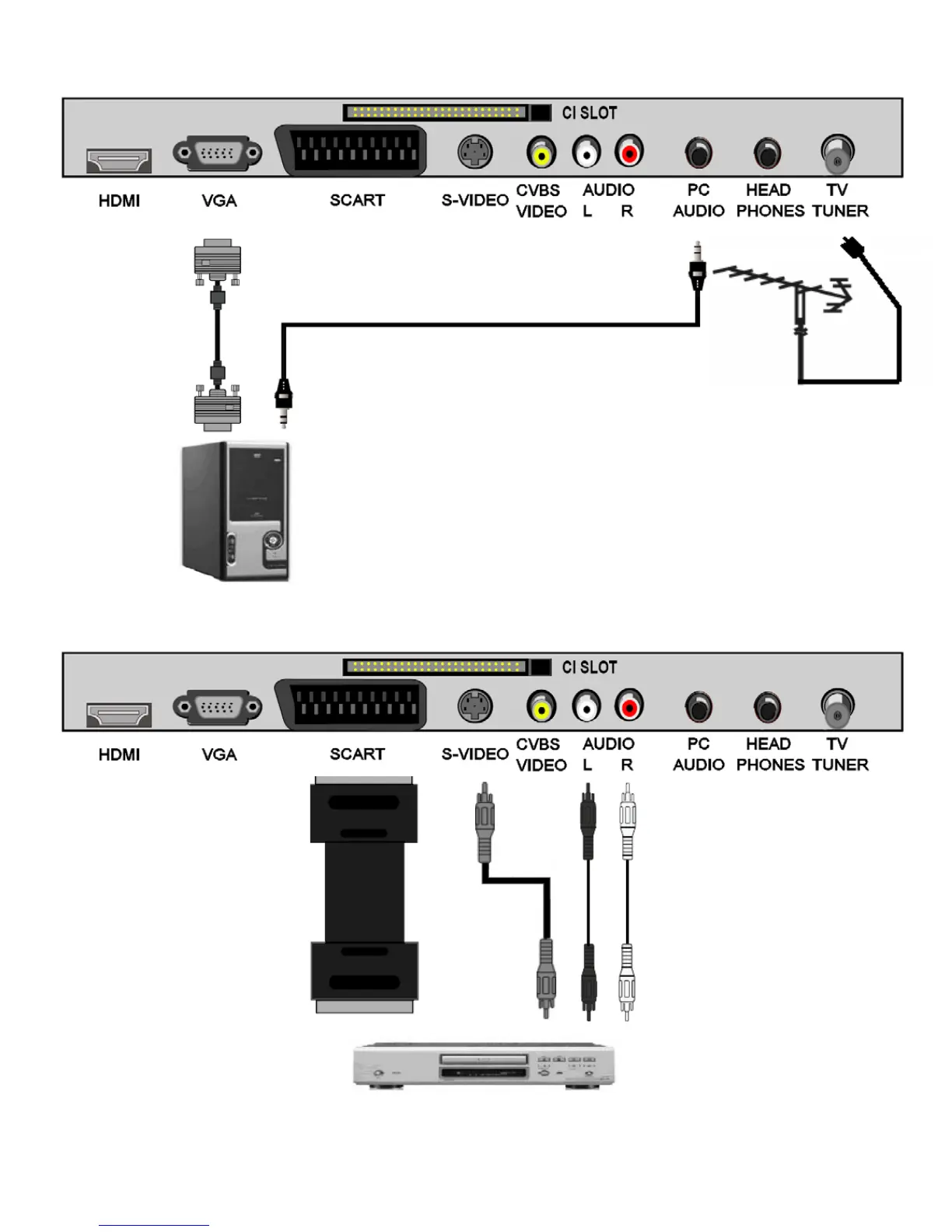
S-VIDEO.
Disconnect TV from
mains supply.
Connect S-VIDEO
lead and Audio L/R leads to
TV and appliance.
Re connect mains supply to
TV and power to appliance.
Use SOURCE to select S-
VIDEO.
9
Antenna
or cable
SCART.
Disconnect TV from mains
supply.
Connect scart lead to TV and
appliance.
Re connect mains supply to TV
and power to appliance.
Use SOURCE to select
SCART.
In some circumstances the TV
will automatically select scart
when the appliance is used.
PC connections.
Disconnect TV from mains supply.
Connect VGA (15 pin) plug to TV and
PC.
Connect stereo audio lead.
Re connect mains supply to TV and
PC.
Use SOURCE button to select VGA.


 To Next Page