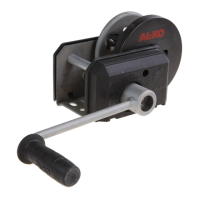
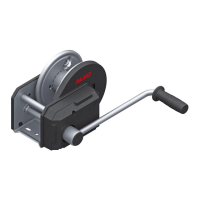
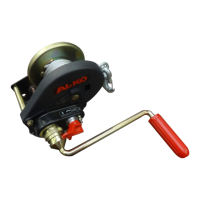
4. Assembly
4.1 Crank assembly from May 1995
(not for type 901A)
To Fig 5: Remove hexagonal bolt, spilt washer and
washer from the drive shaft and block the
cable drum (e.g. using a screw)
To Fig 6: Turn the crank on the drive shaft until the
crank nut lies next to the brake disc.
Then lay the disc in first, followed by the
hexagonal screw with the circlip, screw in
and tighten.
Use a torque wrench for tightening!
Tightening moment: 15Nm
Check information: The crank must
turn at least 1/4 turn to the left without
the drive shaft or cable drum moving!
Remove device used for blocking the
cable drum.
Put cover in place. (Cable winch
Type 351: Without cover cap)
4.2 Fitting the cable
To Fig 7: Push steel cable through the opening
provided (oblong hole) in the cable drum
from the inside to the outside.
To Fig 8: Insert the end in the collar band with a
large loop.
To Fig 9: Tighten hexagonal screw lightly and pull
the loop back to the collar band.
Tighten hexagonal screw with a 10 Nm
tightening moment.
To Fig 10: The spring hook must be pressed to the
rope eye and wire rope clamp together
with the rope in accordance with
regulations (included in standard delivery
for AL-KO ropes)
Note: Only rope end connections confor-
ming to specification may be used.
4.3 Fitting the belt
AL-KO cable winches are designed so that a flat belt
can be used instead of the cables.
Attention: The belt breaking strain must be at least
7 times the towing load given (bottom cable
position). A certificate from the belt manufacturer is
required for this!
Use belt with loops!
Fasten belt end using flat connectors.
Type 351: ident no. 352 516
Type 501: ident no. 352 514
Type 651: ident no. 352 515
Type 901: ident no. 352 516
Type 901A: ident no. 352 516
To Fig 11: Push the flat connector through the belt
loop in the direction of the arrow. Secure
the connector against movement using a
shim, circlip and screw.
Caution: Note the direction in which the belt
unwinds! Turn the crank in the "Lift” direction when
the belt is wound up.
5. Operation
Lifting, pulling:
Turn the hand crank clockwise.
Stopping:
The load can be stopped in any position by simply
letting go of the crank.
Lowering:
Turn the crank anti-clockwise to lower the load. The
automatic brake prevents the crank from kicking
back (load pressure brake).
Caution:
The cable must remain wound round the drum at
least twice under load (Fig 3).
901A cable winch with removable handle:
(Automatic unwinding)
to unwind the cable automatically (without load),
turn the hand crank one turn to the left (anti-clock-
wise – cable drum must not turn as well).
Pull the safety button up (unlocking), remove the
hand crank and insert on the hoop provided. (Fig. 4)
The cable can now be unwound quickly and easily.
6. Maintenance and Cleaning
Check the wire cables regularly for wear. Removal
criteria as per DIN 15020:
E.g. crushing, breaks in the individual wires.
When using a belt: Check the belt for damage regu-
larly, e.g. cracks, scrapes, fibre breaks;
if the cables or belts are damaged, they must be
replaced immediately.
The winch has already been lubricated in the works.
It is recommended however that the drive shaft
bearing bushes and the drum hub be oiled regularly.
Grease the toothed wheel rim regularly.
Ensure that the crank gear is always lubricated.
Caution:
Do NOT oil or grease the brake mechanism!
A competent person must inspect the cable winch
at least once a year in accordance with the
operating conditions and the situation in which it
is used. This inspection is required in accordance
with the German Accident Prevention Regulations
for Winches, Lifting and Pulling Machinery
(VGB 8 §23). In case of complaints, confirm of this
inspection is to be provided.
Service life:
The service life (working time) of the cable winches
differs according to the purpose for which it is used
5


 To Next Page
 Loading...