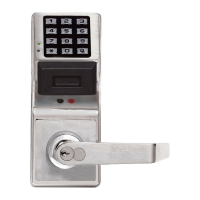
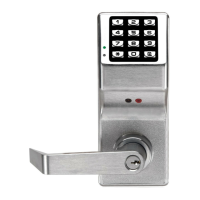
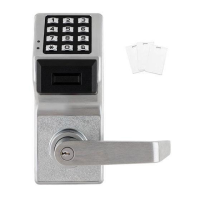
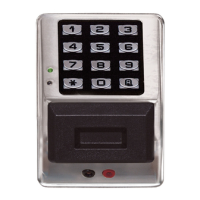
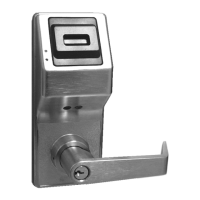
Need help?
Do you have a question about the Alarm Lock PDL3000 series and is the answer not in the manual?
Detailed log of lock activity, including time/date stamped events and program changes.
Details user code capacity, types (Master, Manager, etc.), lockout modes, and group assignments.
Outlines access via User Codes, Prox Cards, Keyfobs, or combined High Security access.
Covers batch enrollment and compatibility with HID PROX cards and keyfobs.
Describes the 500 programmable events for unlocking/locking and user/group management.
Outlines manual keypad programming and PC-based programming via DL-Windows.
Details the optional hand-held printer for printing audit trails and user code lists.
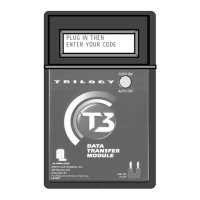
Explains the module for transferring data between locks and PCs.
Describes the reader for quick programming of Prox Cards/Keyfobs with DL-Windows.
Configures a security alert triggered by a specific code entry.
Covers user code conflicts, service codes, and group associations.
Details keypad lockout, non-volatile memory, and error checking capabilities.
Explains real-time clock, programmable relay functions, and timeout functions.
Allows Group 1 members to activate passage mode within a time window.
Enables Group 1 members to disarm a burglary control panel via relay.
Allows Group 1 members to enable Group 4 users within a time window.
Describes wiring for power, remote input, and relay functions.
Explains LED and sounder indicators for battery status and system faults.
Step-by-step guide for replacing batteries while preserving programming.
Details procedures for powering up to retain or erase lock programming.
Explains how the lock unlocks and remains unlocked after valid code entry.
Recommends using programming sheets and understanding program levels.
Describes LED/sounder indicators and general program mode entry/exit.
Procedure for installing batteries and loading default program.
Steps to enter program mode, set new master code, and exit.
Instructions for setting date, time, weekday, and daylight saving time.
Guide to adding basic user codes and managing user code conflicts.
Instructions for programming ProxCard-only and High Security (ProxCard + User Code) access.
Procedures for deleting ProxCard/User Codes and batch enrolling ProxCards.
How to print lock's time, date, day, user code list, and audit trail.
Detailed steps for entering, programming, and exiting program mode via keypad.
How to program ProxCards individually or in batches using the keypad.
Using DL-Windows software via AL-PCI cable or AL-DTM2 module for programming.
How to test valid and invalid keypad user code entries.
Procedures for testing valid and invalid Prox Card/Keyfob entries.
Testing access requiring both User Code and ProxCard.
Procedure and requirements for setting a 6-digit Master Code.
Steps for managing user codes, including deleting ProxCards.
Functions for enabling, disabling, and managing total user lockout.
How to enable a service code and erase all users except the master.
Procedures to clear all programmed schedules and timeout functions.
Functions to enable or disable specific user groups or all groups.
Setting timed durations for enabling or disabling user groups.
Associating or disassociating users with specific groups.
Setting the date, time, weekday, and daylight saving time.
Speeding up or slowing down the clock for accuracy.
Enabling/disabling passage mode where schedules take precedence.
Setting a specific duration for passage mode.
Enabling/disabling passage mode where schedules do not override.
Setting modes for passage activation, including group control.
Adjusting the duration the lock remains unlocked after valid entry.
Printing audit trails, user code lists, and clock settings.
Procedures for transferring data between PC and lock using DL-Windows.
Setting door numbers for use with the AL-DTM2 module.
Configuring lockout attempts and lockout time after invalid entries.
Enabling or disabling the remote input function.
Setting a specific code to trigger the ambush relay function.
Programming various events to activate the relay output.
Removing programmed relay and system functions.
Enabling the Enter key for user codes that are subsets of others.
Scheduling passage mode to enable/disable based on day and time.
Scheduling the enable/disable state of user groups based on day and time.
Programming common schedules for specific time periods and groups.
Activating passage mode when a Group 1 user enters a code within a window.
Activating relay functions, like disarming a burglary alarm, via Group 1 user code.
Enabling Group 4 users when a Group 1 user enters a code within a window.
Resets all programming settings to factory defaults.
Demonstrates adding users to multiple groups and associating users with groups.
Shows how Group 1 users can activate passage mode or other functions.
 General
| Brand | Alarm Lock |
|---|---|
| Model | PDL3000 series |
| Category | IP Access Controllers |
| Language | English |

 To Next Page