
 Need help?
Do you have a question about the Alarm Lock Wireless Trilogy PDL6200 and is the answer not in the manual?
Records lock events with time and date for security tracking.
Configures automated lock/unlock events based on time and day.
Details methods like keypad codes and proximity credentials for access.
Explains PC-based programming via DL-Windows software.
Describes different Gateway modules for network connectivity.
Overview of the programming software and its requirements.
Details compatible remote release devices for lock operation.
Steps to prepare the lock for user code entry and programming.
Explains entering and exiting the lock's programming mode.
Details visual and audible feedback for lock operations.
Defines core terms like Lock Program, User Codes, and Time Zones.
Describes user roles and their hierarchical permissions.
Differentiates between system-wide and single-lock emergency actions.
Describes initiation via keypad or keyfob.
Configures attempt limits, lockout times, and ambush codes.
Details electrical connections and initial power-up steps.
Procedure to reset the lock to factory default settings.
Initial setup and configuration for a new lock installation.
Verifying that programmed user codes and credentials function correctly.
Adding, deleting, and modifying user codes and credentials.
Enabling, disabling, and assigning users to groups.
Configuring date, time, and daylight saving adjustments.
Setting up temporary unlock modes for passage.
How Group 1 user actions trigger other functions.
Templates for documenting settings and user data.
Explains fundamental terms and lock operations.
Outlines warranty period, exclusions, and liabilities.
 General
| Model | PDL6200 |
|---|---|
| Power Source | Battery |
| Battery Life | Up to 2 years |
| Weather Resistance | Weatherproof |
| Wireless Range | 100 feet |
| Audit Trail | Yes |
| Mortise lock | No |
| Communication | Wireless |
| Keypad | Yes |
| Auto-Lock | Yes |
| Backup Key | Yes |
| Battery Type | 4 AA alkaline batteries |
| Access Method | Keypad, Prox Card |
| Material | Metal |
| Backset | 2.75 inches |
| Operating Temperature | -31°F to 151°F |
| Compatibility | Compatible with most doors |
| Door Thickness | 1-3/8" to 1-3/4" |

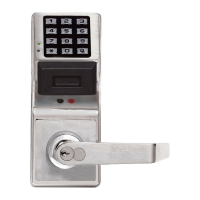
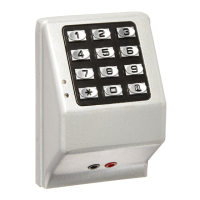
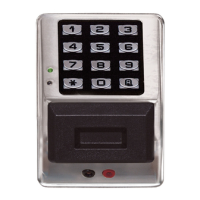
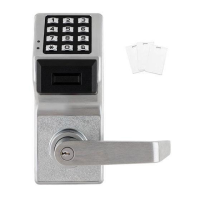

 To Next Page