
 Need help?
Do you have a question about the Alarm Lock Trilogy DL4500 and is the answer not in the manual?
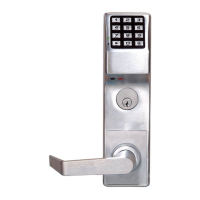
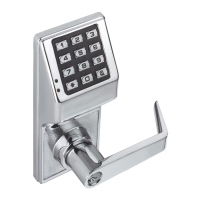
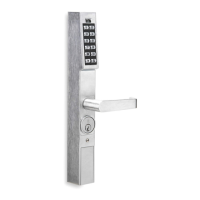
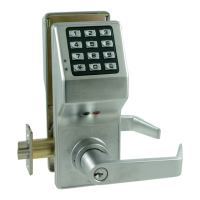
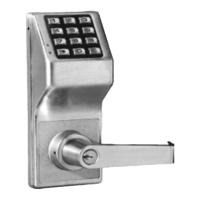
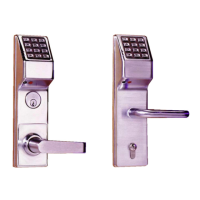
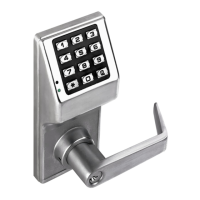
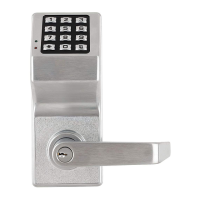
Overview of DL4100 and DL4500 lock models and their features.
Details on the lock's event logging capabilities and capacity.
Lists physical features like key override, keypad feedback, and battery monitoring.
Explains scheduling, user levels, and access methods for the locks.
Covers manual keypad and PC-based programming options.
Describes AL-DTM and AL-DTM2 for transferring lock data and programs.
Details the AL-IR1 printer and essential communication cables like AL-PCI.
Explains why software is used over traditional keys for flexibility.
Guides users on initial setup and entering program mode.
Defines Normal Mode vs. Program Mode and how to switch.
Defines Lock Program, User Codes, Features, Time Zones, and Schedules.
Explains user hierarchy and capabilities based on programming levels.
Defines User Numbers and their significance within the lock.
Explains how to group users for easier management and scheduling.
Details specific user codes like 297 (Quick Enable), 298 (PC Access), 299 (AL-DTM), 300 (Service).
Describes the DL-Windows software for programming and data management.
Details the hierarchical structure of programming levels and their abilities.
Shows default user numbers, groups, and program levels for lock types.
Explains the conventions for enabling/disabling users by number.
Provides guidance on error handling and sequence confirmation in program mode.
Details the visual and audible indicators for lock status and activities.
Illustrates direct data transfer between PC and lock using AL-PCI cable.
Shows data transfer via AL-DTM, useful when PC is unavailable.
Demonstrates printing audit trails and code lists with the AL-IR1 printer.
Steps for applying power and initial lock state.
Instructions for safely replacing batteries in the lock.
Guide to reset the lock to factory default settings.
Covers unpacking, first power-up, and changing the master code.
Procedures for setting the weekday, date, and time on the lock.
Steps for adding and deleting user codes for access.
Explains potential conflicts when programming user codes.
How to safely exit and re-enter program mode.
Testing the functionality of newly programmed user codes.
Details on setting and confirming the 6-digit Master Code for access.
Procedures for managing user codes, including deletion.
Table showing default user types, numbers, and program levels.
How to enable or disable specific users by their number.
Explains enabling/disabling total user lockout and its effects.
Details on using the service code and erasing all users except master.
Procedures for clearing all programmed schedules and timeouts.
Functions to enable or disable specific groups or all groups.
Explains the order in which functions or user states take priority.
How to temporarily enable or disable groups for a specified duration.
Manually associating or disassociating users with specific groups.
Procedure to set the current date (MMDDYY format) on the lock.
Procedure to set the current time using 24-hour format.
How to set the current day of the week.
Options for configuring Daylight Saving Time adjustments.
Adjusting clock speed to compensate for drift or gain.
Functions to enable or disable passage mode temporarily.
Setting passage mode for a specific duration in hours.
Enabling, disabling, or returning to scheduled passage mode.
Setting modes for how groups affect passage mode.
Adjusting the duration the lock remains unlocked after code entry.
Instructions for printing the lock's audit trail log.
How to print a list of all programmed user codes.
Printing current clock settings and software version.
Procedures for data transfer using DL-Windows.
Setting a unique number for the AL-DTM2 to identify locks.
Configuring lockout after invalid code entries.
Programming the ambush code for security alerts.
Programming relay activation for various lock events.
How to remove previously added relay functions.
Configuring privacy timeouts and clearing defaults.
Enabling the Enter key for user code entry.
Enabling/disabling passage mode based on schedule.
Scheduling group enable/disable based on day and time.
Programming predefined quick schedules to enable groups.
Setting passage mode activated by Group 1 user code entry.
Activating relay based on Group 1 user code within a time window.
Wiring and notes for using relay output to disarm alarm panels.
Enabling Group 4 users via Group 1 user code entry within a time window.
Resetting the entire lock to factory defaults.
Example of assigning a user to Group 2 and Group 3.
Explains how Group 1 activation affects Passage Mode and Group 4.
Demonstrates setting Passage Mode via Group 1 user code entry.
Demonstrates relay activation triggered by Group 1 user code entry.
Shows enabling Group 4 users via Group 1 user code entry.
Setting up the Residency Feature to prevent unintentional lock-out.
Configuring privacy mode where keypad is disabled after entry.
Configuring privacy mode allowing free entry, disabling keypad after use.
Setting up Privacy Mode 1 (normally locked) for DL4100.
Explains the Residency Feature for DL4100 to prevent unintentional lock-out.
Setting up Privacy Mode 2 (normally unlocked) for DL4100.
Sheet for recording function numbers, names, and programming values.
Sheet for logging user numbers, codes, group associations, and names.
Sheet for recording scheduled functions, days, times, and names.
Defines terms like Access, Ambush, Audit Trail, Burglary Control Panel.
Explains various code types like Master, Installer, User, Service.
Defines terms related to data transfer and computer ports.
Defines terms like Group, Keypad Lockout, Lockout Attempts, Program Mode.
Defines Passage, Privacy, Residency modes, and Time-out Duration.
Details the warranty period, exclusions, and limitations of liability.
Outlines what the seller does and does not cover, plus liability limits.
Recommends system testing and warns about potential system failures.
 General
| User Codes | Up to 100 |
|---|---|
| Audit Trail | Yes |
| Door Thickness | 1-3/4" to 2-1/4" |
| Mortise/Cylindrical | Cylindrical |
| Voltage | 6VDC |
| Weather Resistant | Yes |
| Type | Electronic Lock |
| Access Method | Keypad, Key Override |
| User Capacity | 100 Users |
| Programming | On-device programming |
| Backset | 2-3/4" |
| Power | 4 AA batteries |
| Battery Type | AA Alkaline |
| Dimensions | 6.5" x 2.5" x 1.5" |



 To Next Page