1
CONGRATULATIONS!
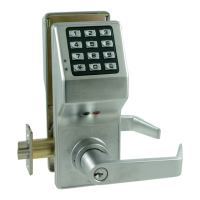
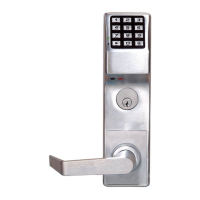
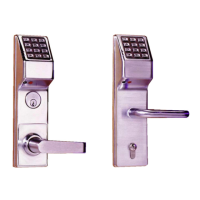
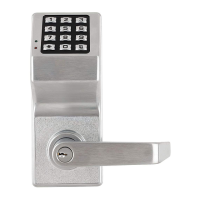
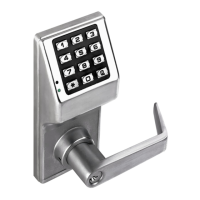
Your new Alarm Lock Trilogy DL2700LD electronic digital lock is a rugged entry lock of
advanced design with several programmable features. Three security levels are provided:
Master (can perform ALL functions), Manager (can perform MOST functions plus
entry), and Basic User (entry only).
The lock includes 100 User Codes (consisting of Managers and Basic
Users), plus three "one-time entry" Service Codes. The Manager/Basic User Codes are
organized similar to a grid--ten banks of ten Access Codes. In addition, during a crisis or
other urgent situation, the model DL2700LD features the added ability to receive a wire-
less "Emergency Lock Down" (LocDown
™
) command sent via a wireless keyfob.
Take the time to read through this guide to familiarize
yourself with the features and operations of the lock,
and its quick and easy programming procedures.
FEATURES
Emergency Lock Down and unlock via wireless
keyfob
1 Master Code (all functions including entry)
10 Manager Codes (perform SOME programming
functions plus entry)
90 Basic User Access Codes (Entry Only)
3 Service Codes ("One-Time Entry" Codes)
Two User Disable Modes:
All User Codes Disabled Except Master Code
All User Codes in a Bank Disabled Except
Manager Codes
30-Second Keypad Anti-Tamper Lockout
(Keypad Lockout After 3 Unsuccessful User Code
Entries)
Programmable Relay Functions
(Relay may be keypad programmed to energize on
any keypress 0-9 or on unlock).
Locks may be pre-programmed prior to installation.
Once installed, locks may immediately be put into
use.
Clearing all User Access Codes only requires a
simple two step procedure (see "Erase All Pro-
gramming" on page 13).
Trilogy
DL2700LD
Programming Instructions
WI2151 10/15
DL2700LD
345 Bayview Avenue
Amityville, New York 11701
For Sales and Repairs 1-800-ALA-LOCK
For Technical Service 1-800-645-9440
or visit us at http://tech.napcosecurity.com/
(Note: Technical Service is for security professionals only)
Publicly traded on NASDAQ Symbol: NSSC
© ALARM LOCK 2015
QUICK LOOKUP
DL2700LD Keyfob Operation ...................................... 2
Pairing a Keyfob to the DL2700LD ........................... 2
Keyfob Low Battery .................................................. 2
Emergency Lock Down Via Keyfob .......................... 3
Clear DL2700LD / Keyfob Pairings .......................... 3
DL2700LD Wiring ........................................................ 4
DL2700LD Quick Start................................................. 4
Testing Codes ............................................................. 5
Manager & User Location Worksheet .......................... 6
Manager & User Location Example ............................ 7
Programming Worksheet: Functions ........................... 8
Change Existing Master Code ................................. 9
Add/Change Manager Codes ................................... 9
Add/Change User Codes ......................................... 9
Deleting Codes ......................................................... 9
Disable/Enable Users ............................................... 9
Enable/Disable All .................................................. 10
Code Location Function ......................................... 10
Next Free Code Address Locator ........................... 10
Add/Delete Service Codes .................................... 11
Enable/Disable Passage Mode .............................. 11
Pass Time ("Door Unlock") .................................... 11
Disable/Enable Groups .......................................... 11
Disable/Enable Users in Bank ................................ 12
Keypress Sound Options ....................................... 12
AUX Relay Functions ............................................. 12
Sounder on Emergency Lock Down ....................... 12
Lock Identifier ......................................................... 12
DL2700LD Audible and LED Indications ................... 13
Erase All Programming .............................................. 13
DL2700LD Battery Replacement ............................... 14
Keyfob Battery Replacement ..................................... 14
Additional Manager & User Location Worksheet ....... 15
Alarm Lock Limited Warranty .................................... 16

 Need help?
 General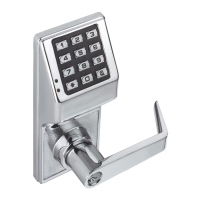



 To Next Page