
 Need help?
Do you have a question about the Alarm Lock Trilogy DL3500EX and is the answer not in the manual?
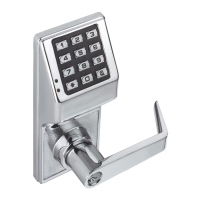
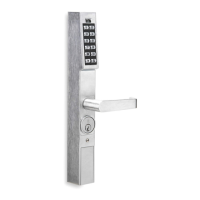
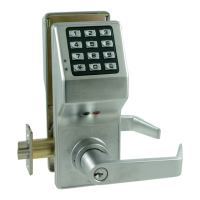
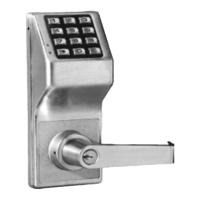
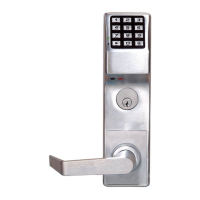
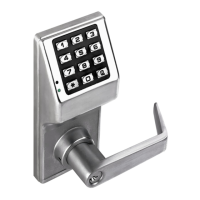
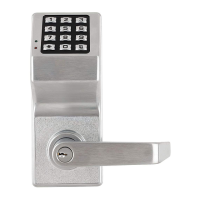
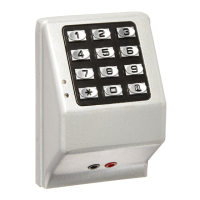
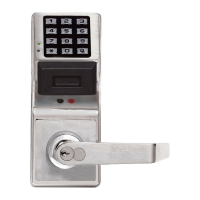
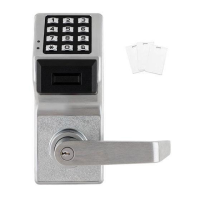
Product overview of DL3500 and DL3500EX stand-alone access control systems.
Details about the lock's audit trail capabilities, including event capacity and logging.
Overview of physical and operational lock features like key override and real-time clock.
Information on setting up automated events and schedules for lock operation.
Methods for users to access the lock, such as keypad or key override.
Details on user capacity, levels, code lengths, and special functions.
Methods for programming the lock, either manually or via PC software.
Device for transferring lock programs and data between computers and locks.
Printer for audit trails and user code lists without a PC connection.
Required cable for computer communication with locks or AL-DTM.
Explains the advantages of using software-based user codes over physical keys.
Steps to prepare the lock for initial programming, including waking it up.
Defines Program Mode and how to enter/exit it for making lock changes.
Defines a Lock Program as a set of instructions for lock functions.
Explains User Codes as numbers entered on the keypad to unlock the lock.
Describes the selectable options and functions available for the lock.
Defines TimeZones as programmed times for events to occur.
Explains Schedules as programmed sequences of events for automatic operation.
Defines a User as an authorized person with a specific programming level.
Explains Programming Levels and their hierarchy for user authority.
Explains Groups as a way to manage multiple users collectively for efficiency.
Details special abilities of Users 297 (Quick Enable), 298 (PC Access), 299 (AL-DTM), 300 (Service).
Describes DL-Windows software for programming locks, making it faster and easier.
Table showing default group associations and programming levels for user types.
Provides general guidance on operating within Program Mode, including error handling.
Direct PC to lock programming via AL-PCI cable using User 298.
PC to AL-DTM, then AL-DTM to lock using mini banana plug.
Using AL-IR1 infrared printer to print lock data.
Details on connecting wires for external power, remote input, and relay.
Steps for applying power to the lock for the first time or after re-application.
Procedure for replacing batteries, including precautions.
Instructions for clearing all programming and returning to factory defaults.
Step-by-step guide for initial lock setup and data clearing.
Procedure to enter Program Mode and set a new Master Code.
Instructions for setting the current day of the week.
Instructions for setting the current date.
Instructions for setting the current time.
Procedure for adding new user codes to the lock.
Instructions for removing existing user codes from the lock.
Information on potential conflicts when programming user codes and warnings.
How to exit Program Mode and return to normal operation.
How to re-enter Program Mode after exiting.
How to test entered user codes for validity and expected behavior.
Section detailing user management, including new master codes and user codes.
Procedure to set a new 6-digit Master Code for the lock.
Instructions for managing user codes from number 2 to 300.
Overview of default user type, number, group, and program level settings.
Functions to enable or disable specific users by their number.
Enable/disable mode that prevents all users except Master from operating the lock.
Deletes all user codes except the Master Code.
Functions for clearing schedules and timeout settings from the lock.
Functions to enable or disable specific user groups.
Temporarily enables or disables groups for a specified duration.
Associates or disassociates users with specific groups.
Functions for adjusting and managing the lock's internal clock.
Sets the start date for Daylight Saving Time adjustments.
Sets the end date for Daylight Saving Time adjustments.
Functions to adjust the clock speed for accuracy.
Functions to enable or disable passage mode, allowing entry without a code.
Functions for passage mode that are not overridden by schedules.
Settings for how long the lock stays unlocked after a valid code entry.
Functions related to printing audit trails and user code lists.
Functions for uploading and downloading data to/from a PC.
Functions to configure lockout attempts and lockout time.
Configuration for the remote input feature.
Functions related to the ambush code and its activation.
Functions to add and configure system-wide features like relays and PC communication.
Details on programming the relay for ambush conditions and setting the code.
Enables or disables the Enter Key function, allowing user codes as subsets.
Functions to schedule passage mode and group activations/deactivations.
Pre-programmed schedules to enable groups for common time blocks.
Features activated by Group 1 user code entry during specified windows.
Functions related to scheduled relay activation for Group 1.
Diagrams and notes for wiring the lock to disarm a burglary control panel.
Enables Group 4 users when a Group 1 user code is entered within a window.
Function to clear all lock programming and return to factory defaults.
Example of assigning a user to multiple groups.
Details how Group 1 activation affects Passage Mode, Relay, and Group 4 enabling.
Example of setting Relay Activation window using Functions 90 and 91.
Example of enabling Group 4 via Group 1 activation using Functions 92 and 93.
Entry into a restricted area.
Silent alarm triggered by a special code when forced to unlock.
A date/time stamped log of previous lock events.
Numeric sequence entered at the keypad to operate the lock.
Mode for entering program/data through the keypad.
A person who has been provided with a USER CODE for access through the door.
Group 1 code entry can disarm an alarm panel during a predefined schedule.
User Codes assigned to User Numbers 2 and 3, allowing most programming.
Keypad programmed to lockout users after invalid code entries.
The relay can be programmed for one or more functions.
A programmed operation (enable/disable, lock/unlock, etc.) on a specific day and time.
All Users (except for Master Code) have been locked out.
Details the 24-month warranty period and conditions that void the warranty.
States that express warranties are in lieu of all implied warranties, including merchantability.
Limits Alarm Lock's liability for consequential or incidental damages.
Advises on system testing, potential failures, and user safety.
 General
| Audit Trail | Yes |
|---|---|
| Door Thickness | 1-3/4" to 2-1/4" |
| Power | Battery |
| Voltage | 6V |
| Key Override | Yes |
| Type | Electronic Lock |
| Access Method | Keypad |
| Backset | 2-3/4" |
| Battery Type | 4 AA Alkaline |
| Weather Resistance | Weatherproof |
| Handing | Non-Handed |
| Finish | Various |
| Compliance | ANSI/BHMA Grade 1 |
| Operating Temperature | -31°F to 151°F |



 To Next Page