EasyManua.ls Logo

Albany UltraSmart - User Manual

Default Icon
44 pages
Print Icon
To Next Page IconTo Next Page
Loading...
UltraSecure 3000 with UltraSmart Owners Manual
Doors are UltraRugged, UltraReliable, UltraAffordable.
Albany Door Systems - A Company of Albany International Corp. All Rights Reserved
1080 Maritime Drive, Port Washington, WI 53074 - 975-A Old Norcross Road, Lawrenceville, Georgia 30046
262-268-9885 www.albanydoors.com
PN: 001451
Rev. 9/27/2010
Version 4.20
Question and Answer IconNeed help?

Do you have a question about the Albany UltraSmart and is the answer not in the manual?

Summary

Statement of Warranty

One-Year Warranty Details

Details the warranty coverage for mechanical and electrical components for one year.

Introduction to UltraSecure Doors

Product Description

Control Unit Operation and Safety

Manual Operation

Describes how to operate the door manually during power outages or maintenance.

Electric Safety Devices

Explains the safety features like photocells and reversing edges.

Self-Monitoring Drive Unit

Details the thermal switch that protects the drive unit from overheating.

Safety Systems Testing

Outlines the procedure for testing photocells and control unit self-testing.

Additional Safety Systems

Discusses optional safety sensors like motion detectors and floor loops.

Mechanical Safety Devices

Drive Unit Overview

Technical Data Specifications

Inspection Plan

Safety Instructions

Area of Application and Use

Defines the intended use and classified applications for the high-speed doors.

Duty of Care for Operators

Outlines operator responsibilities for safe installation, operation, and maintenance.

General Safety Advice

Troubleshooting Guide

Mechanical Malfunctions

Lists common mechanical issues and their corrective actions.

Electrical Malfunctions

Warranty Information

Maintenance Procedures

Customer Service Contact

Provides contact information for maintenance and repair assistance.

Inspection and Cleaning Procedures

Panel Tensioning

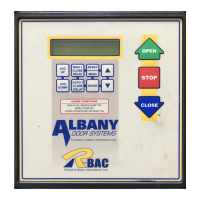
UltraSmart Control Panel

Control Panel Buttons and Display

Identifies control panel buttons and explains display functions and error codes.

Control Panel Operation

Changing Closing Time Delay

Instructions on how to adjust the auto delay time for door closing.

Seating Door in Tracks

Notes the non-applicability of this function for the UltraSecure door.

Door Adjustments

Door Limit Adjustments

Explains how to set four key door opening and closing positions.

Closed Limit Setting

Details setting the fully closed position as the zero reference point.

Full Open Limit Setting

Instructions for setting the height of the fully open door position.

Partial Open Limit Setting

Describes setting a secondary, lower open position if needed.

Periodic Maintenance

Quarterly Inspection

Outlines specific checks for quarterly maintenance tasks.

Wiring Diagrams

Motor Wiring

Provides wiring schematics for the door motor and its connections.

Encoder Wiring

Details the wiring connections for the encoder system.

Activation Wiring

Wireless Safety System Setup

Startup Procedure

Setting Door Limits

Procedure for setting the closed, full open, and partial open door limits.

Setting System Options

Guide to configuring system options and parameters for the door.

Setting Timers

Instructions for adjusting various timer settings for door operation.

Over-Travel Brake System

Resetting the Brake

Electrical Operation Instructions

Side Frame Components Diagram

Side Frame Parts List

Panel Door Blade Diagram

Panel Door Blade Parts List

Barrel Parts List

Drive Unit Diagram

Drive Unit Parts List

Albany UltraSmart Specifications

General IconGeneral
BrandAlbany
ModelUltraSmart
CategoryDoor
LanguageEnglish

Related product manuals