11
Transmit and correct Microphone use
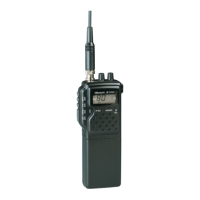
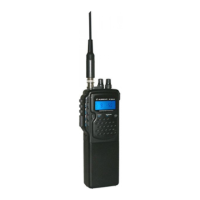
For transmitting you use the Push-To-Talk, PTT key on the left cabinet side
- press
PTT
to transmit
display shows
TX
- release button after talking- radio will switch back to reception mode.
Speaking into the built-in microphone: Use a distance of 5-10 cm and speak with moderate
voice (do not cry!) The modulation amplifier is sensitive enough and allows some variation of
speach volume and distances. An automatic ALC circuit keeps the modulation volume constant
and your distant party can hear you always with nearly the same volume. It is recommended t
test the best microphone distance and speech loudness with the distant party.
Power Switching (Power Saving)
4 Watt carrier power in FM is a big load for the battery. In most cases the maximum power of 4
watt in FM is not really needed. You should reduce the transmit power from 4 watts to appr. 1
Watt wherever it is possible.
• Press H/L and the Display will show LOW. The FM power will now be around 1 Watt
(AM power remains always on 1 Watt by regulation)
• Press H/L once more and LOW will disappear. The FM power will now be back to 4
Watts
Display Backlight
Use the LGT button to illuminate the display.
- Press 1 x = Light on
- Press 1 x = Light off
Light on means extra power consumption from battery!
External Connectors
External Speaker/ Earphone SPK
Depending on surrounding noise it can be useful to connect a speaker-mic or headset to the
radio. Speakers can have 8-16 Ohms, Earphones should have 32 Ohms or more.
The socket is designed for a 3.5 mm Standard Mono plug.
The output power for speakers is appr. 0.5 watts at 16 Ohms and is sufficiant for small speakers
or speaker-mic-combinations.
To avoid acoustical shocks when using headsets or earphones, please take care that no low
impedance earhones (4-16 Ohms) are allowed to be connected there! Such earphones can
produce too loud sound volume for your ears.





 To Next Page